
What TONE3000 is
TONE3000 is a tone library where musicians capture real gear and share it. Amp heads, full rigs of amp and cabinet, drive pedals and cabinet IRs — NAM captures and IRs, each with its creator’s name on it.
Why we integrated it
NAM FX ships without amp captures. A capture belongs to the person who made it, and the good ones already live on TONE3000. With the integration you pick a tone inside the app and put it on your rig — no hunting for files, downloading and moving them by hand. Who made each tone stays visible in the list and in the editor.
How it works
- Open TONES and tap Browse TONE3000. The first time, you see a TONE3000 introduction, then sign in with your own account on TONE3000’s sign-in page.
- Find and pick a tone on TONE3000’s own screens. You can preview it before choosing. The A1 · A2 switch on the banner sets which format TONE3000 shows you.
- NAM FX picks the model in that tone that runs lightest on your device and downloads only that file.
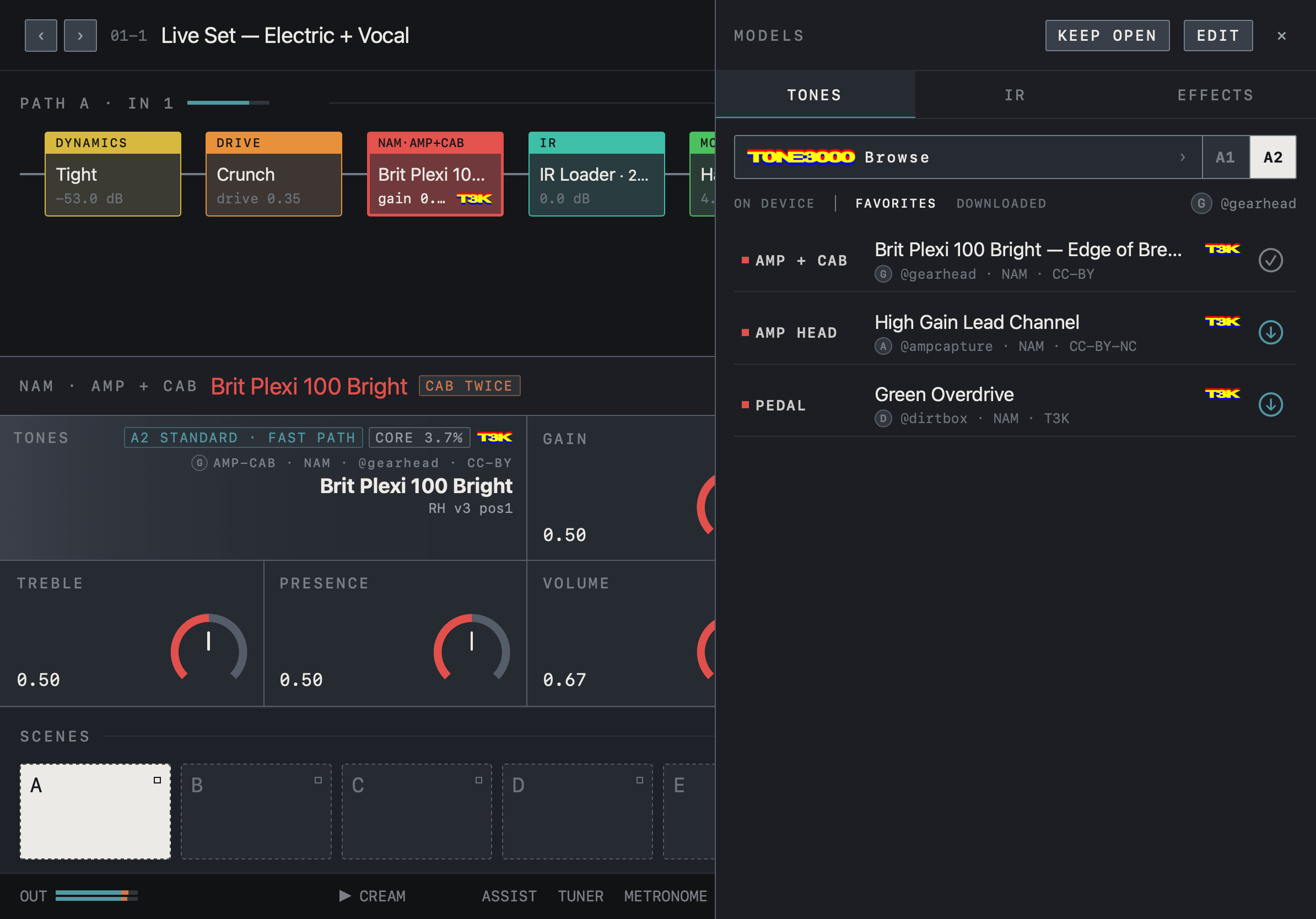
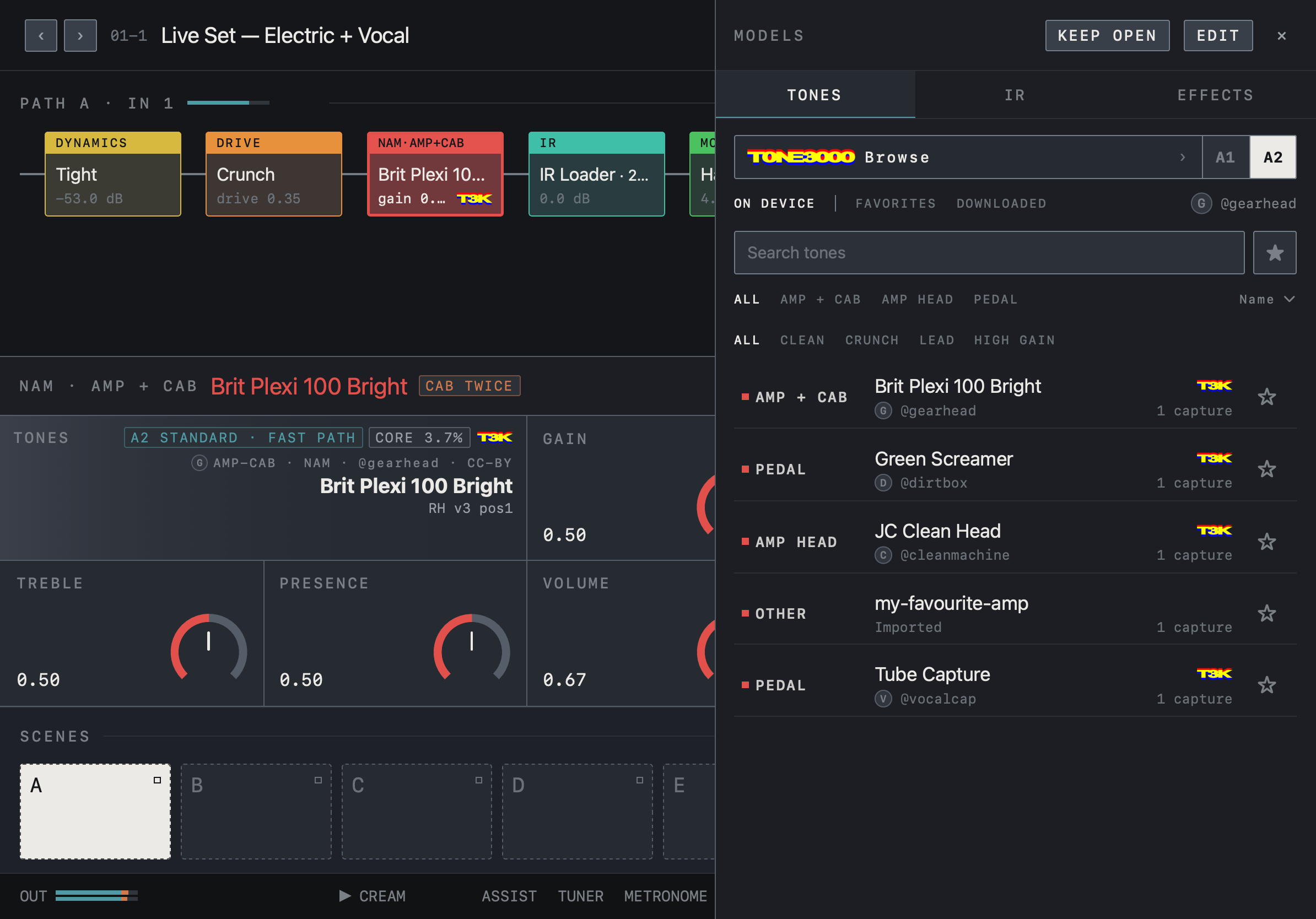
- The tone lands in your tone list with its image, creator, gear type, format and T3K mark, and loads straight into the selected block.
On another device
Presets remember which tone they use. If that tone isn’t on this device, tapping the block’s tone opens it on TONE3000, and once downloaded it loads into that block. Disconnect from Settings to remove the sign-in stored on the device.
What we keep to
- Only tones you choose are downloaded. Nothing is bundled with the app, and we never host or redistribute tones.
- Tones belong to their creators. Check each tone page’s license — some are non-commercial (NC).
- Every NAM FX effect, and any NAM or IR file you import yourself, works without a TONE3000 account.
Learn more
- tone3000.com — browse tones and manage your account
- tone3000.com/api — the TONE3000 API
- Best Tones — the most-downloaded NAM captures and IRs
- How to Import — importing files you downloaded yourself
Powered by TONE3000