
Buffer size
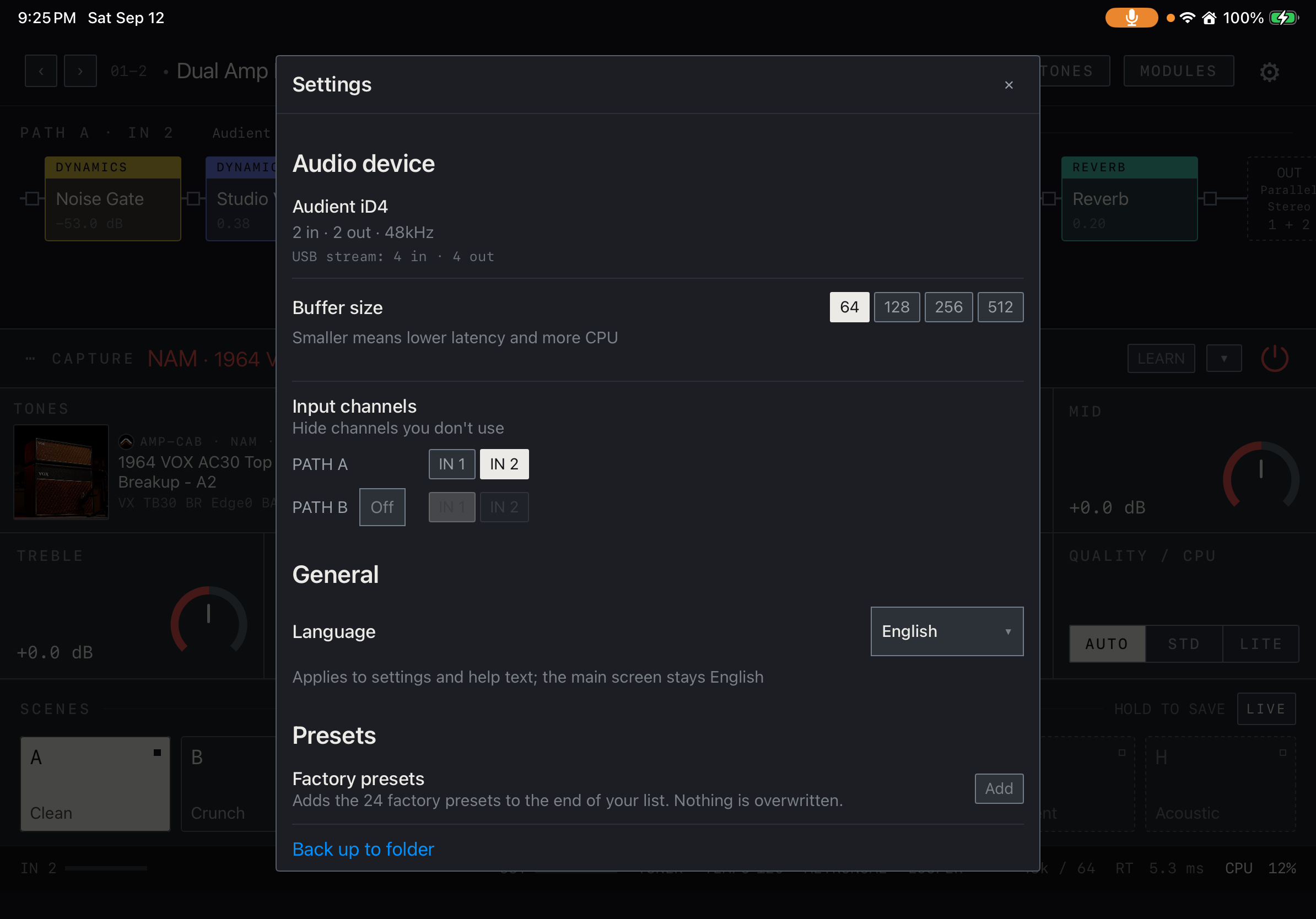
Settings offers requests of 64, 128, 256 or 512 frames. Smaller values generally respond faster but leave less processing headroom. Start at 128, check stability, then try 64. If audio breaks up, increase the buffer and compare with fewer complex models or effects.
Find it on screen
- Choose 64 / 128 / 256 / 512 under Buffer size.
- If a small buffer causes dropouts, raise it and compare with the same rig.
Requested versus actual
The device may negotiate a different buffer. Check the actual buffer and sample rate shown by the app. Total latency includes conversion, the operating system and effects such as NAM or pitch processing, as well as buffering. One fixed latency figure cannot describe every setup.
Preparing and Resume
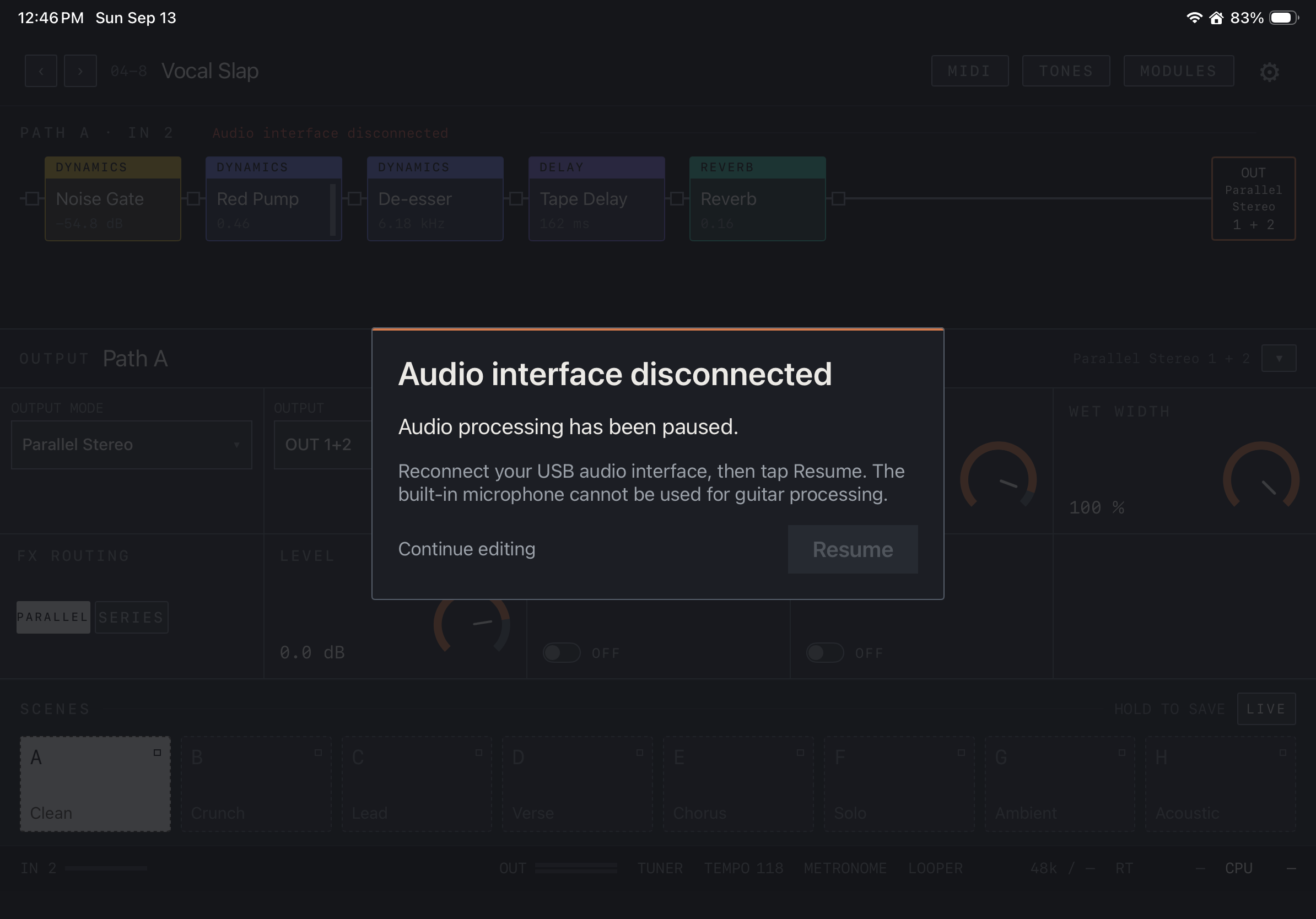
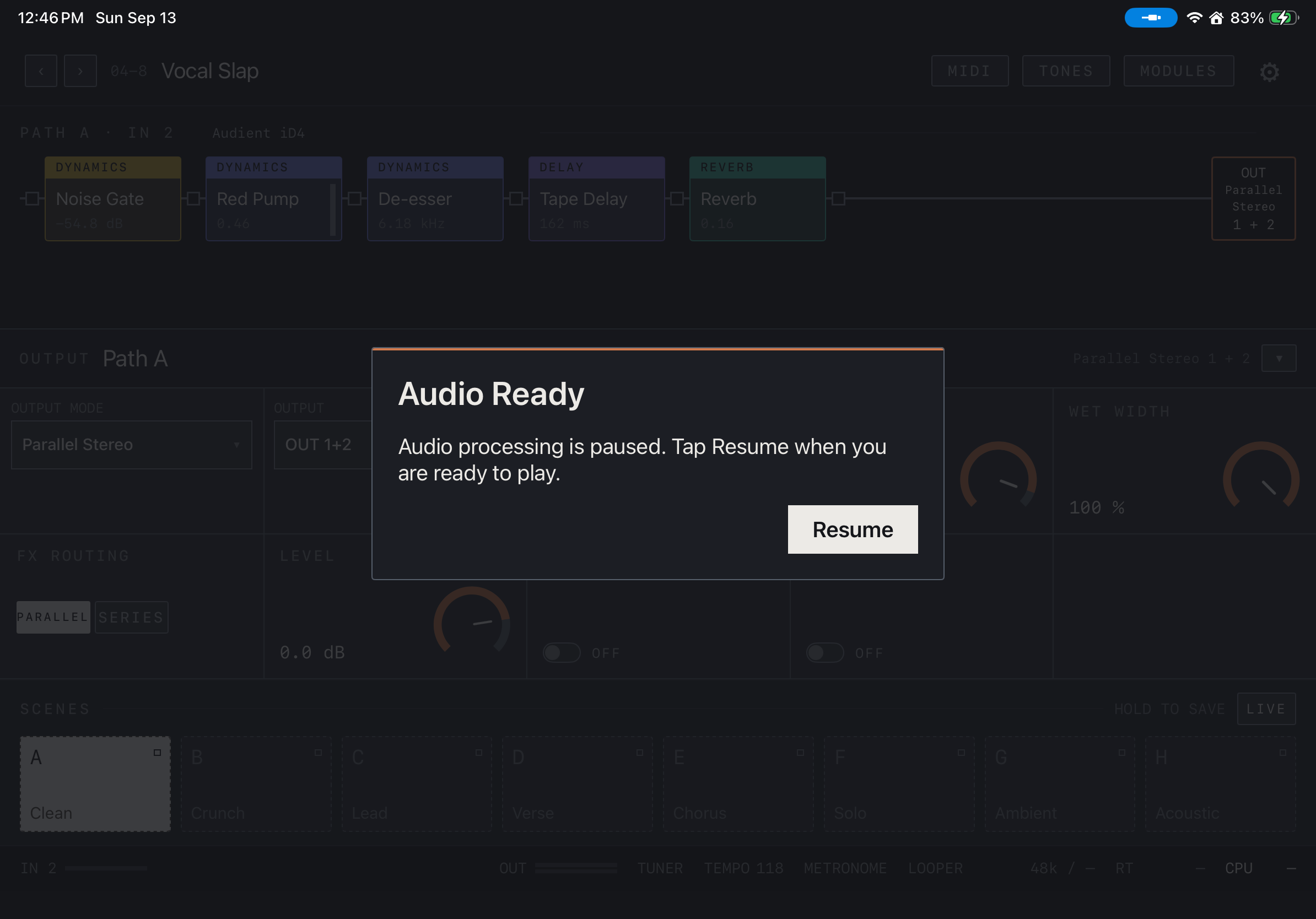
Preparation status appears at launch or during device changes. Automatic startup preparation differs from Audio Ready after an interruption that requires your confirmation. Audio Ready presents Resume; check the connection before resuming. Buffer changes can briefly reconfigure audio.
Find it on screen
- When the interface disconnects, audio pauses and Resume is disabled. Check USB and power connections.
- Continue editing lets you edit the rig; reconnect the interface before resuming audio.
Find it on screen
- Once the interface is ready, Audio Ready shows an enabled Resume button.
- Check the connection and monitor level, then tap Resume to restart audio processing.
Long sessions
Rehearse long enough on the actual device, interface and rig to check heat and stability. Power, hubs, cables and background tasks also matter. Interfaces that report the same channel count can still map headphone outputs differently.