Connect a controller
Connect a USB MIDI device or open Bluetooth MIDI pairing from the MIDI window. Bluetooth MIDI is separate from wireless audio. Check the controller’s CC number and message values before mapping a function. Reception is Omni; avoid conflicting assignments to the same CC.
MIDI Learn
Enable LEARN, select the target, then move or press the controller. Check the learned CC and behavior in the MIDI window and exit LEARN. Continuous expression messages and switch presses need different behavior settings.
Find it on screen
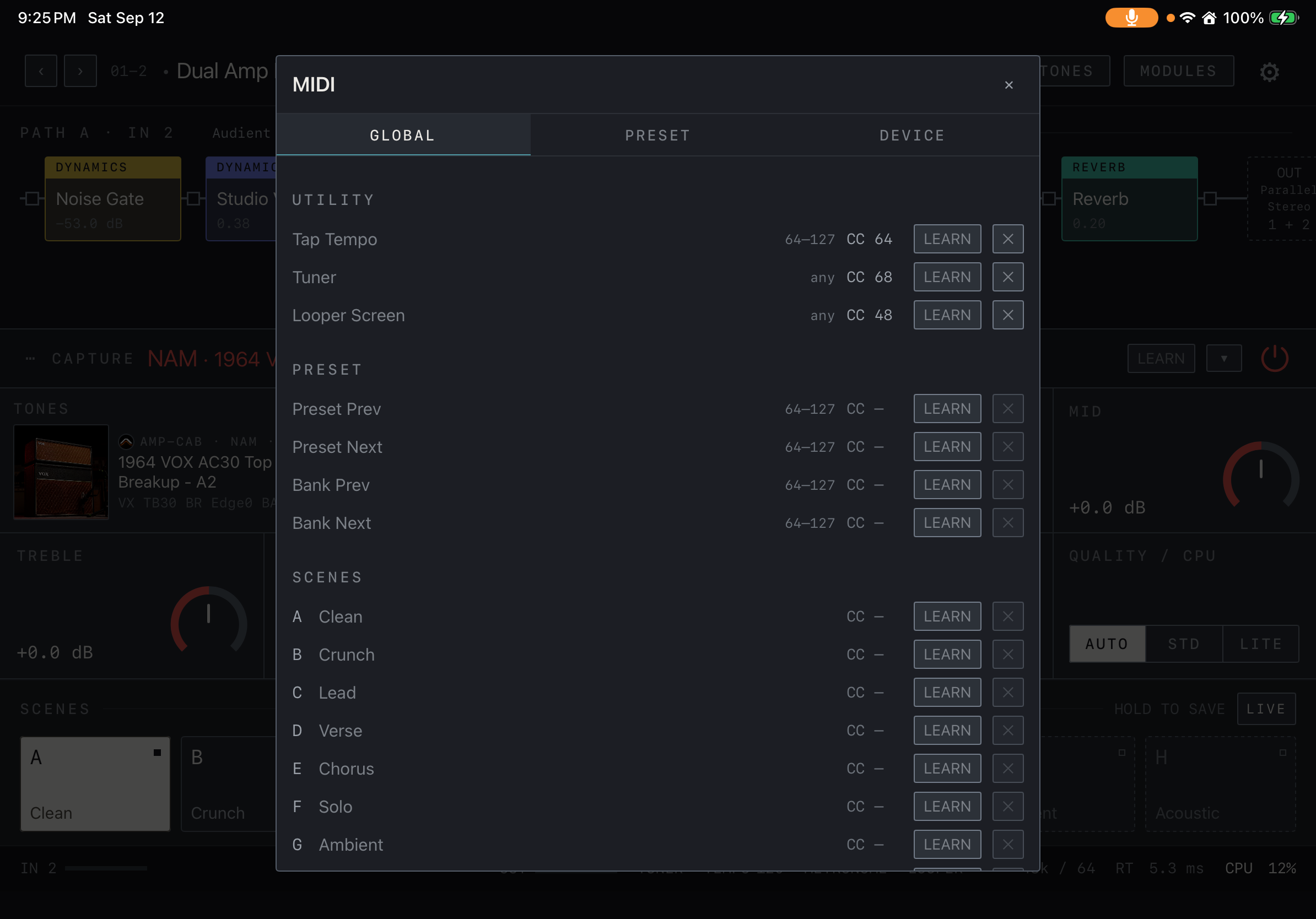
- Find shared controls such as Tap Tempo, Tuner, preset navigation and scene selection under GLOBAL.
- After learning an assignment, press the controller and check that the intended target responds.
Switches and pedals
Map preset navigation, scenes, block On/Off and rhythm controls as needed. Use Learn to map CC messages from a MIDI foot controller with an expression pedal to parameters such as Volume or Wah Position. Verify the controller’s minimum/maximum values and toggle or momentary behavior during a real playing session.