Connect a controller
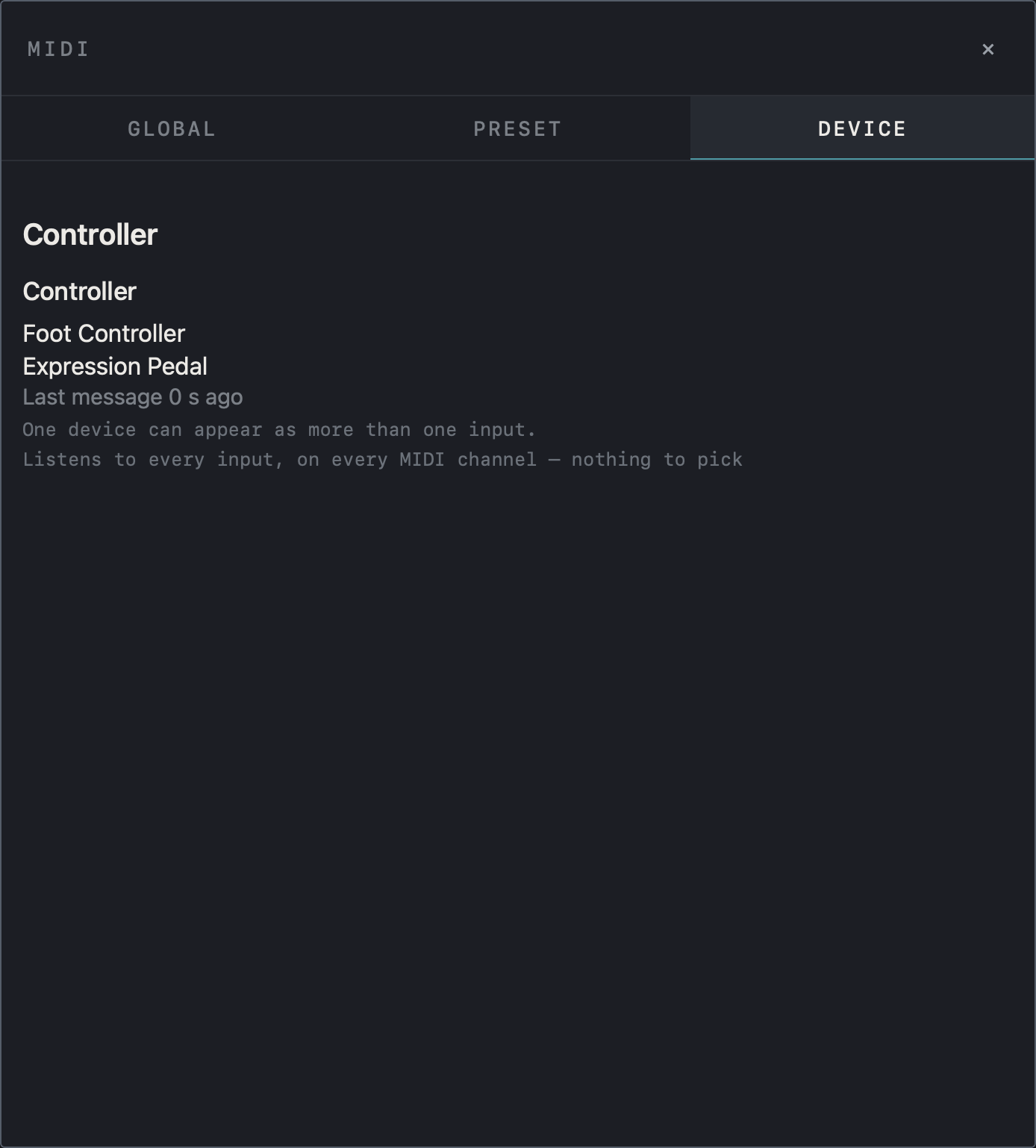
A USB MIDI device is recognized as soon as you connect it. A Bluetooth MIDI controller appears in the app once it is connected in the system Bluetooth settings. Tap MIDI in the top bar and check the connected inputs and the time of the last message in the DEVICE tab. The app listens to every input on every MIDI channel, so there is no channel to choose. One device can appear as more than one input.
Note After a quiet period a Bluetooth connection may have dropped; press a pedal to check.
Find it on screen
- Under Controller in the DEVICE tab, check the connected MIDI input names and the time of the last message.
- As the note says, every input is heard on every MIDI channel, so there is nothing to pick.
Find it on screen
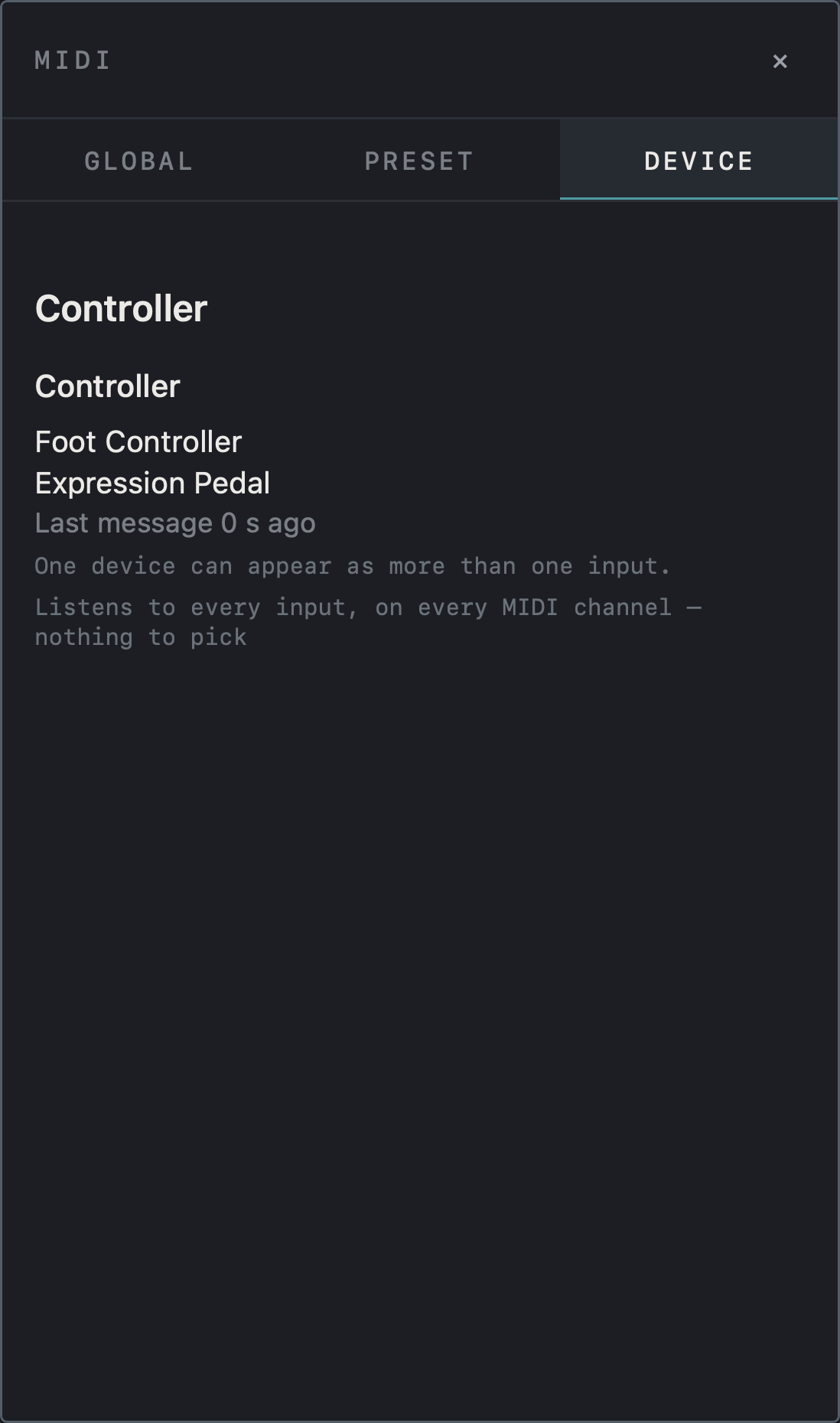
- Under Controller in the DEVICE tab, check the connected MIDI input names and the time of the last message.
- As the note says, every input is heard on every MIDI channel, so there is nothing to pick.
Find it on screen
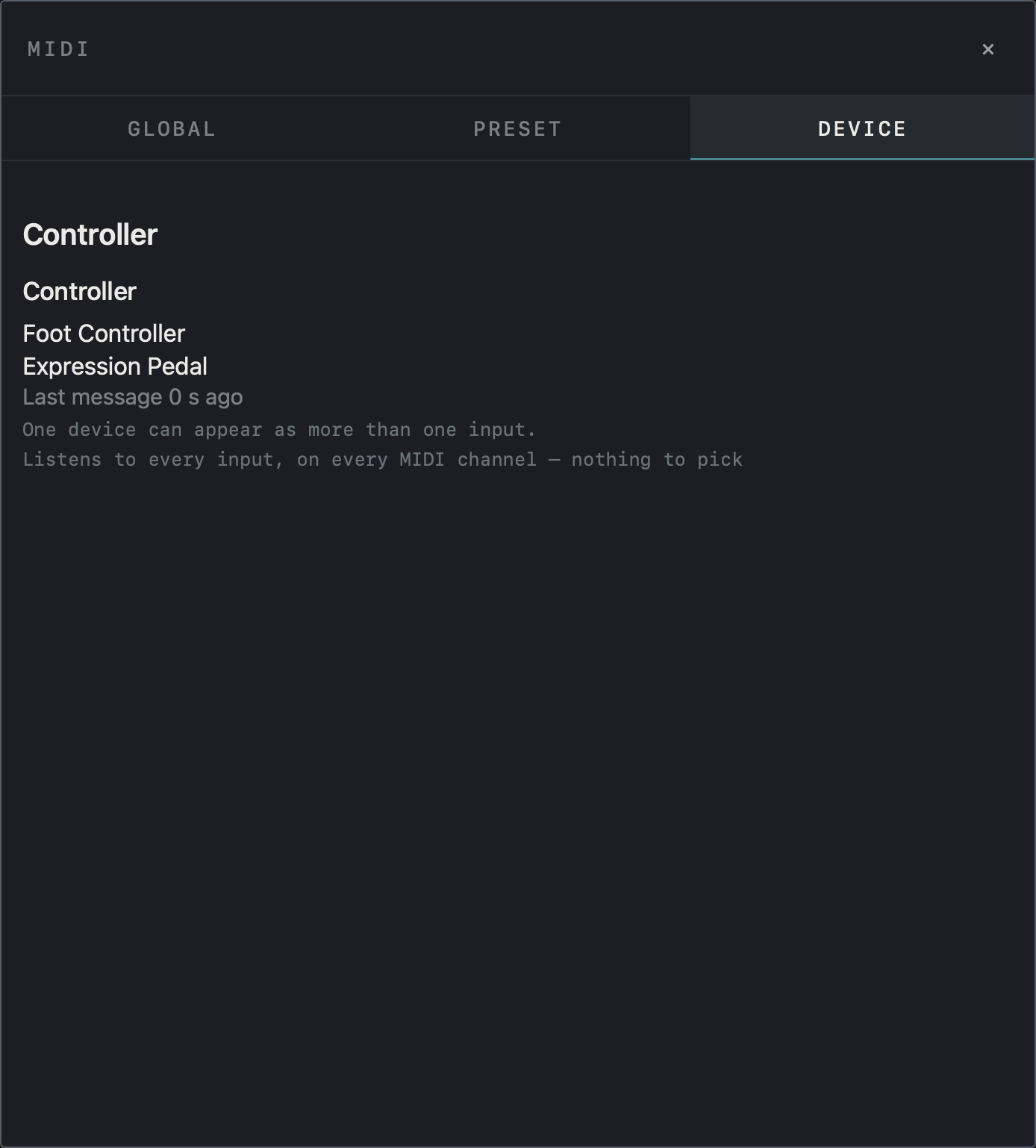
- Under Controller in the DEVICE tab, check the connected MIDI input names and the time of the last message.
- As the note says, every input is heard on every MIDI channel, so there is nothing to pick.
Assign with LEARN
- In the GLOBAL tab of the MIDI window, find shared functions such as Tap Tempo, Tuner, Preset Prev / Next, Bank Prev / Next and scenes A–H.
- Tap LEARN on the row you want to assign.
- Press a footswitch or move a pedal on the controller. The received CC number appears on that row.
- 64–127 before a row means the control must send a value in that range; any means every value triggers it. Set the switch mode on your controller to match.
- ✕ clears the assignment.
Find it on screen
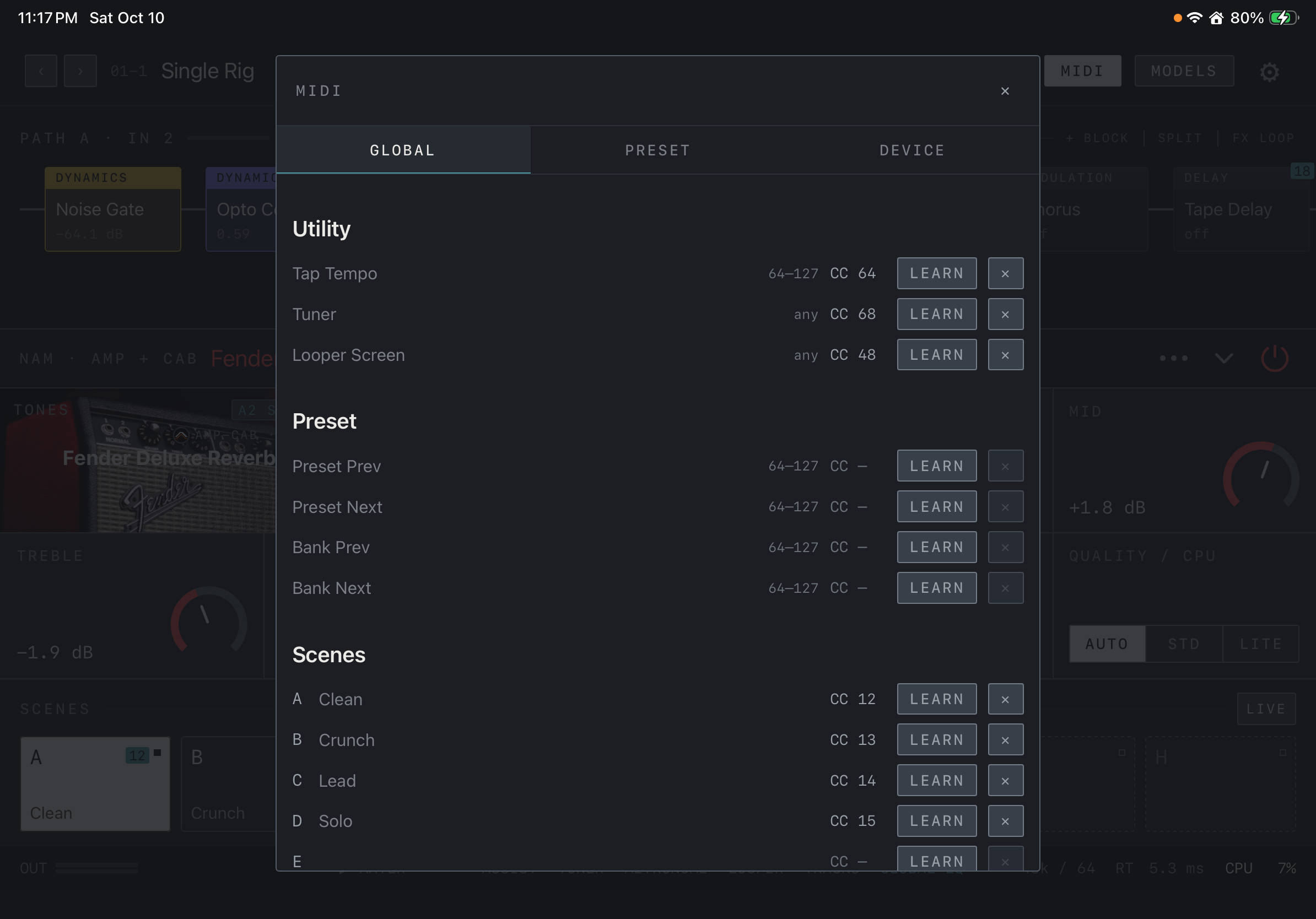
- The GLOBAL tab lists shared functions under Utility, Preset and Scenes.
- Tap LEARN on a row and operate the controller to fill in the CC number. CC — marks a row with no assignment yet.
- 64–127 and any say which values the row responds to. ✕ clears the assignment.
- Under Scenes, each row also shows the scene name (Clean, Crunch …).
Find it on screen
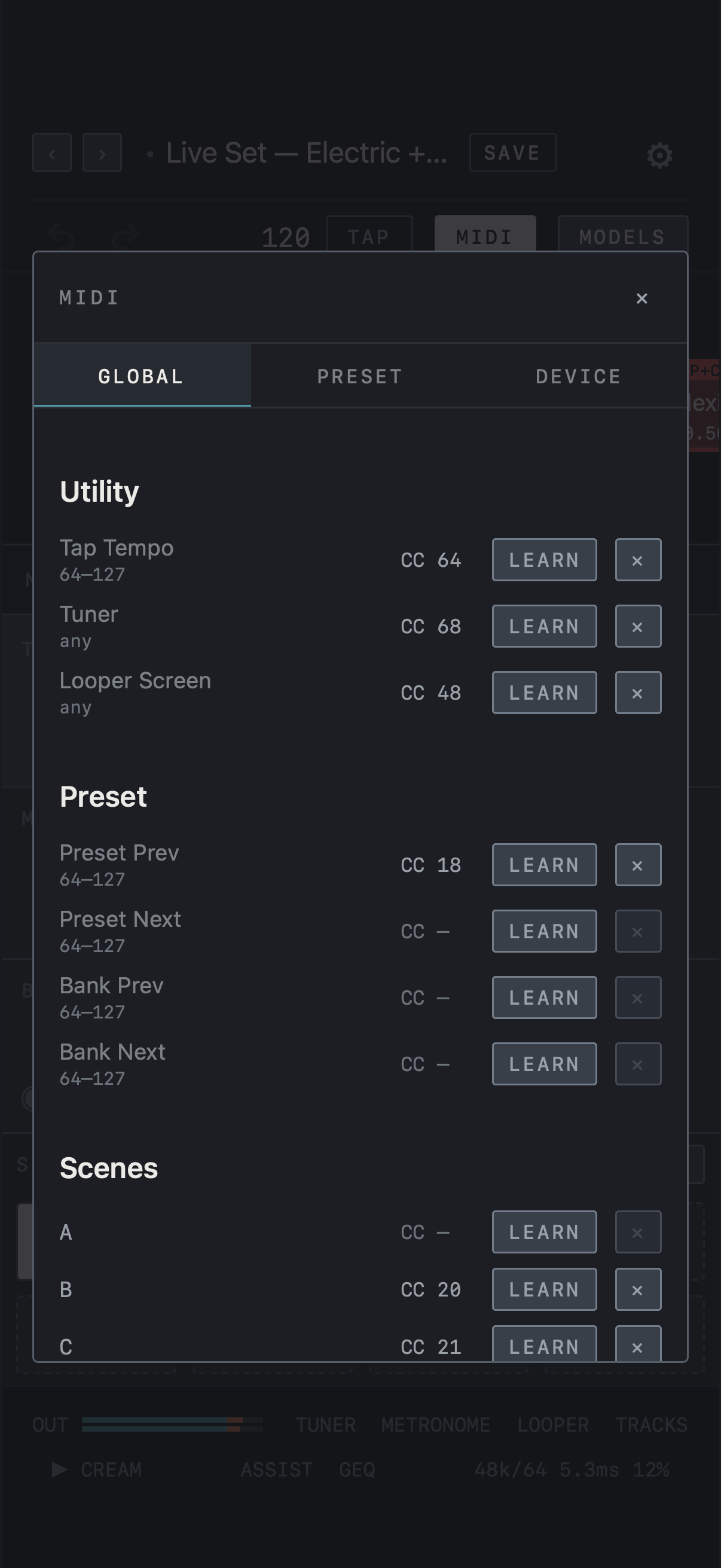
- The GLOBAL tab lists shared functions under Utility, Preset and Scenes.
- Tap LEARN on a row and operate the controller to fill in the CC number. CC — marks a row with no assignment yet.
- 64–127 and any say which values the row responds to. ✕ clears the assignment.
Find it on screen
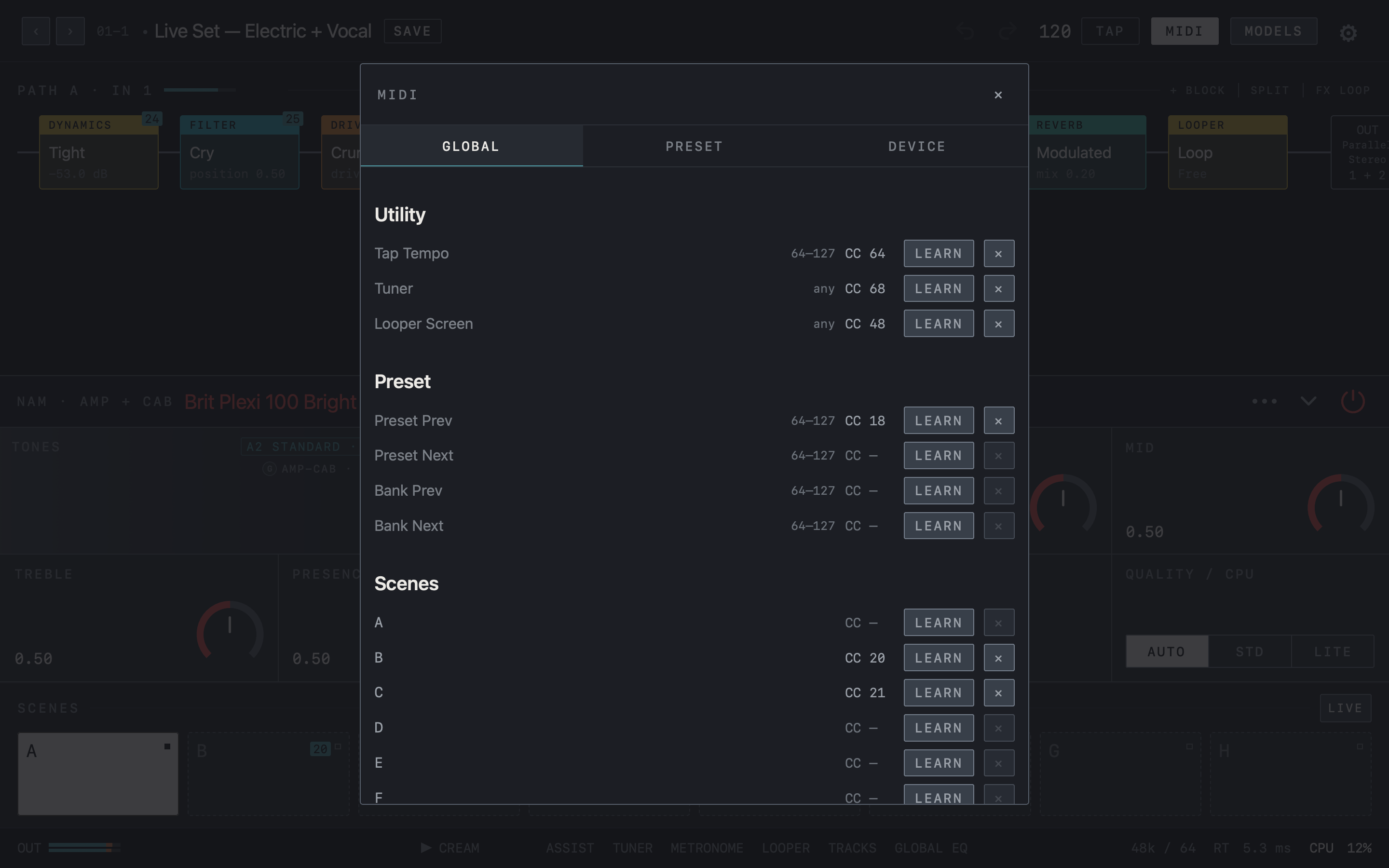
- The GLOBAL tab lists shared functions under Utility, Preset and Scenes.
- Tap LEARN on a row and operate the controller to fill in the CC number. CC — marks a row with no assignment yet.
- 64–127 and any say which values the row responds to. ✕ clears the assignment.
Per-preset switches and pedals
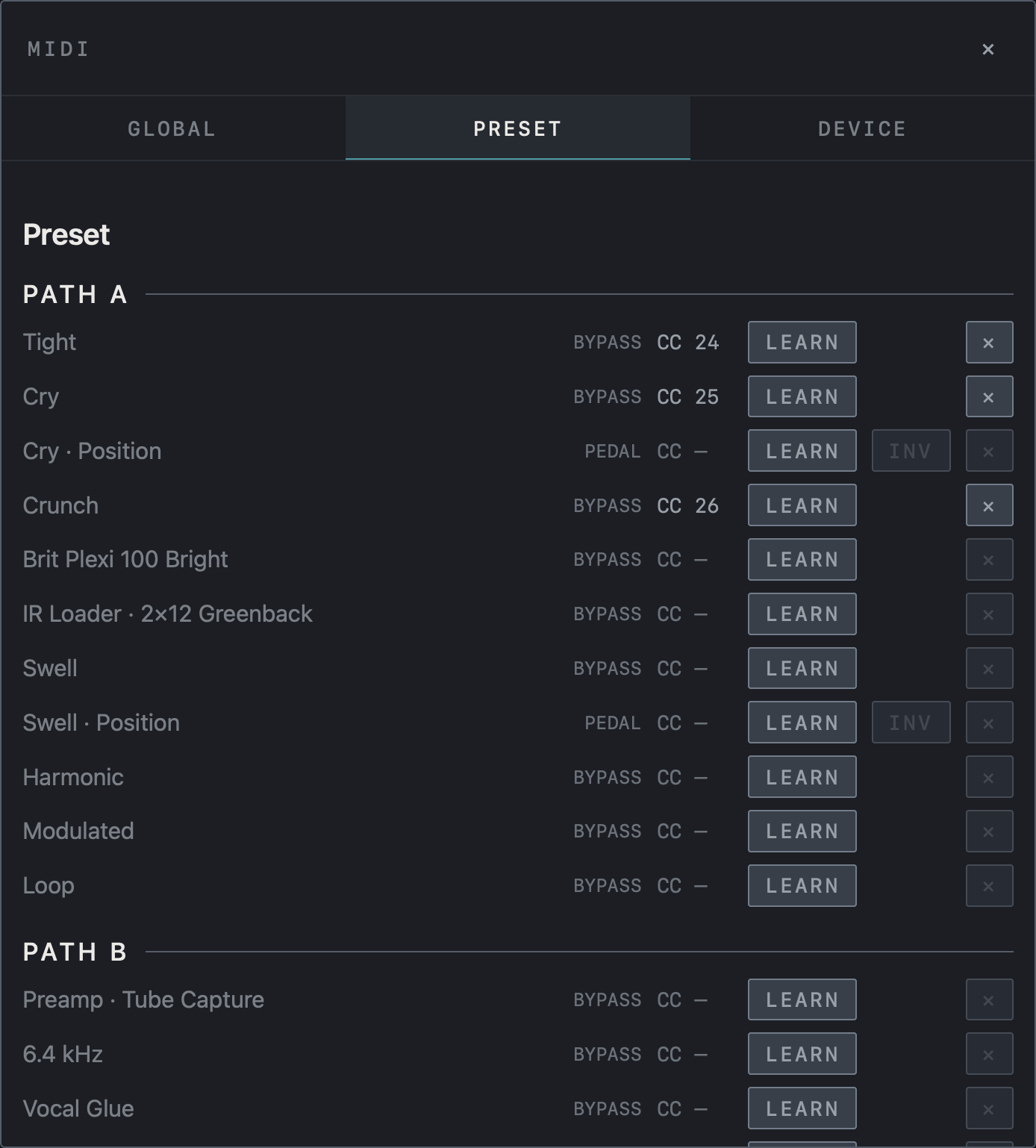
The PRESET tab lists the blocks of the current preset under PATH A / PATH B; these assignments are saved with the preset. A BYPASS row switches that block with a footswitch: values of 64 and above turn it on, 63 and below turn it off. A PEDAL row connects an expression pedal to a continuous value such as Volume or Wah Position, and INV reverses the pedal direction. Adding a Volume block connects its Position to the volume pedal (CC 11), and adding Wah 95 connects it to the wah pedal (CC 1); tap ✕ on that row if you don’t want it. To put a pedal on another parameter, hold that control’s name in the parameter panel.
Caution Verify the controller’s minimum/maximum values and toggle or momentary behavior during a real playing session.
Find it on screen
- The PRESET tab lists the blocks of the current preset under PATH A and PATH B.
- BYPASS rows are switches that turn a block on or off; PEDAL rows put an expression pedal on a value such as Position.
- INV on a PEDAL row reverses the pedal direction.
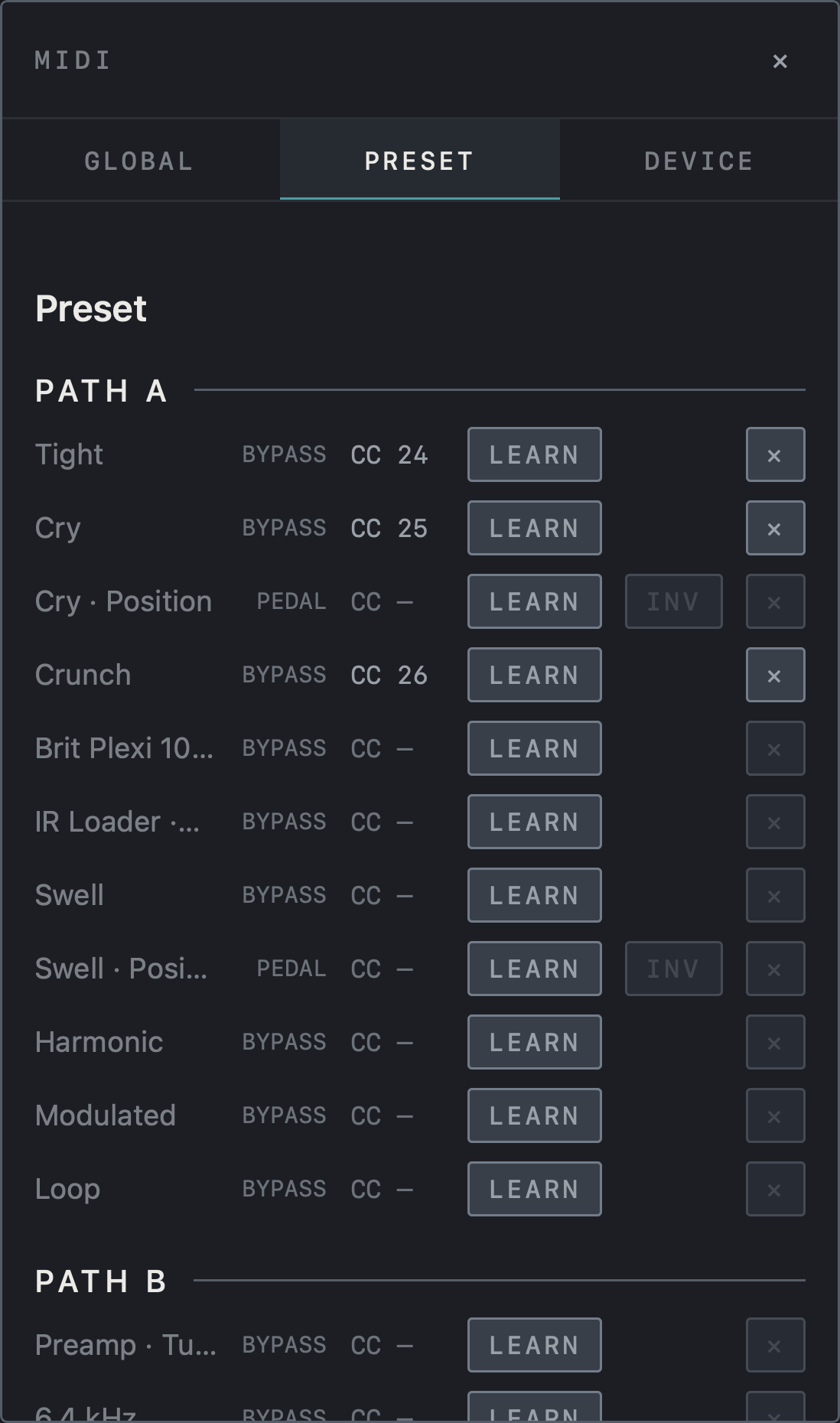
Find it on screen
- The PRESET tab lists the blocks of the current preset under PATH A and PATH B.
- BYPASS rows are switches that turn a block on or off; PEDAL rows put an expression pedal on a value such as Position.
- INV on a PEDAL row reverses the pedal direction.
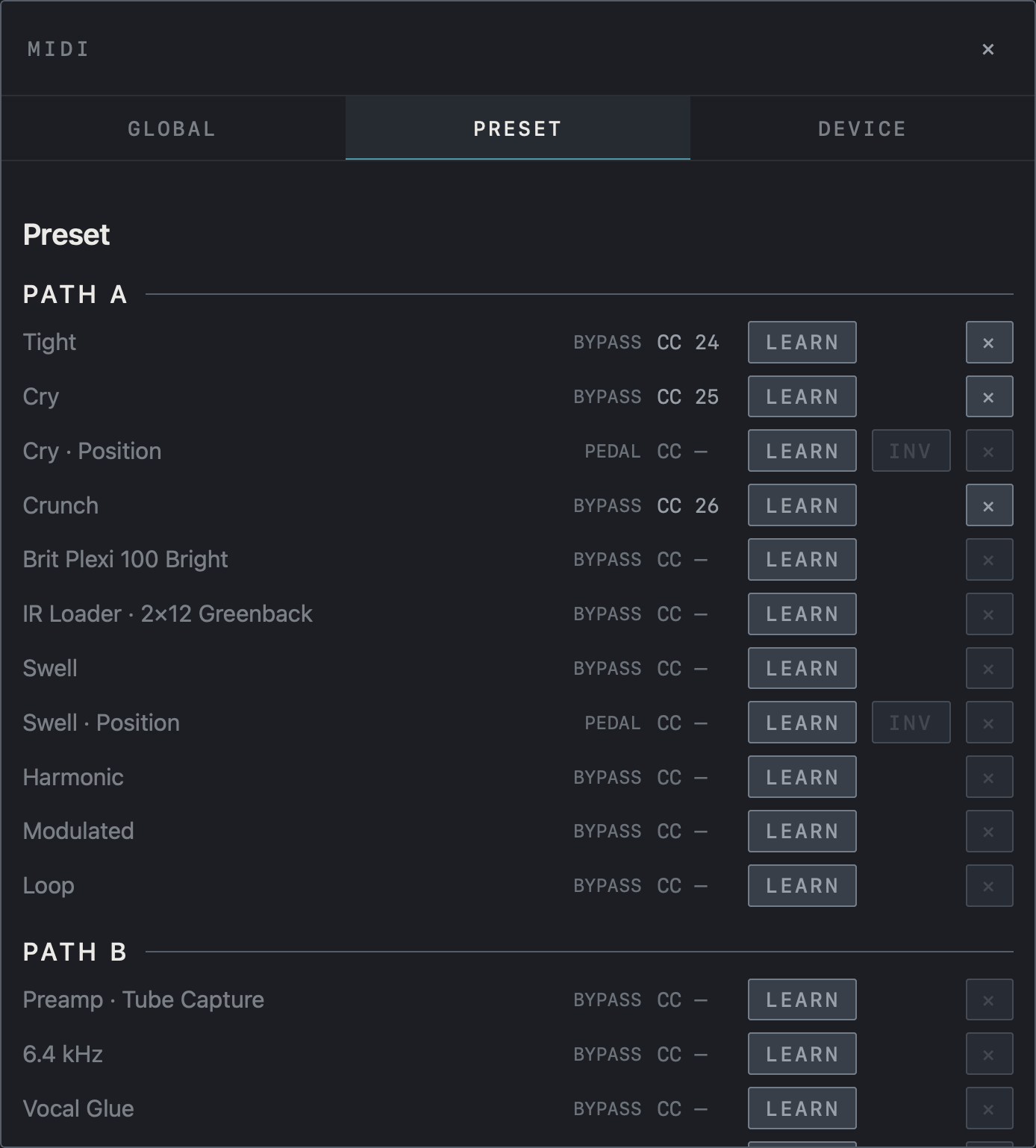
Find it on screen
- The PRESET tab lists the blocks of the current preset under PATH A and PATH B.
- BYPASS rows are switches that turn a block on or off; PEDAL rows put an expression pedal on a value such as Position.
- INV on a PEDAL row reverses the pedal direction.
Looper and backing-track control
The lower part of the GLOBAL tab holds looper and Backing Tracks functions. Looper Rec / Play / Dub steps through record → play → overdub with each press, and Looper Play / Stop toggles playback. Looper One Switch uses a single switch: tap for Rec / Play / Dub, double tap for Stop, hold for Undo (Clear when stopped). You can also assign Pick Track 1–4, per-track Rec / Play / Dub and Stop, and Play, Stop and Clear for all tracks. Track Play / Pause and Track Stop control the backing track.
MIDI controller support
The controllers below come with NAM FX setup files and a ready-made assignment. For any other controller, assign each function as described in «Assign with LEARN» above.
PaintAudio MIDI Captain Mini 6
Three pages — scenes, stomps and the looper — with switch lights driven by NAM FX. Firmware FW5.x only. Apply matches these setup files, so they must be on the controller first. The factory files send different numbers.
Download the setup files (ZIP) ↓
The ZIP holds the three page files (page0.txt · page1.txt · page2.txt).
| Switch | 1 SCENE (purple) | 2 STOMP (orange) | 3 LOOPER (teal) |
|---|---|---|---|
| 1 | Scene A | SW1 on/off | Short: undo · long: redo |
| 2 | Scene B | SW2 on/off | Short: track 1→2→3→4 · long: loop screen |
| 3 | Page key | Page key | Page key |
| A | Scene C | SW3 on/off | Record → play → overdub → play … |
| B | Scene D | SW4 on/off | Short: stop · long: clear |
| C | Tap tempo · long: tuner | Tap tempo · long: tuner | Tap tempo · long: tuner |
1. Check for firmware FW5
- With the controller off, hold switch 1 while powering on: a
MIDICAPTAINdisk appears on your computer. - If the top of the disk has
kemperLVL1andtimeenginefolders, it is FW5. If it only hascode.py,libandsupersetup.bak, it is older firmware, and these files showKeyError: globalsetupat start-up. - On older firmware, get the Mini 6 FW5 firmware and update instructions from the PaintAudio support page and install it first. The update erases the disk, so back the whole disk up first. Open the update page in Chrome (Safari does not work).
2. Put the files on the controller
- Back up first. Hold switch 1 while powering on to mount the
MIDICAPTAINdisk, and copy the wholesupersetupfolder to your computer. - Unzip the download (Safari on Mac unzips it for you; on iPad and iPhone, tap the ZIP in Files).
- In
supersetupon the disk, replacepage0.txt,page1.txtandpage2.txtwith the three files. - Move
page3.txtand any later pages to your backup. Left in place, the page key steps through them too. - Eject the disk. On a Mac, wait about a minute before ejecting — powering off mid-write can corrupt the setup files.
- Hold A while powering on to enter SuperMode. The screen should show
SCENE.
3. Apply in NAM FX
- Connect the controller to your Mac, iPad or iPhone over USB. On iPad with an audio interface too, you need a USB-C hub.
- Tap MIDI in the top bar → the DEVICE tab → Apply on the MIDI Captain Mini 6 row. Scenes A–D, SW1–4, tap tempo, the tuner and the looper are assigned at once, and the switch lights come on. The row only appears while the controller is connected.
- Choose the effects for SW1–4 per preset. With the controller on the STOMP page, tap LEARN on that effect’s row in the PRESET tab, then step on the switch. The light turns the effect’s colour when it is assigned.
- Expression pedals (optional): EXP1 sends CC#11 (pedal 1 · volume) and EXP2 sends CC#1 (pedal 2 · wah).
On FW5 the controller appears on Mac and iPad as Feather RP2040; NAM FX recognises that name as a MIDI Captain. Inside the AUv3 plug-in the host handles MIDI, so the row does not appear there.
Switch lights
NAM FX sends its state to the controller to light the switches. With Switch lights off in the DEVICE tab, the controller shows only the colours from the files.
| Switch | Colour |
|---|---|
| 3 (page key) | Current page — SCENE purple · STOMP orange · LOOPER teal |
| Scenes | The current scene bright purple, the others dim |
| SW1–4 | The assigned effect’s colour — bright when on, dim when off, dark with nothing assigned |
| Looper A | Recording blinks red · playing green · overdubbing blinks yellow · empty track dim white |
| Looper 2 | The selected track — 1 white · 2 sky · 3 pink · 4 orange |
| C | A white flash on every beat, magenta while the tuner is open |
If it doesn’t work
- Switches do nothing — check that these setup files are on the controller. The screen should show
SCENE,STOMPorLOOPER. - No MIDI Captain row — check that the controller is connected over USB and its name shows in the DEVICE tab.
- Lights don’t change — check that Switch lights is on and that the files still have
externalmidicontrol = [on]andexternalmidicontrolch = [16]. - The app doesn’t follow page changes — turn Switch lights on. The app follows pages only while it is on.