NAM and IR do different jobs
A NAM block runs a learned response (a capture) of an amp, pedal or other gear, using supported A1/A2 .nam files. IR Loader uses impulse responses (WAV, AIFF) of cabinets, microphones or spaces.
Caution Add a cabinet IR to an amp-head-only capture; start without an extra IR when the capture already includes a cabinet.
The editor shows CAB TWICE beside the block name when a cabinet is applied twice, and no cab when none follows an amp-only capture.
The MODELS lists
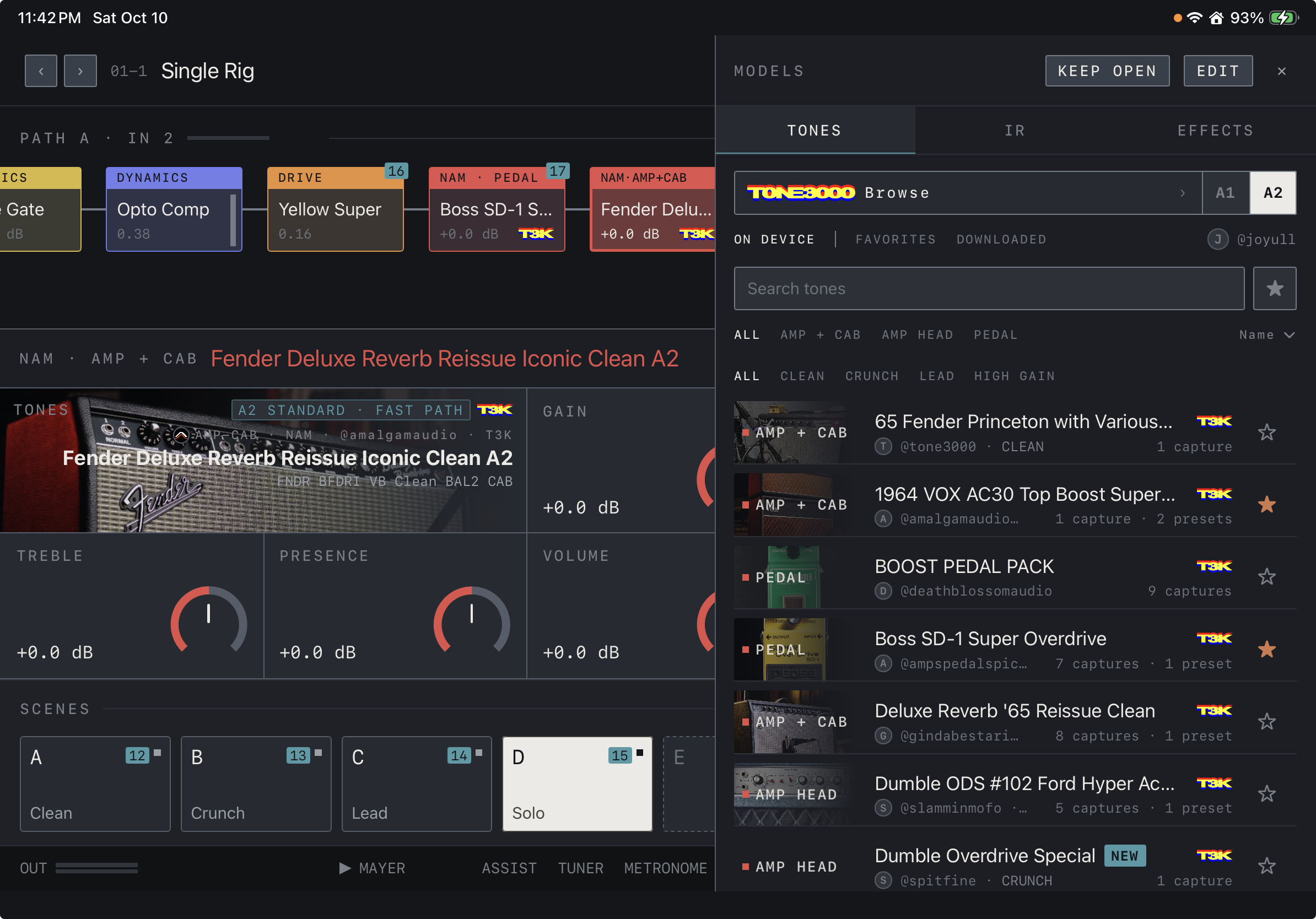
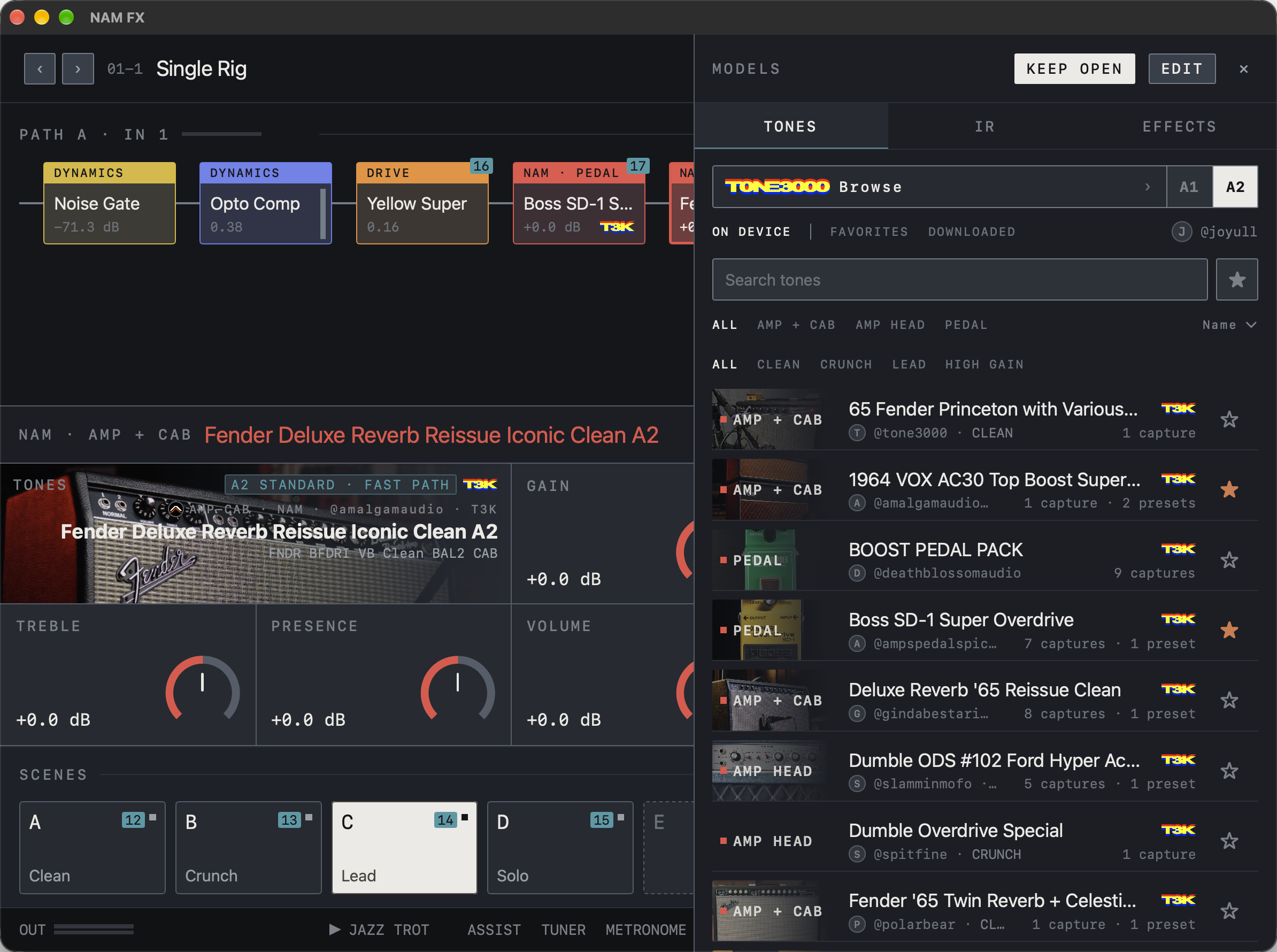
Tap MODELS in the top bar to open the lists on the right, split into TONES, IR and EFFECTS tabs. In TONES, narrow the list with ALL · AMP + CAB · AMP HEAD · PEDAL and CLEAN · CRUNCH · LEAD · HIGH GAIN, and use search, ★ favorites and the sort order. Tap a tone to add it to the chain, or drag it in. Tapping a tone while a NAM block is selected loads it into that block. KEEP OPEN leaves the lists open after you pick a tone; EDIT lets you reorder the list or delete tones.
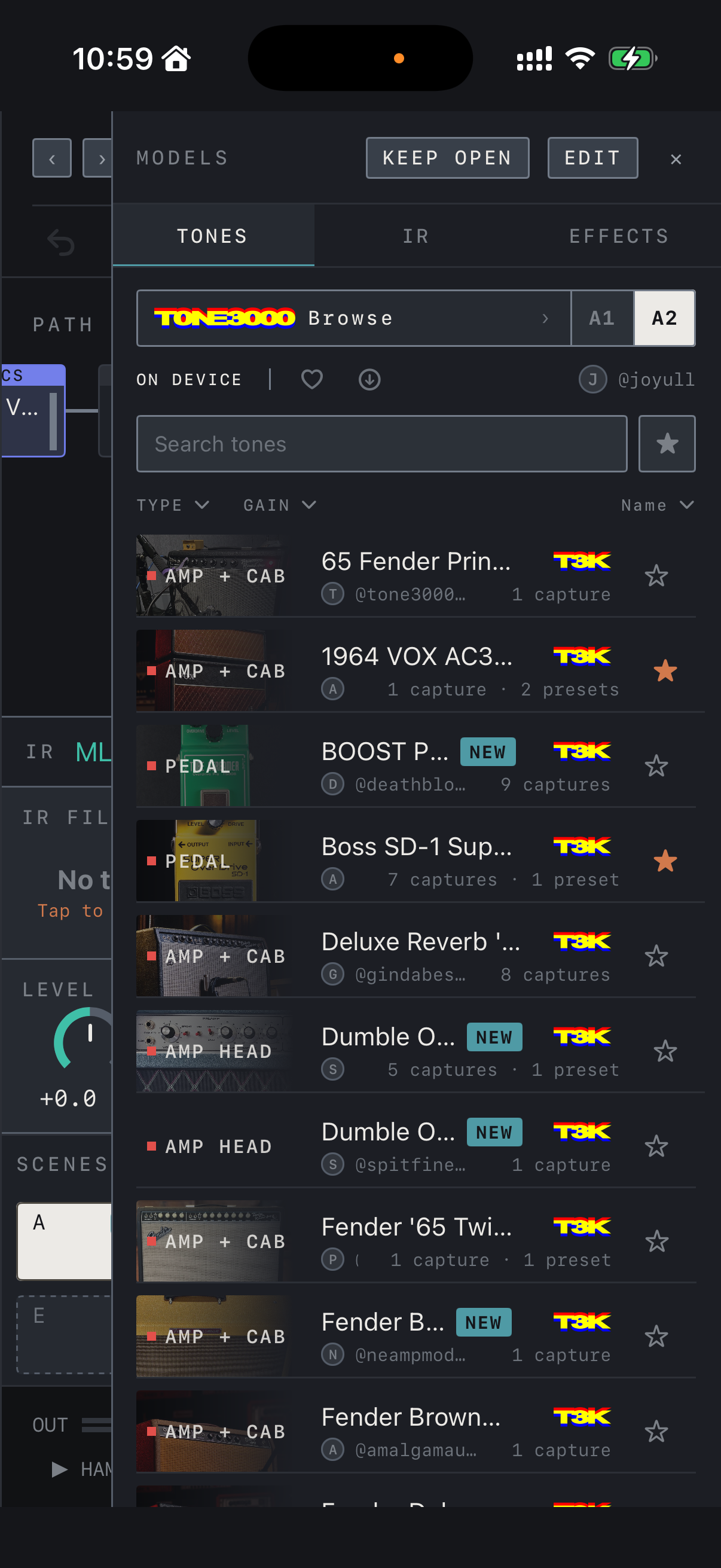
iPhone On iPhone the type and gain filters fold into the TYPE and GAIN menus.
Find it on screen
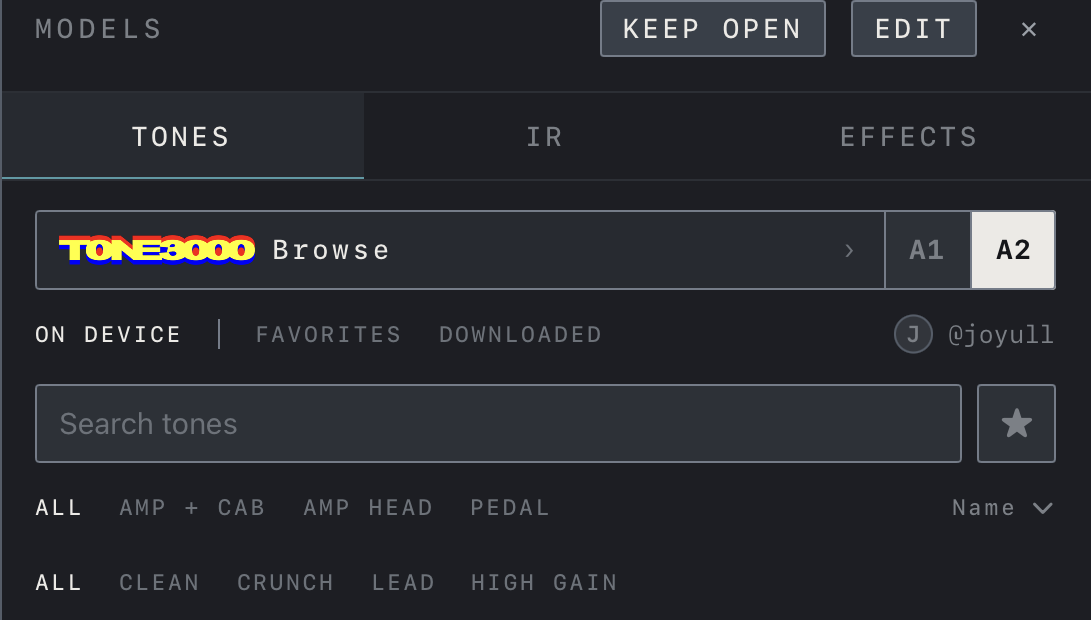
- This is the TONES tab of MODELS, with TONE3000 Browse and A1 / A2 at the top and the search field and ★ below.
- Narrow the list with ALL · AMP + CAB · AMP HEAD · PEDAL and ALL · CLEAN · CRUNCH · LEAD · HIGH GAIN, and choose the sort order under Name on the right.
- Each row shows the type, tone name, creator and number of captures. A filled ★ marks a favorite.
- The tones shown were downloaded separately and are not included with the app.
Find it on screen
- This is the TONES tab of MODELS. On iPhone the list covers most of the screen.
- The type and gain filters fold into the TYPE and GAIN menus; choose the sort order under Name on the right.
- Each row shows the type, tone name, creator and number of captures. A filled ★ marks a favorite.
- The tones shown were downloaded separately and are not included with the app.
Find it on screen
- This is the TONES tab of MODELS, with TONE3000 Browse and A1 / A2 at the top and the search field and ★ below.
- Narrow the list with ALL · AMP + CAB · AMP HEAD · PEDAL and ALL · CLEAN · CRUNCH · LEAD · HIGH GAIN, and choose the sort order under Name on the right.
- Each row shows the type, tone name, creator and number of captures. A filled ★ marks a favorite.
- The tones shown were downloaded separately and are not included with the app.
Import files
- In Settings, under Library, tap the button beside Import tones.
- In Files, choose .nam captures or IR files (WAV, AIFF) you have permission to use. Choosing a folder imports its subfolders too.
- Imported files appear in the TONES or IR tab of MODELS. Import history lists what you added by day.
- When TONES is on under iCloud, files you put in iCloud Drive › NAM FX › Tones are imported as well.
Optional TONE3000 connection
Tap TONE3000 Browse at the top of the TONES tab and sign in through the service’s authentication screen to choose and download tones. A1 / A2 selects which capture architecture the browser shows. Once connected, a row of tabs appears: ON DEVICE is everything on this device, while FAVORITES and DOWNLOADED are lists from your TONE3000 account. CREATED also appears when you have uploaded tones of your own. In an account list, a row with an arrow is not on this device yet; tap it to download. Built-in effects and files you import yourself do not need a TONE3000 account.
Note Disconnect removes the sign-in from this device, not the TONE3000 account itself.
iPhone On iPhone the FAVORITES and DOWNLOADED tabs are shown as a heart and a download icon.
Find it on screen
- Tap TONE3000 Browse to open the browser; A1 / A2 selects which capture architecture it shows.
- Once connected, FAVORITES and DOWNLOADED appear beside ON DEVICE and the account name is shown on the right.
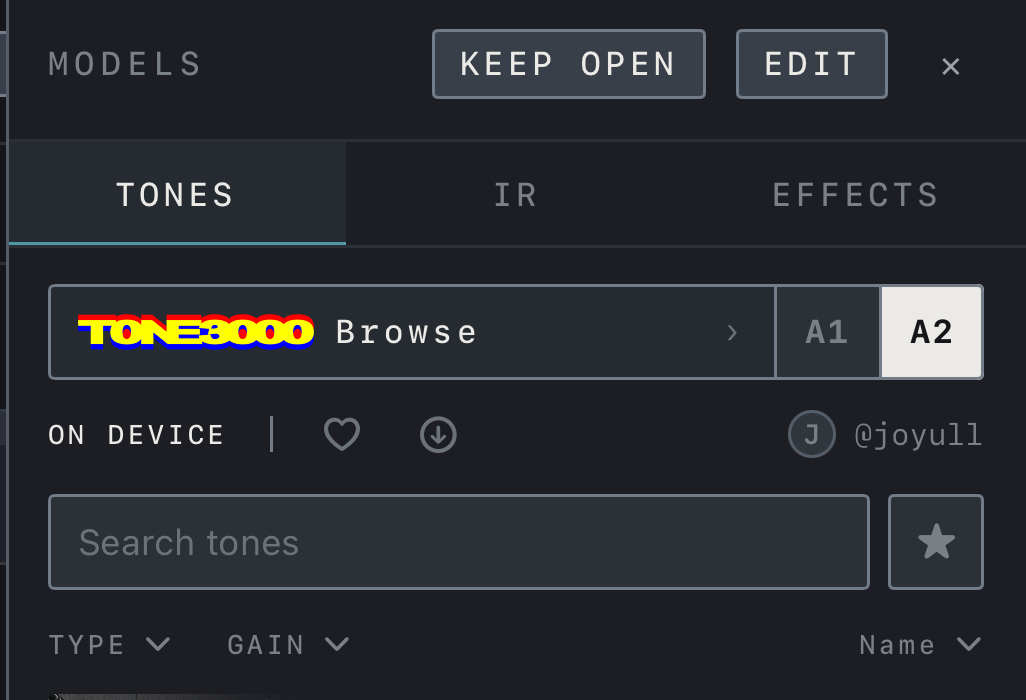
Find it on screen
- Tap TONE3000 Browse to open the browser; A1 / A2 selects which capture architecture it shows.
- Once connected, two icons appear beside ON DEVICE: the heart is FAVORITES and the download arrow is DOWNLOADED. The account name is on the right.
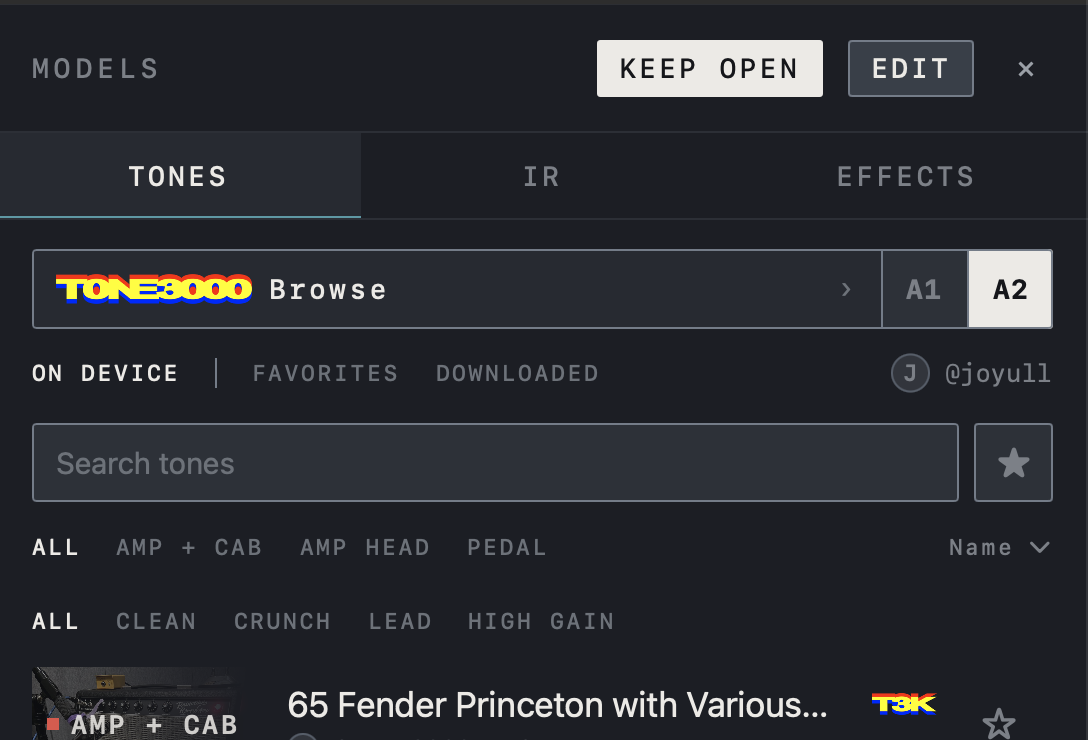
Find it on screen
- Tap TONE3000 Browse to open the browser; A1 / A2 selects which capture architecture it shows.
- Once connected, FAVORITES and DOWNLOADED appear beside ON DEVICE and the account name is shown on the right.
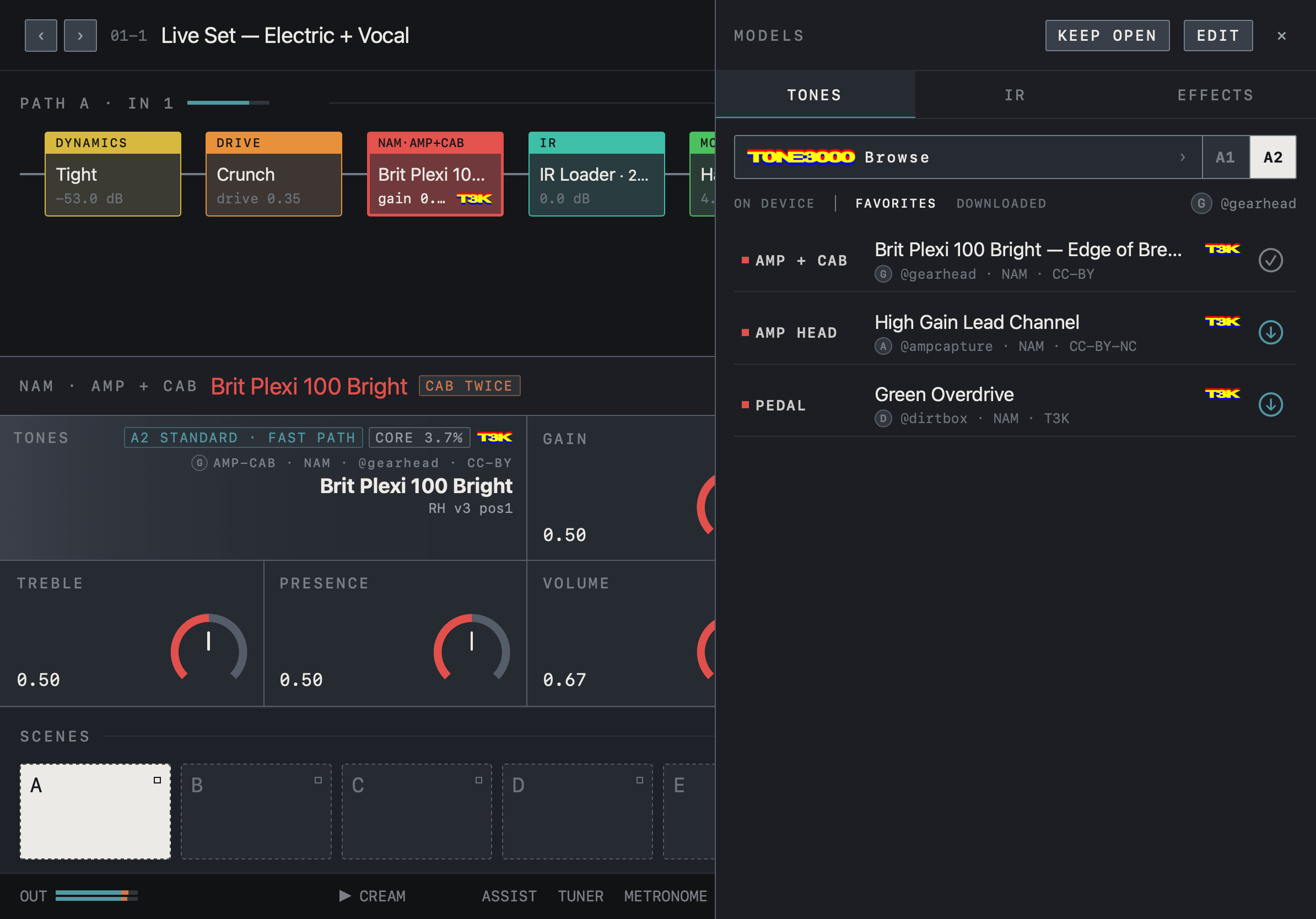
Find it on screen
- In an account list (FAVORITES, DOWNLOADED), a row with a check mark is already on this device; a row with a down arrow downloads when tapped.
- Check the tone name, creator, format and license on each row.
- The tones shown are examples of separate content, not included with NAM FX.
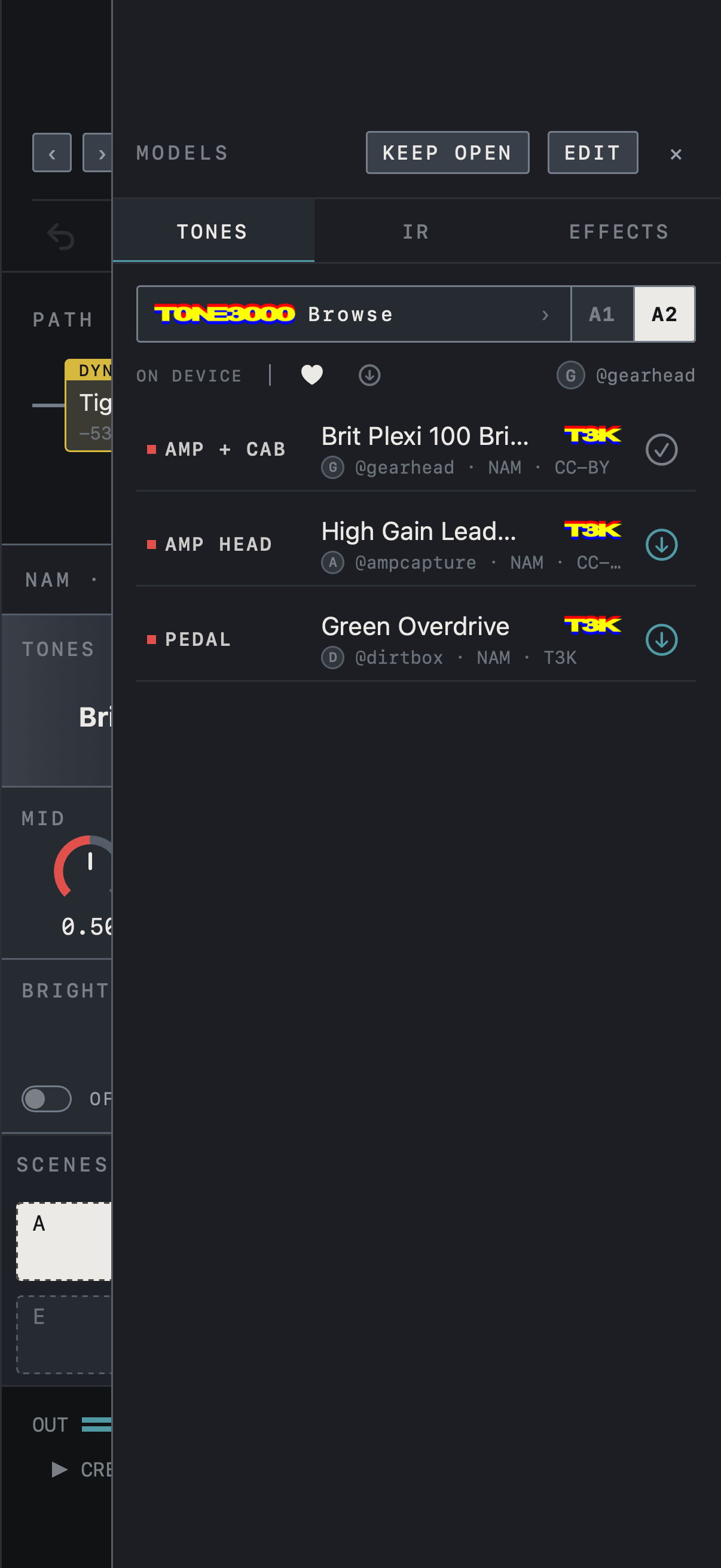
Find it on screen
- In an account list (FAVORITES, DOWNLOADED), a row with a check mark is already on this device; a row with a down arrow downloads when tapped.
- Check the tone name, creator, format and license on each row.
- The tones shown are examples of separate content, not included with NAM FX.
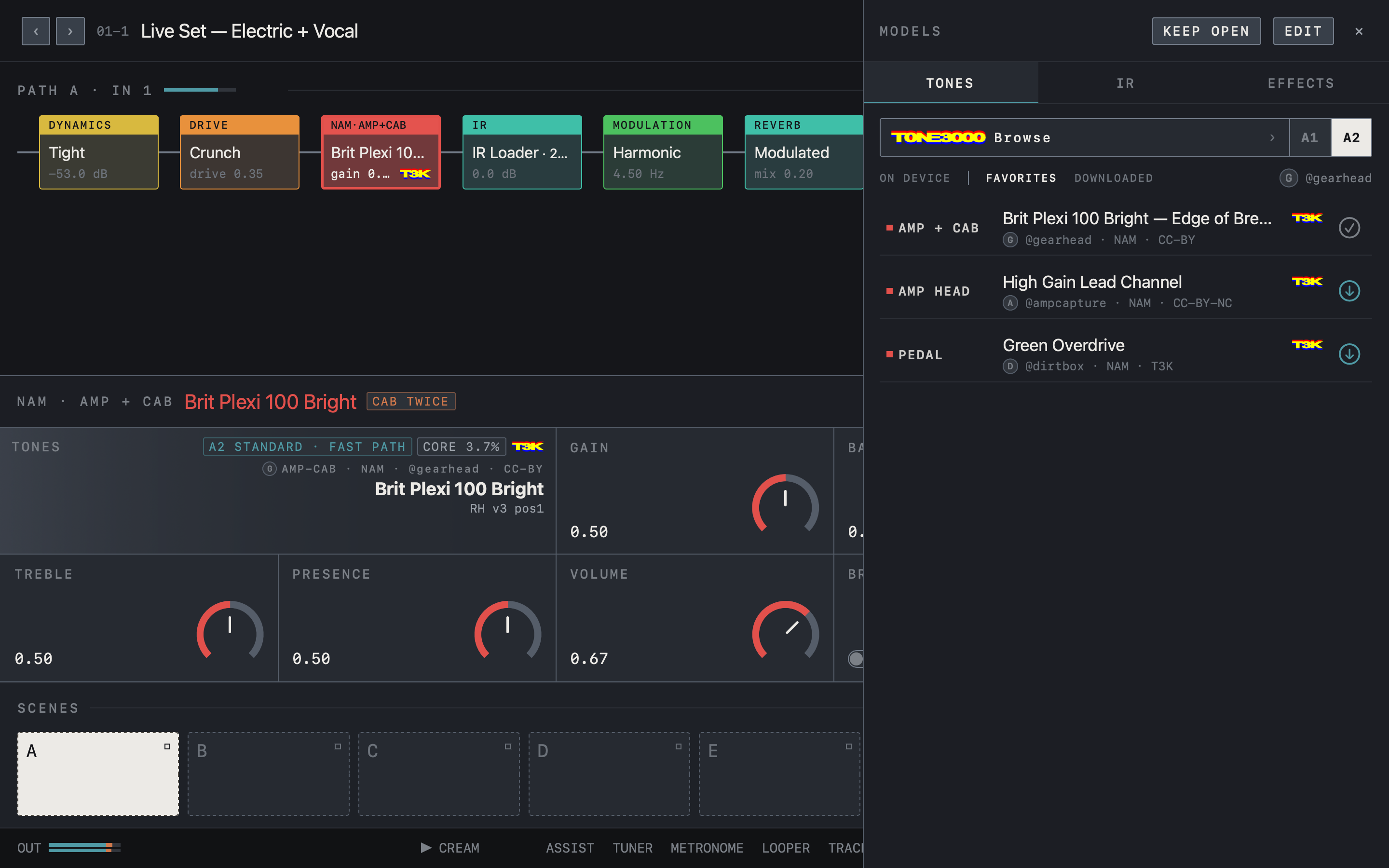
Find it on screen
- In an account list (FAVORITES, DOWNLOADED), a row with a check mark is already on this device; a row with a down arrow downloads when tapped.
- Check the tone name, creator, format and license on each row.
- The tones shown are examples of separate content, not included with NAM FX.
The IR list
The IR tab lists your imported impulse responses. Tap an IR to add it to the chain as an IR Loader, or tap it while an IR Loader block is selected to change that block’s IR. Search, ★ favorites and sorting work as in the TONES tab. With TONE3000 connected, TONE3000 Browse at the top of the IR tab opens a browser that shows cabinet IRs only, and the ON DEVICE, FAVORITES and DOWNLOADED tabs list IRs. The browser closes after one download, so tap Browse again to get another.
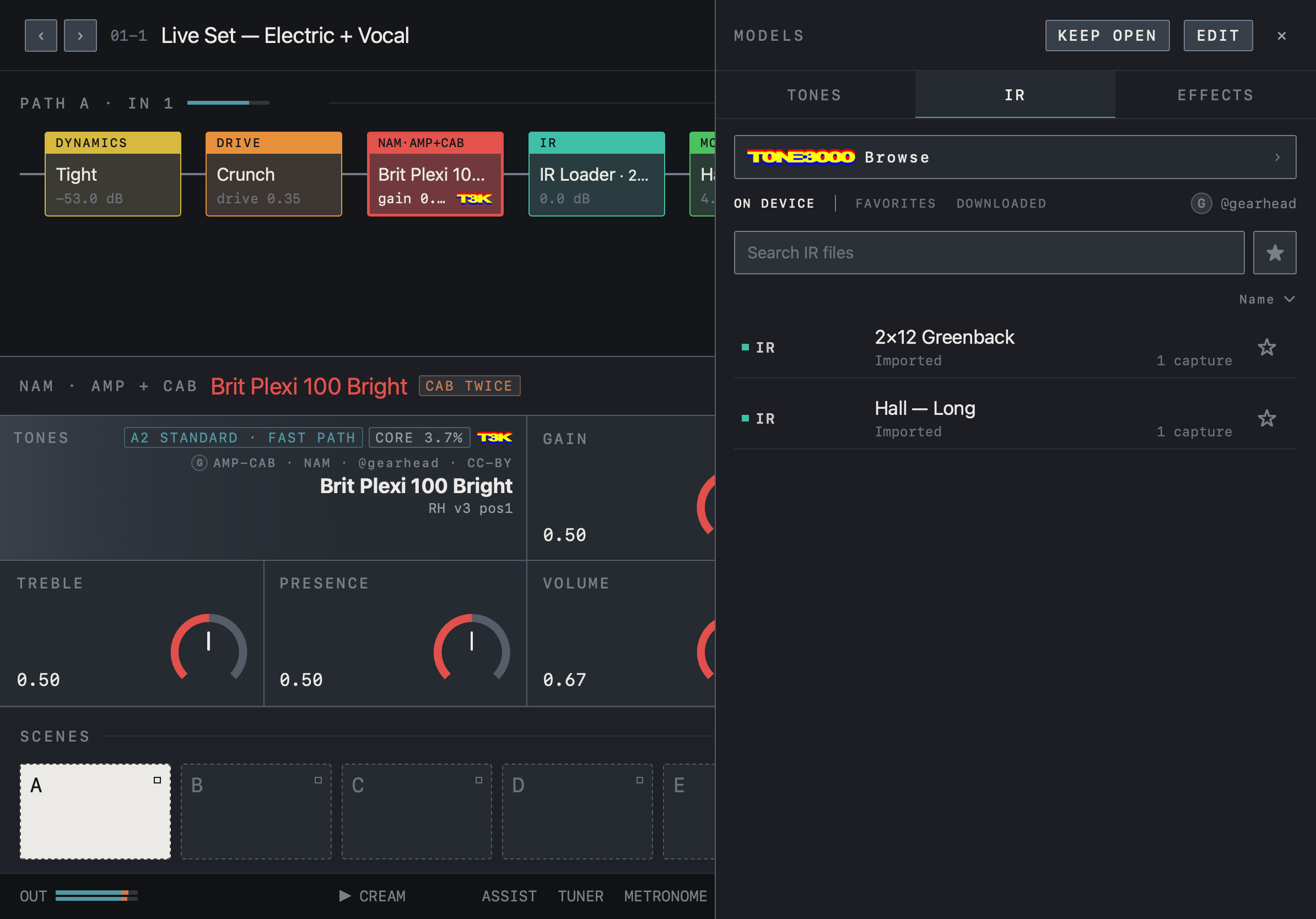
Find it on screen
- The IR tab lists the impulse response files you imported with their name and number of captures. Files you imported yourself read Imported.
- When TONE3000 is connected, ON DEVICE │ FAVORITES DOWNLOADED appears below Browse. The account lists in this tab show IRs only.
- Use the search field, ★ favorites and the sort order on the right.
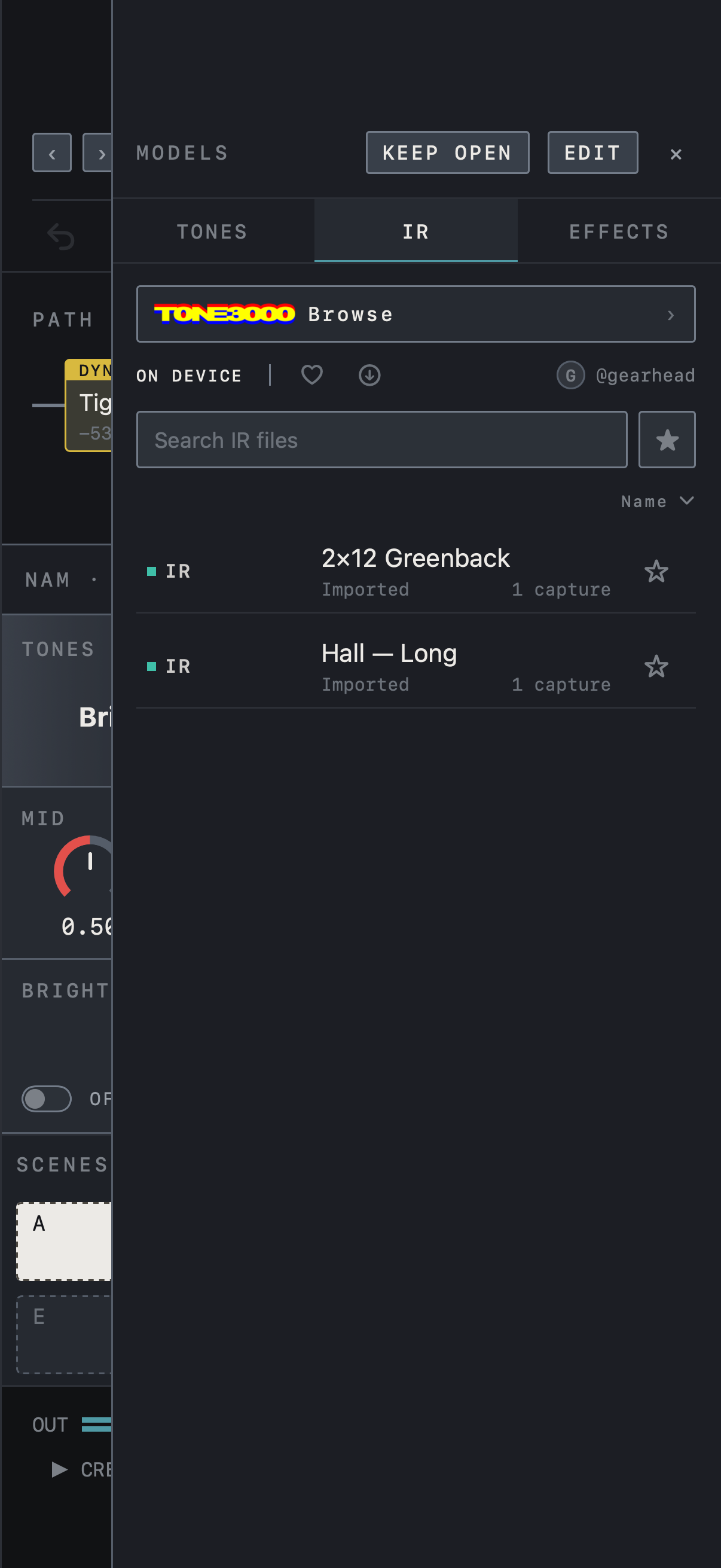
Find it on screen
- The IR tab lists the impulse response files you imported with their name and number of captures. Files you imported yourself read Imported.
- When TONE3000 is connected, a heart (FAVORITES) and a download icon (DOWNLOADED) appear beside ON DEVICE. The account lists in this tab show IRs only.
- Use the search field, ★ favorites and the sort order on the right.
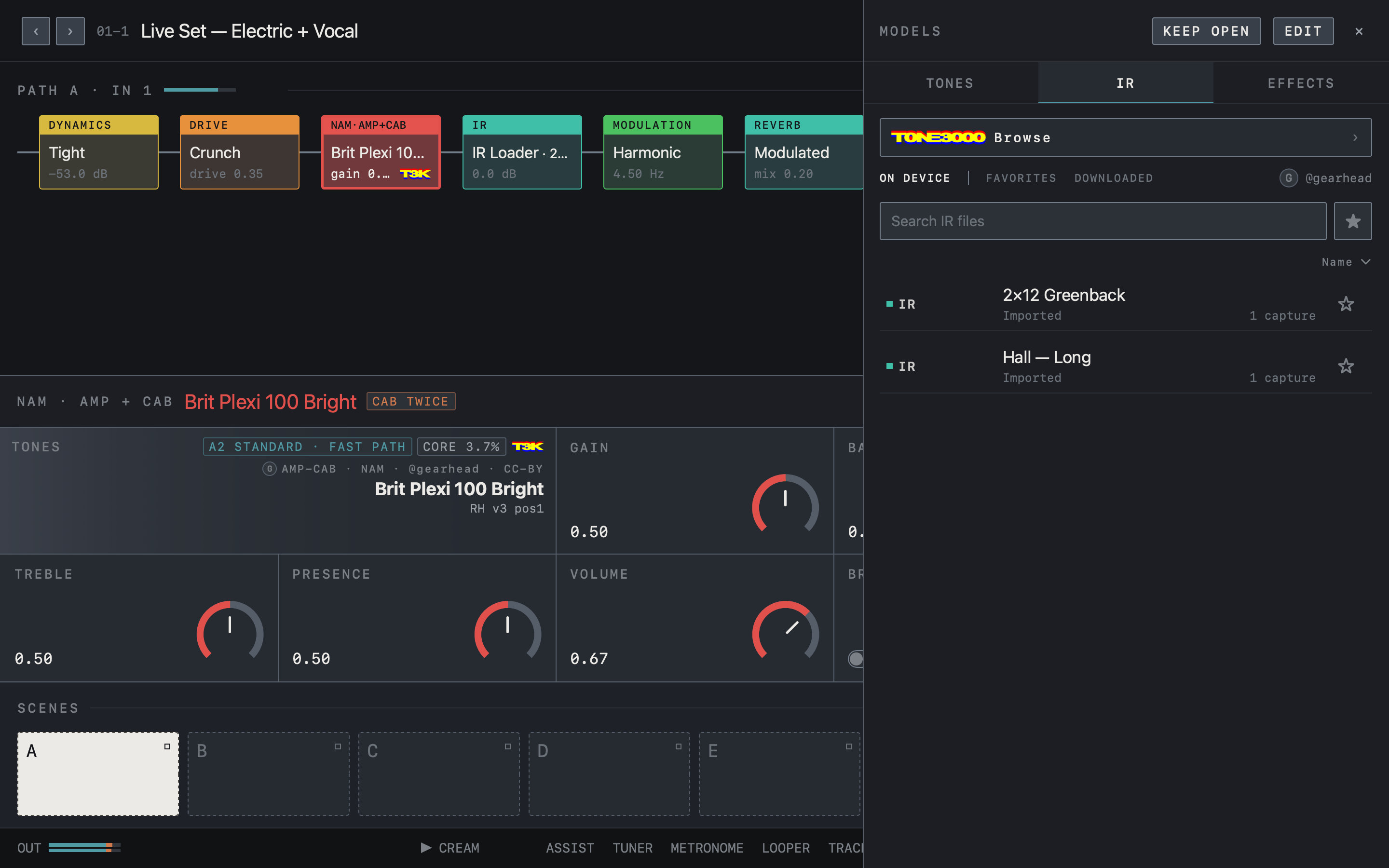
Find it on screen
- The IR tab lists the impulse response files you imported with their name and number of captures. Files you imported yourself read Imported.
- When TONE3000 is connected, ON DEVICE │ FAVORITES DOWNLOADED appears below Browse. The account lists in this tab show IRs only.
- Use the search field, ★ favorites and the sort order on the right.
When a tone is unavailable
Reselect unsupported, damaged or missing files. If a block shows No tone, File missing or Load failed, tap the block and choose a tone again in MODELS.
Caution A preset stores a reference to a tone, not the tone file, so a preset name does not guarantee the file is present. Download required tones before a performance and confirm that the rig prepares without a network connection.
Where to find tones
The Best Tones page lists the most-downloaded NAM captures and IRs by category and links straight to their TONE3000 pages. How to Import explains bringing downloads into the app and keeping devices in sync. The Find tones row in Settings opens the same pages.
Content rights
The model engine’s open-source license is separate from the license of each tone file. Check the creator and license of every tone; tone lists and blocks show the creator name and license label.
Caution Do not redistribute tones you downloaded to other users.
Third-party amp captures are not included with NAM FX.