Tuner
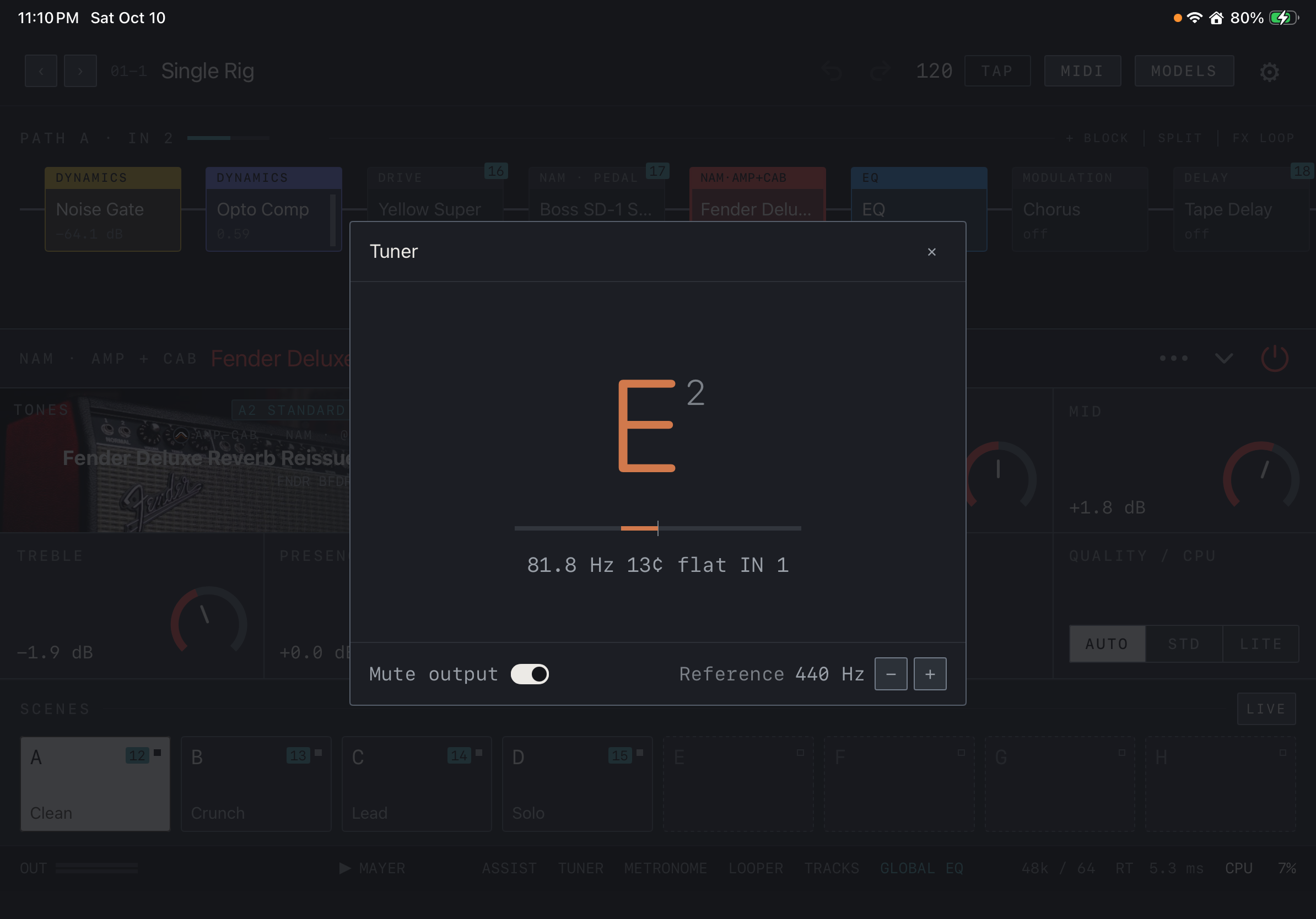
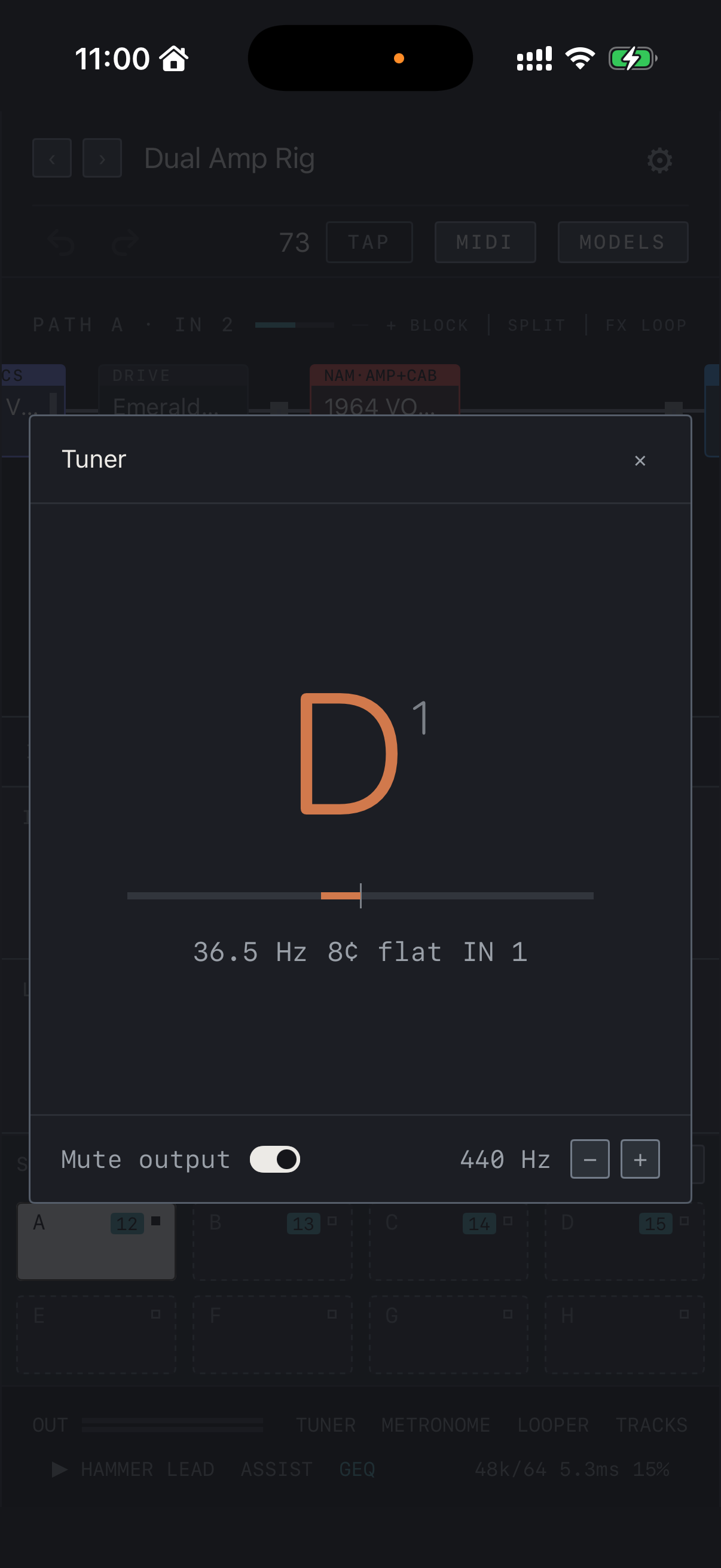
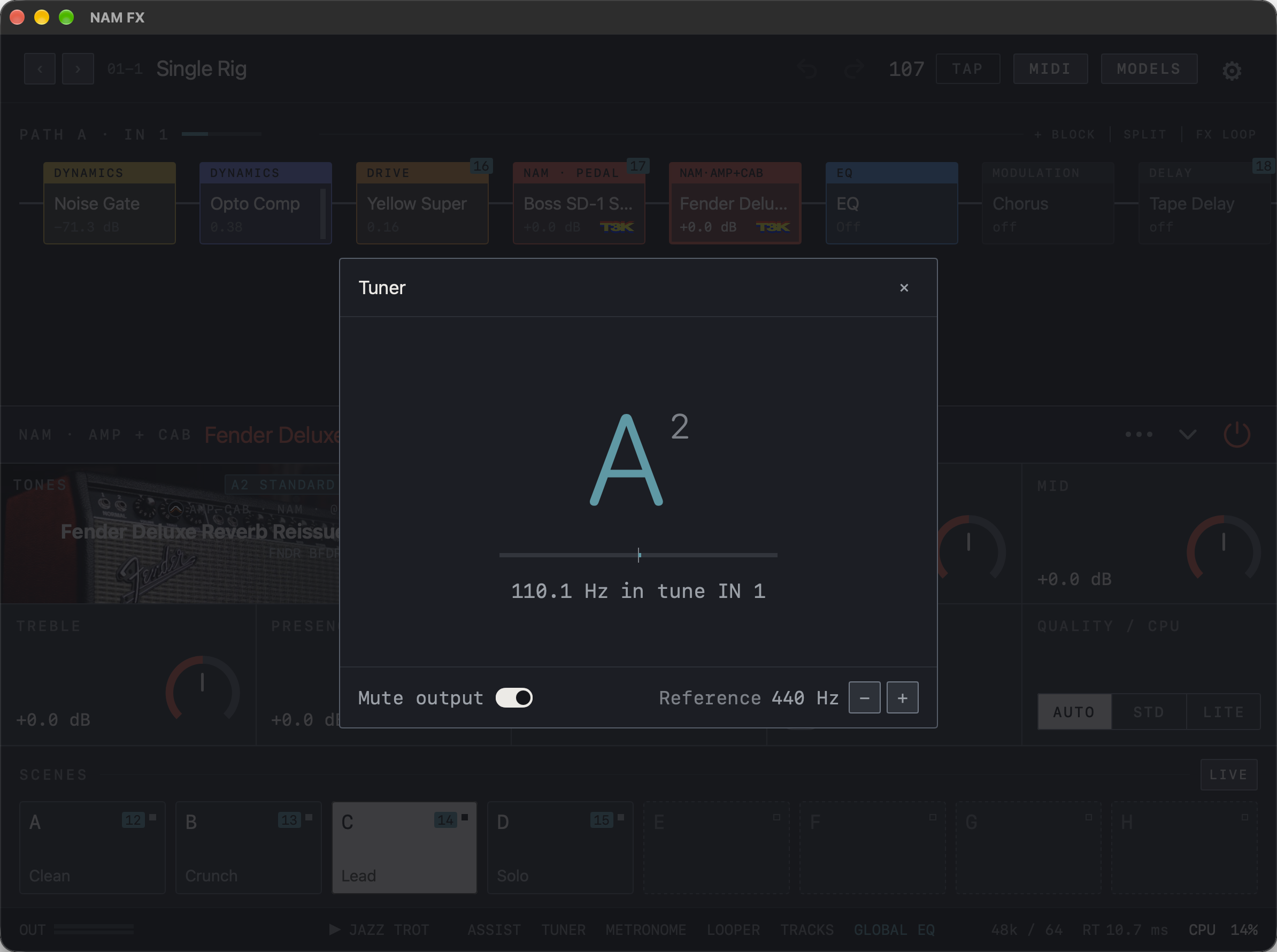
Use TUNER in the bottom bar to check input pitch. Play a clear single note: the note name and octave appear in the center, with the frequency, the offset in cents and the input being heard underneath. Mute output silences the output while you tune. Change the reference pitch with − and + beside Reference.
Find it on screen
- Read the note and octave in the center, and the scale, frequency, cents and input below.
- Mute output silences the output while tuning. Change the reference pitch with − and + beside Reference.
Find it on screen
- Read the note and octave in the center, and the scale, frequency, cents and input below.
- Mute output silences the output while tuning. Change the reference pitch with − and + beside 440 Hz at the bottom right.
Find it on screen
- Read the note and octave in the center, and the scale, frequency, cents and input below.
- Mute output silences the output while tuning. Change the reference pitch with − and + beside Reference.
- When the note is in tune, the display reads in tune.
Metronome
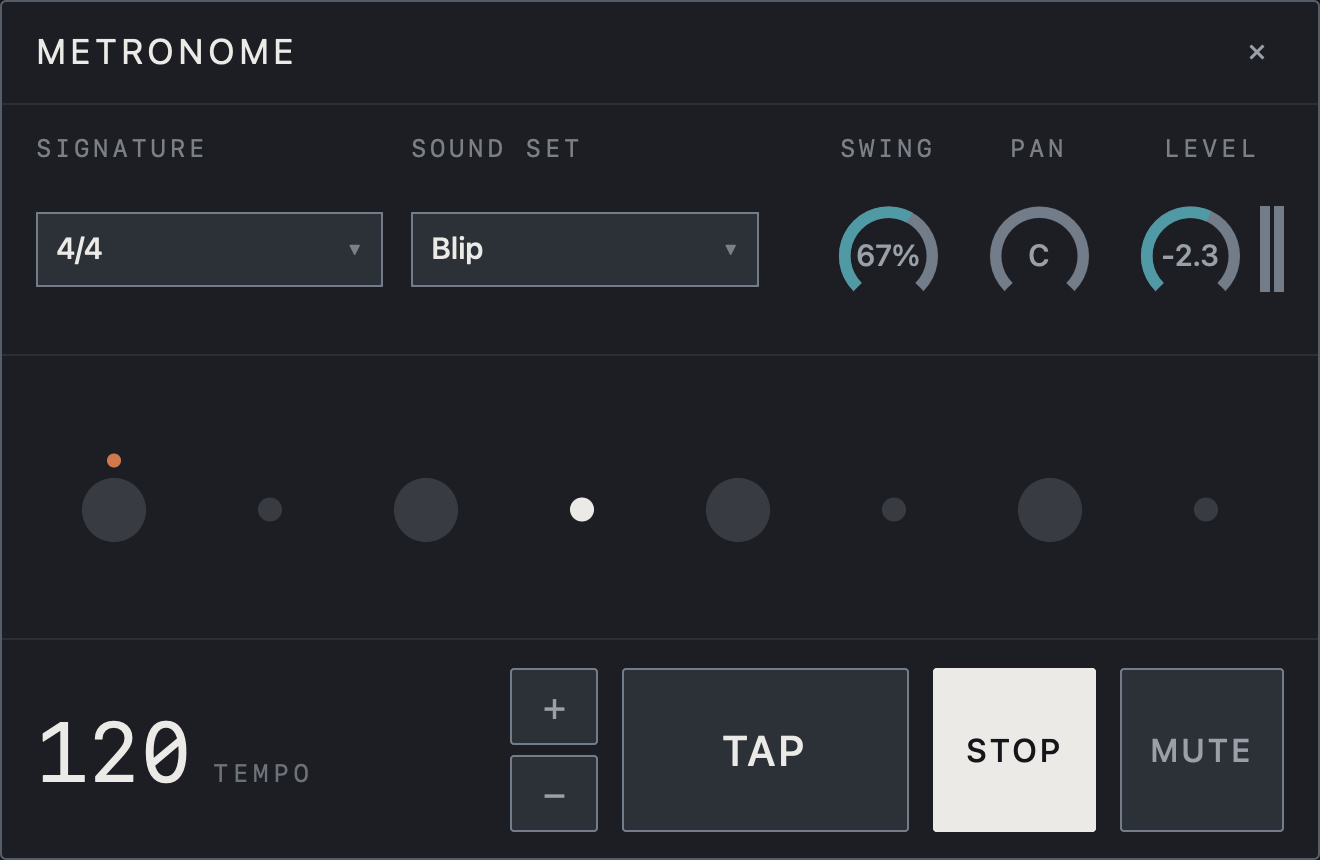
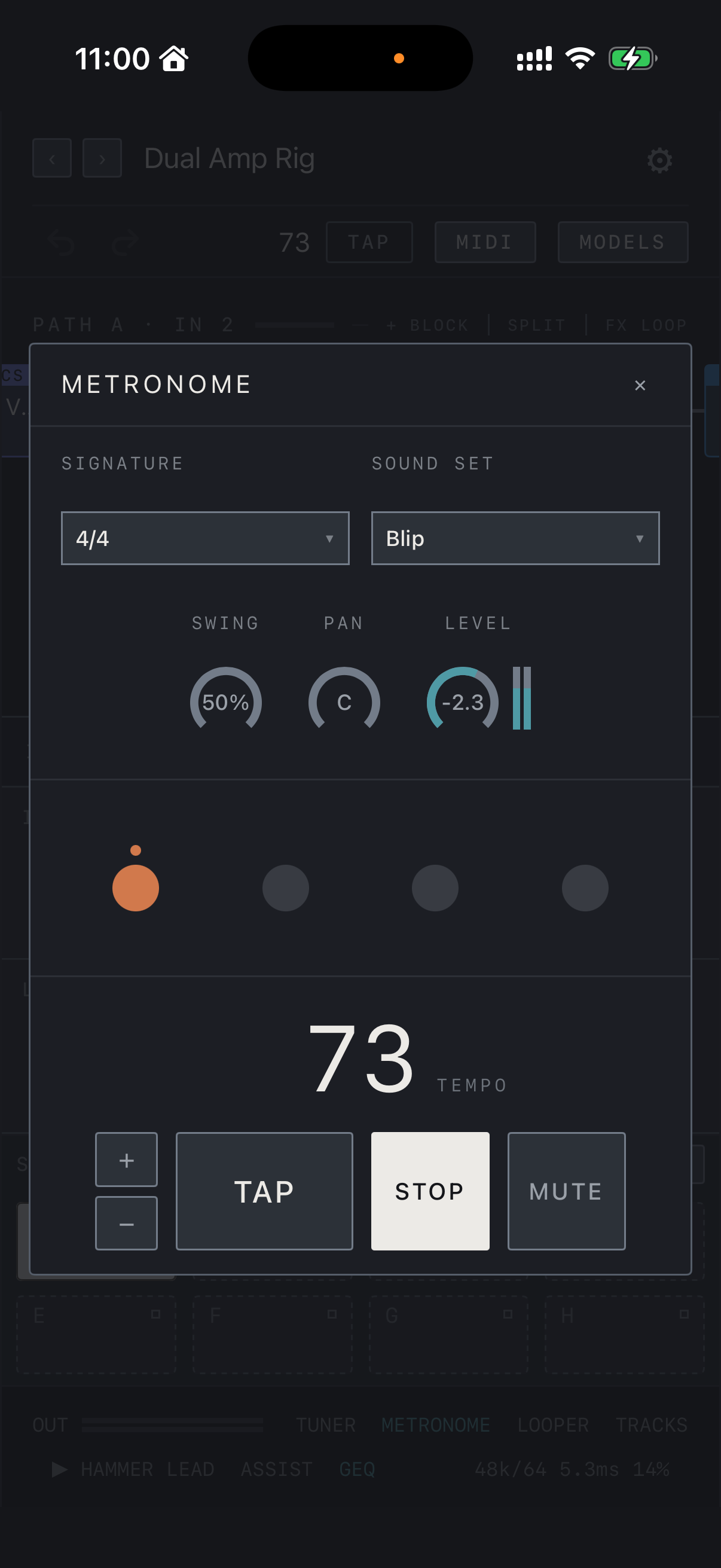
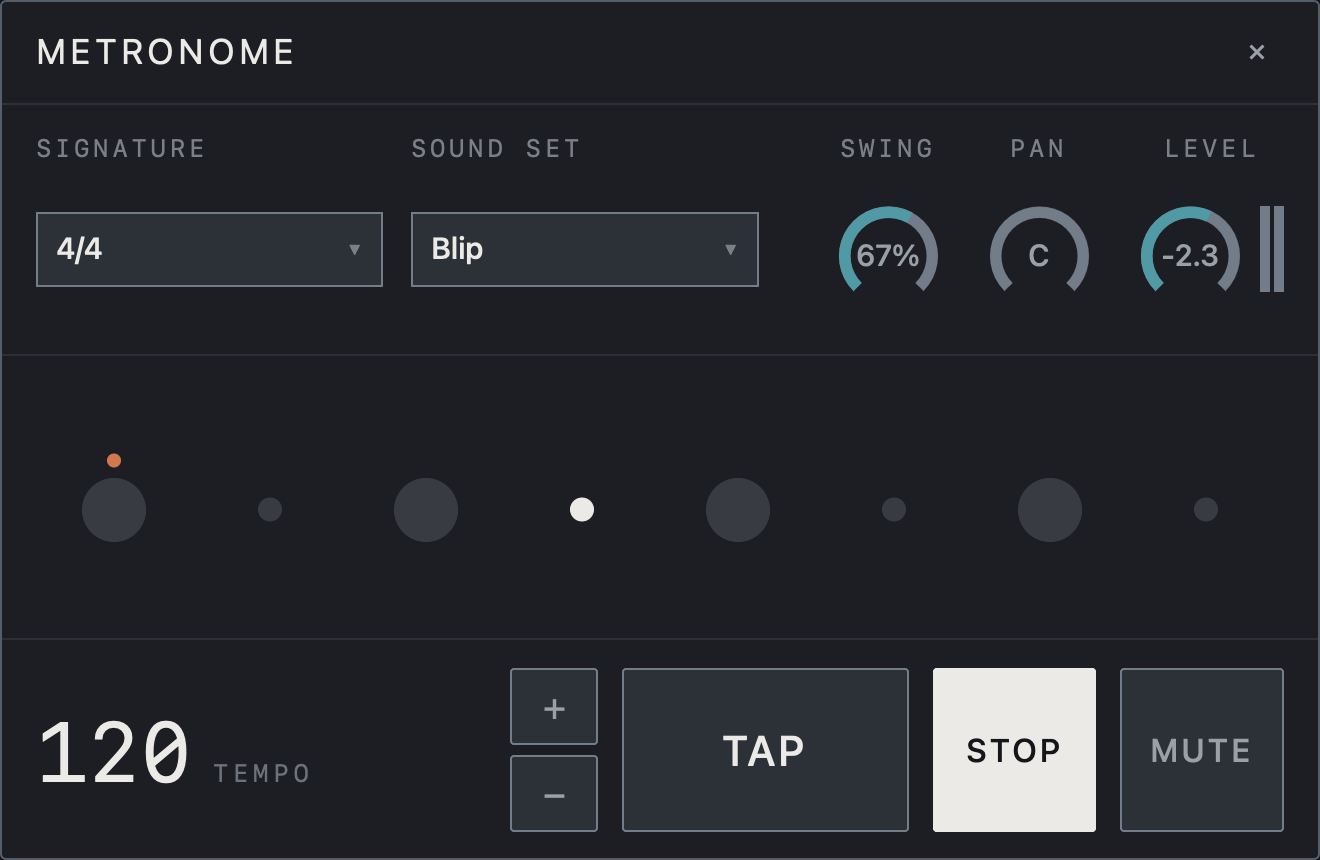
In the METRONOME window choose the meter with SIGNATURE and the click sound with SOUND SET. Set the tempo with +, − or TAP and start or stop the click with PLAY / STOP. SWING, PAN and LEVEL adjust feel, position and volume, and MUTE silences the click for a moment. Delay and modulation effects with Sync enabled use note divisions of this tempo.
Note The click plays on OUT 1/2.
Find it on screen
- Choose the meter under SIGNATURE and the click sound under SOUND SET.
- The SWING, PAN and LEVEL knobs adjust feel, position and volume.
- Set the tempo with +, − and TAP at the bottom. STOP is shown while it runs, and MUTE silences only the click.
Find it on screen
- Choose the meter under SIGNATURE and the click sound under SOUND SET.
- The SWING, PAN and LEVEL knobs adjust feel, position and volume. The dots in the middle show the beat.
- Set the tempo with +, − and TAP at the bottom. STOP is shown while it runs, and MUTE silences only the click.
Find it on screen
- Choose the meter under SIGNATURE and the click sound under SOUND SET.
- The SWING, PAN and LEVEL knobs adjust feel, position and volume.
- Set the tempo with +, − and TAP at the bottom. STOP is shown while it runs, and MUTE silences only the click.
Record and layer
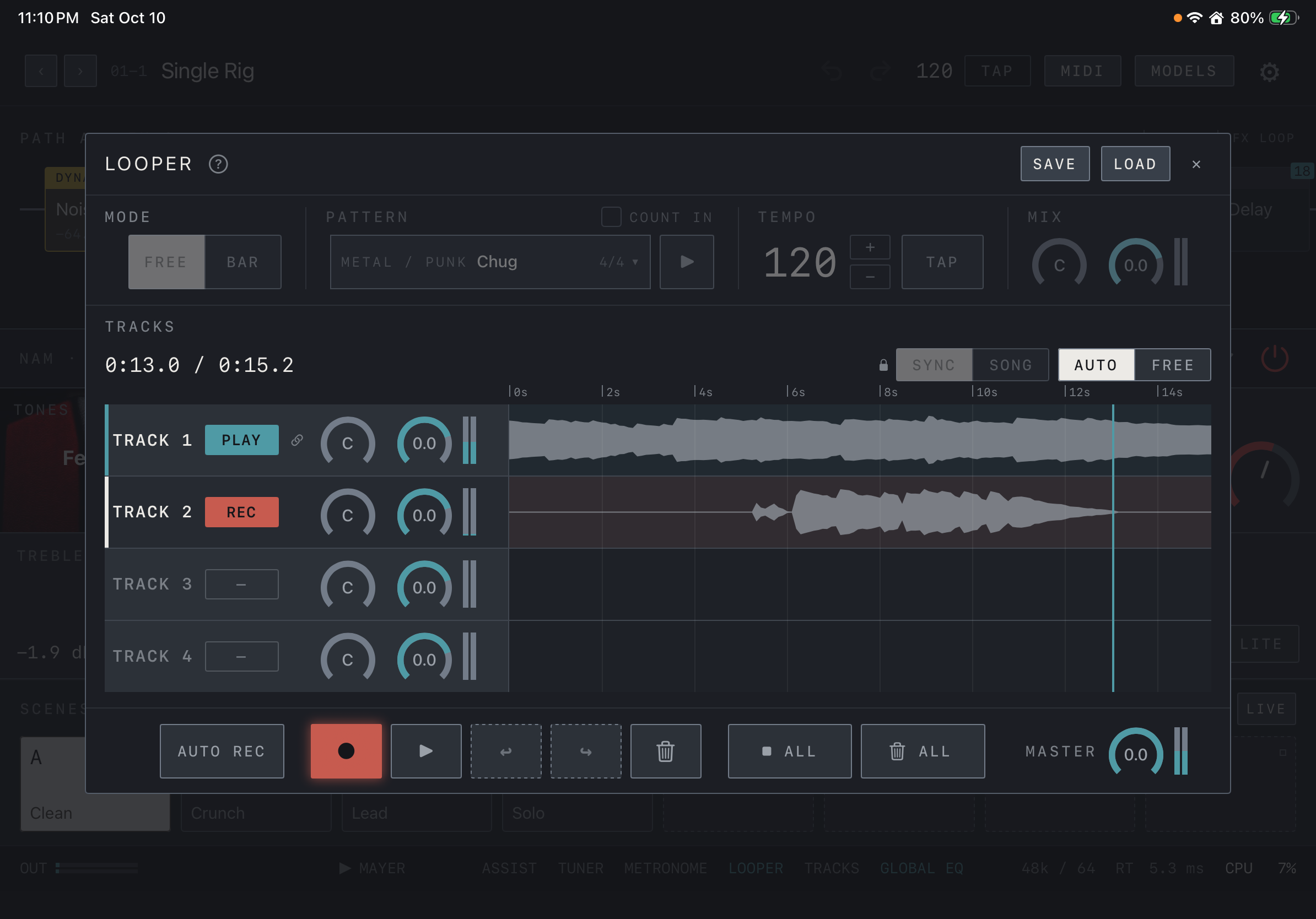
- Open LOOPER from the bottom bar and pick the track to record on the left. Track 1 is available to everyone; tracks 2–4 are a Pro feature.
- Tap ● to start recording and tap it again to move to playback. One more tap overdubs (DUB) on top.
- ▶ / ■ plays or stops the selected track. The two arrows are Undo / Redo for the last layer, and the trash can clears the selected track.
- ■ ALL stops every track. Caution The trash can ALL must be held for one second to erase every track, and this cannot be undone.
- With AUTO REC on, recording starts the moment sound comes in. Each track has pan and level knobs, and MASTER sets the overall loop level.
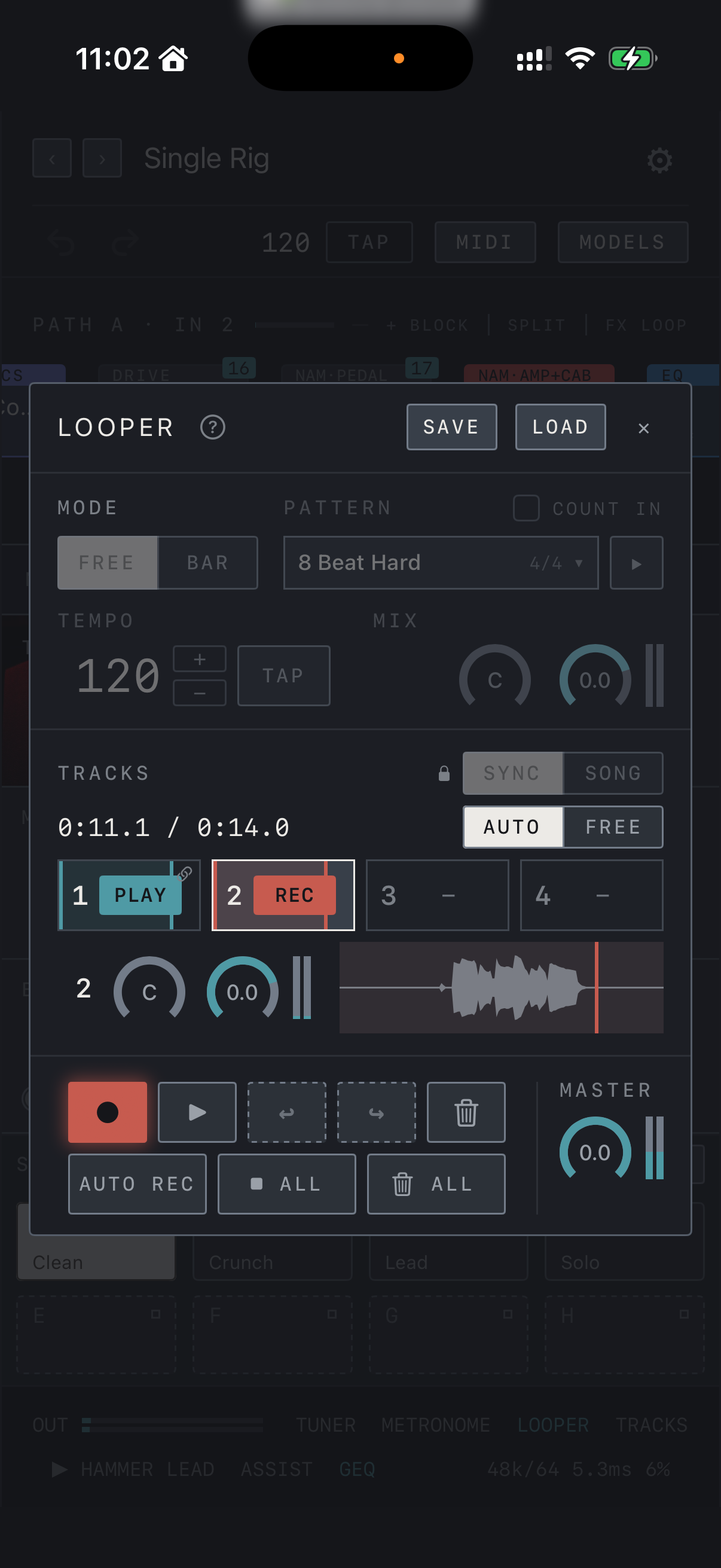
iPhone On iPhone you pick a track from cells 1–4 at the top, and only that track’s knobs and waveform are shown below.
Find it on screen
- TRACK 1–4 are on the left, each with its state, pan and level knobs, and its waveform on the right. Here track 1 is playing (PLAY) while track 2 records (REC).
- The bottom row holds AUTO REC, record ●, play, Undo / Redo, the trash can, ■ ALL, trash ALL and MASTER.
- The time above the waveforms is the current position and loop length; SAVE and LOAD at the top right store and recall loops.
Find it on screen
- On iPhone the tracks sit in one row of cells 1–4, and only the selected track’s pan and level knobs and waveform are shown below.
- Below are record ●, play, Undo / Redo and the trash can, then AUTO REC, ■ ALL and trash ALL on the next row, with MASTER on the right.
- The time is the current position and loop length; SAVE and LOAD at the top right store and recall loops.
Find it on screen
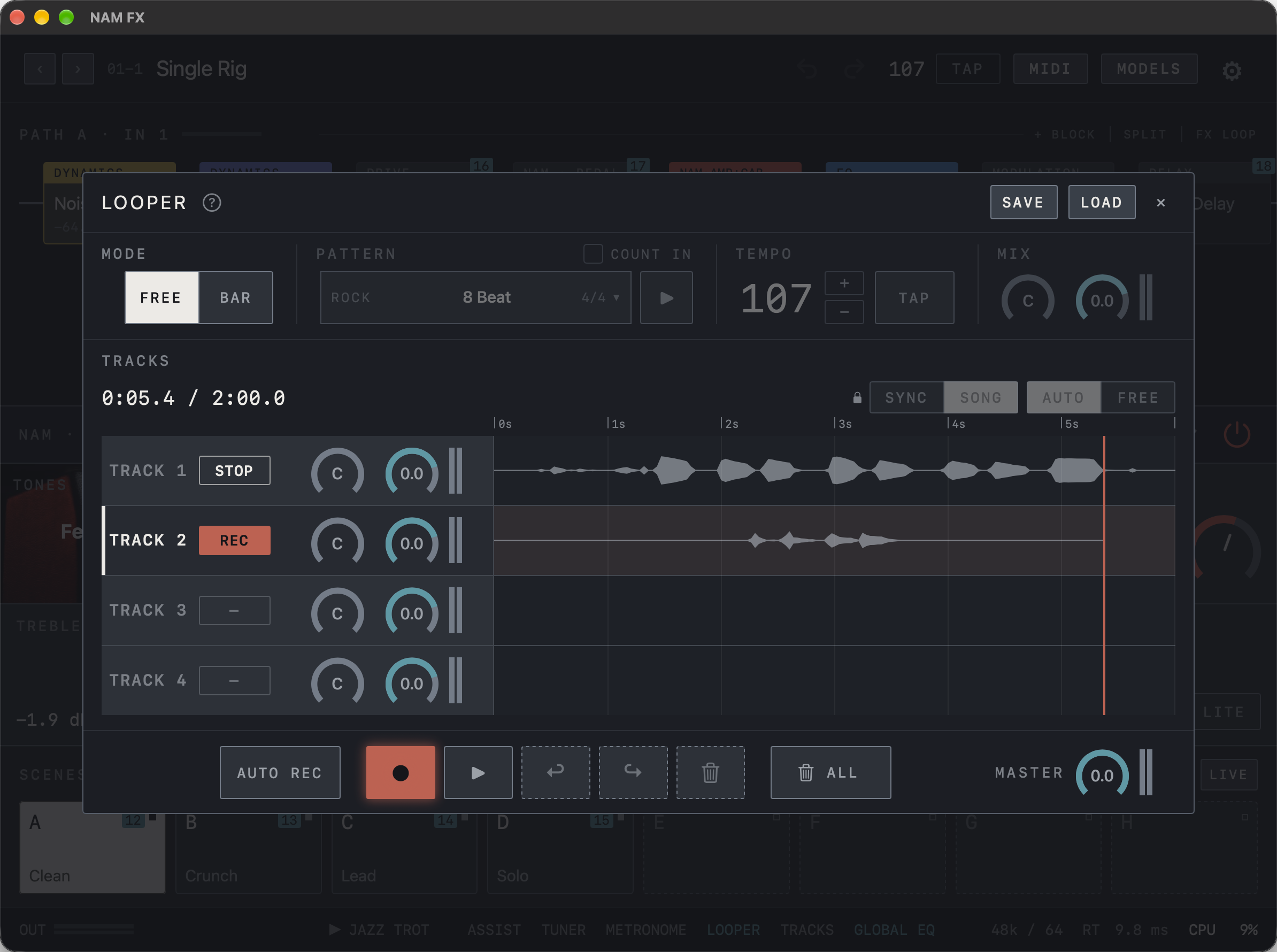
- TRACK 1–4 are on the left, each with its state, pan and level knobs, and its waveform on the right. Here track 1 is stopped (STOP) while track 2 records (REC).
- The bottom row shows AUTO REC, record ●, play, Undo / Redo, the trash can, trash ALL and MASTER.
- The time above the waveforms is the current position and loop length; SAVE and LOAD at the top right store and recall loops.
Track modes SYNC · SONG
With several tracks, choose SYNC or SONG before recording. In SYNC every track plays in time with the first loop, and you can record, overdub or stop each track on its own. Here AUTO makes a later track record exactly one loop from wherever you start and stop by itself, while FREE keeps recording until you press again, at two, three or more times the first loop’s length. In SONG one track plays at a time and each can have its own length; pick another track to switch at the end of the current loop, or pick it again to switch at once.
Note The mode is locked while loops are recorded, so clear the loops to change it.
The ? beside LOOPER shows the same explanation.

Find it on screen
- SYNC | SONG and AUTO | FREE sit above the waveforms on the right. SYNC and AUTO are selected in this example.
- The lock shows that the mode is locked because loops are recorded. Clear the loops to change it.
Find it on screen
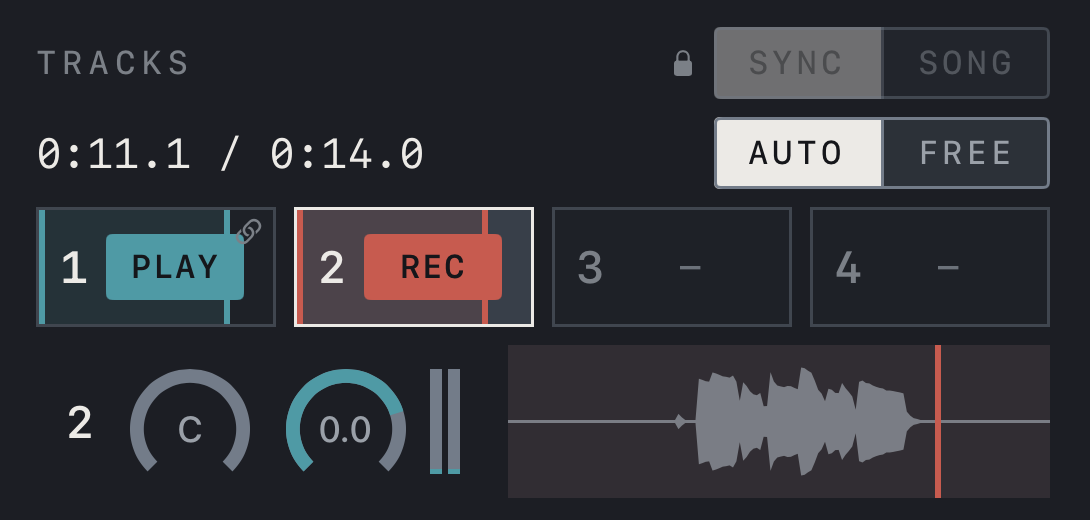
- SYNC | SONG, with AUTO | FREE below it, sits at the right of TRACKS. SYNC and AUTO are selected in this example.
- The lock shows that the mode is locked because loops are recorded. Clear the loops to change it.

Find it on screen
- SYNC | SONG and AUTO | FREE sit above the waveforms on the right. SONG is selected in this example and AUTO | FREE is dimmed.
- The lock shows that the mode is locked because loops are recorded. Clear the loops to change it.
Drum patterns and BAR mode
FREE under MODE records any length and you end the recording yourself. BAR records in time with the tempo and bar grid: choose the metronome or a drum pattern under PATTERN and play it with the ▶ beside it. COUNT IN adds a count before recording.
Note In BAR mode the tempo is held while a loop is recorded. Choose the mode before recording; to change it afterwards, clear the loop first.
Sample credits and licenses are under Drum kit credits in Settings.

Find it on screen
- Choose FREE or BAR under MODE. This example uses FREE.
- PATTERN shows the drum pattern name and meter, and the ▶ beside it plays the pattern. COUNT IN sits above it.
- Set the tempo with +, − and TAP under TEMPO. Items that are dimmed while a loop is recorded cannot be changed.
Find it on screen
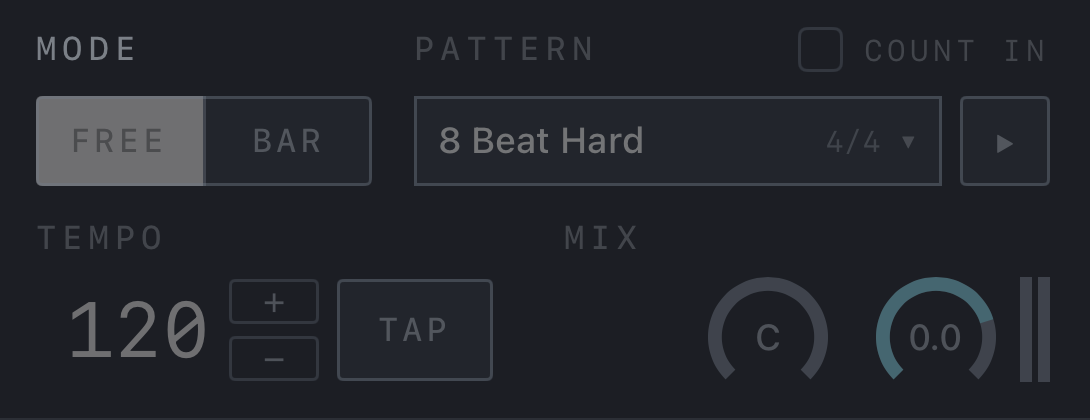
- Choose FREE or BAR under MODE. This example uses FREE.
- PATTERN shows the drum pattern name and meter, and the ▶ beside it plays the pattern. COUNT IN sits above it.
- Set the tempo with +, − and TAP under TEMPO. Items that are dimmed while a loop is recorded cannot be changed.

Find it on screen
- Choose FREE or BAR under MODE. This example uses FREE.
- PATTERN shows the drum pattern name and meter, and the ▶ beside it plays the pattern. COUNT IN sits above it.
- Set the tempo with +, − and TAP under TEMPO. Items that are dimmed while a loop is recorded cannot be changed.
Save and load
Tap SAVE and name the loop to store the recorded tracks with their tempo and bar count. The looper stops when you save.
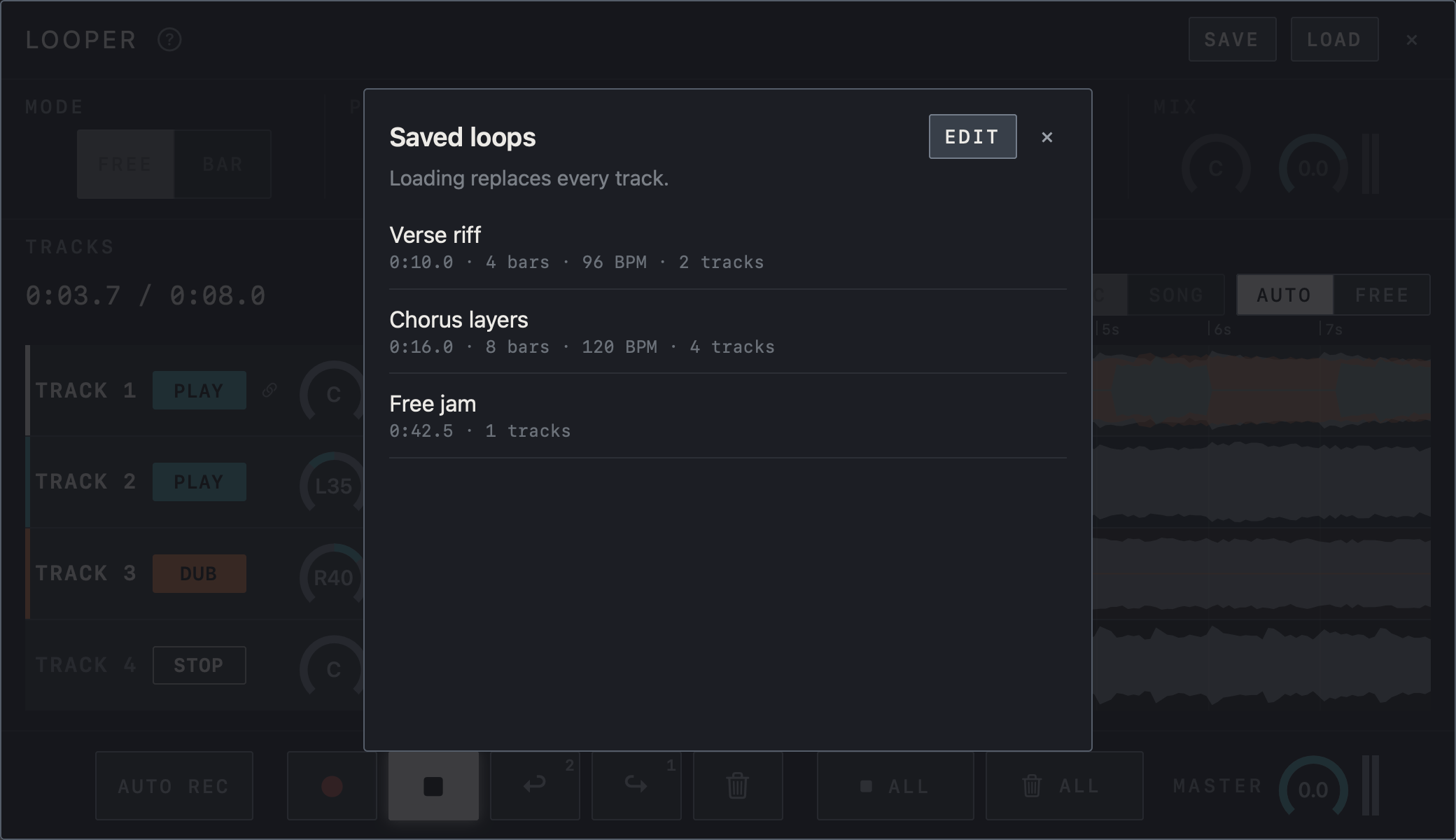
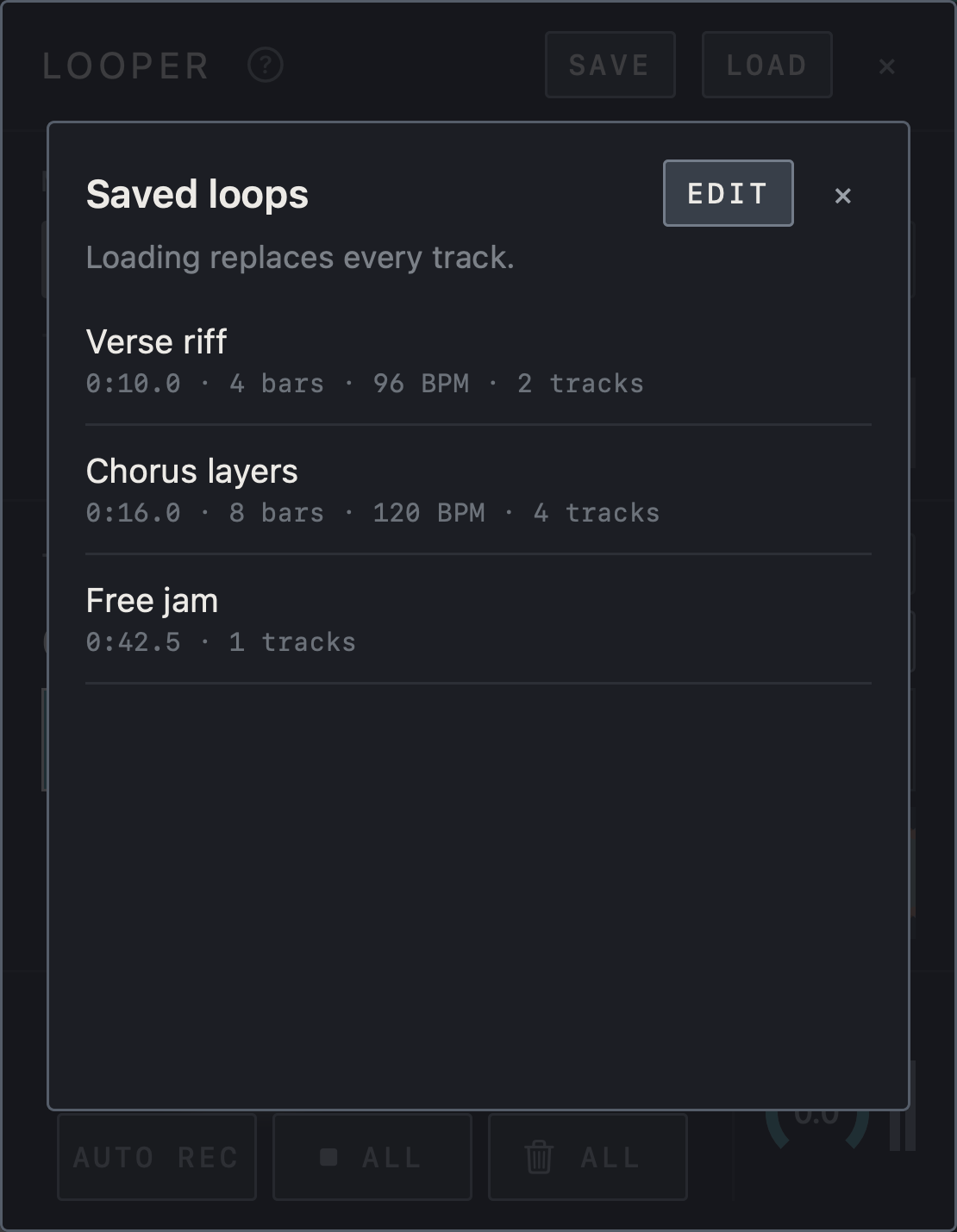
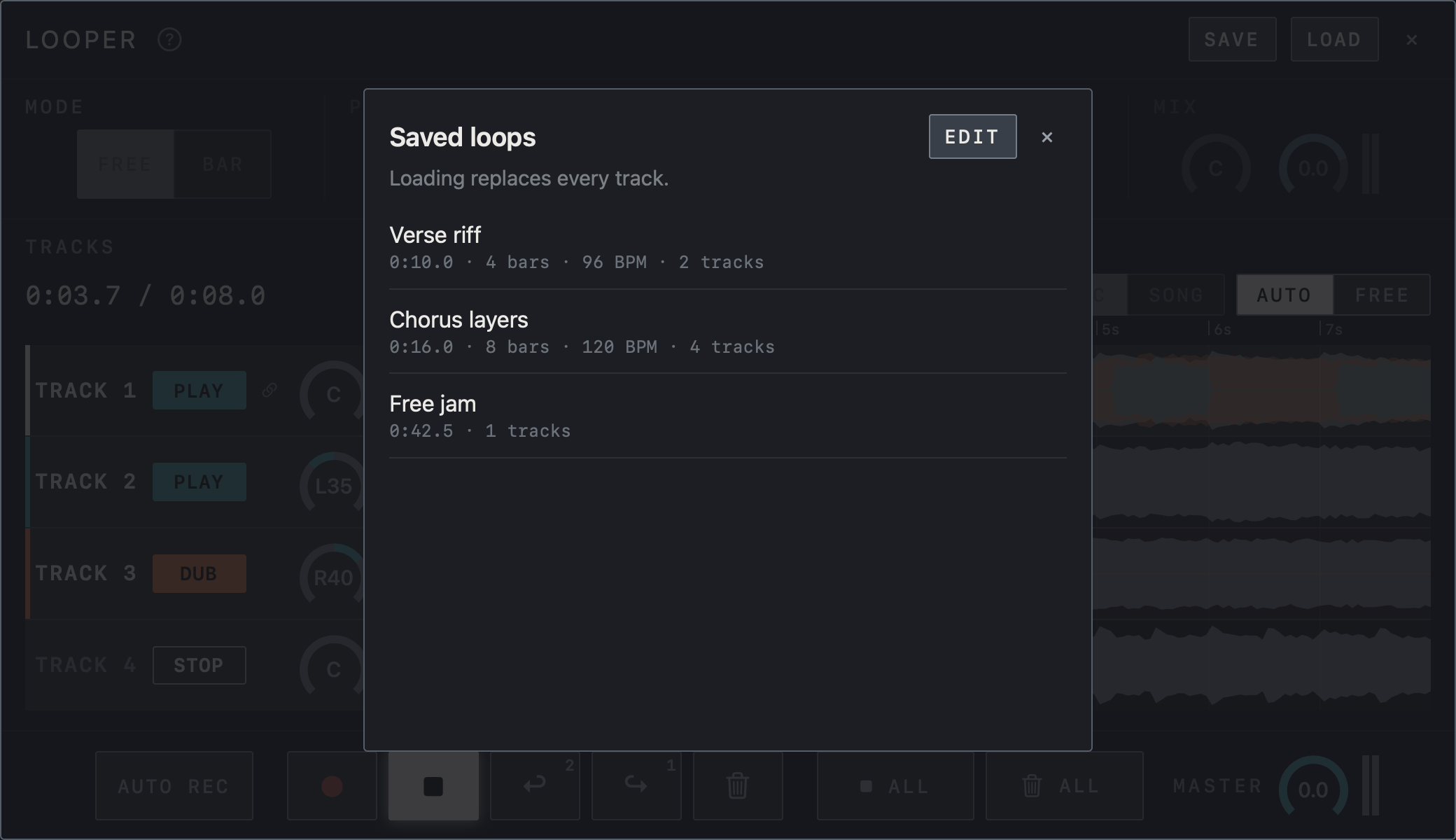
Caution LOAD opens the list of saved loops; loading one replaces every current track.
EDIT in the list lets you delete saved loops. A single loop can be up to two minutes long.
Caution Unsaved loops are lost when the app closes.
With LOOPER on under iCloud, saved loops appear on your other devices too.
Find it on screen
- LOAD opens the Saved loops list. Each row shows the length, bars, BPM and number of tracks.
- As the note says, loading replaces every current track.
- EDIT lets you delete saved loops.
Find it on screen
- LOAD opens the Saved loops list. Each row shows the length, bars, BPM and number of tracks.
- As the note says, loading replaces every current track.
- EDIT lets you delete saved loops.
Find it on screen
- LOAD opens the Saved loops list. Each row shows the length, bars, BPM and number of tracks.
- As the note says, loading replaces every current track.
- EDIT lets you delete saved loops.