Add and arrange effects
- Tap MODELS in the top bar and open the EFFECTS tab. + BLOCK in the chain header opens it too.
- Search, or narrow the list with ALL · ELEC · ACOUSTIC · VOCAL.
- Drag an effect into the chain, or tap it while no block is selected to add it.
- Tapping an effect while an effect block is selected replaces that block. Note Its position and on/off state stay; values start from the new effect’s defaults.
- Drag blocks in the chain to change their order.
Find it on screen
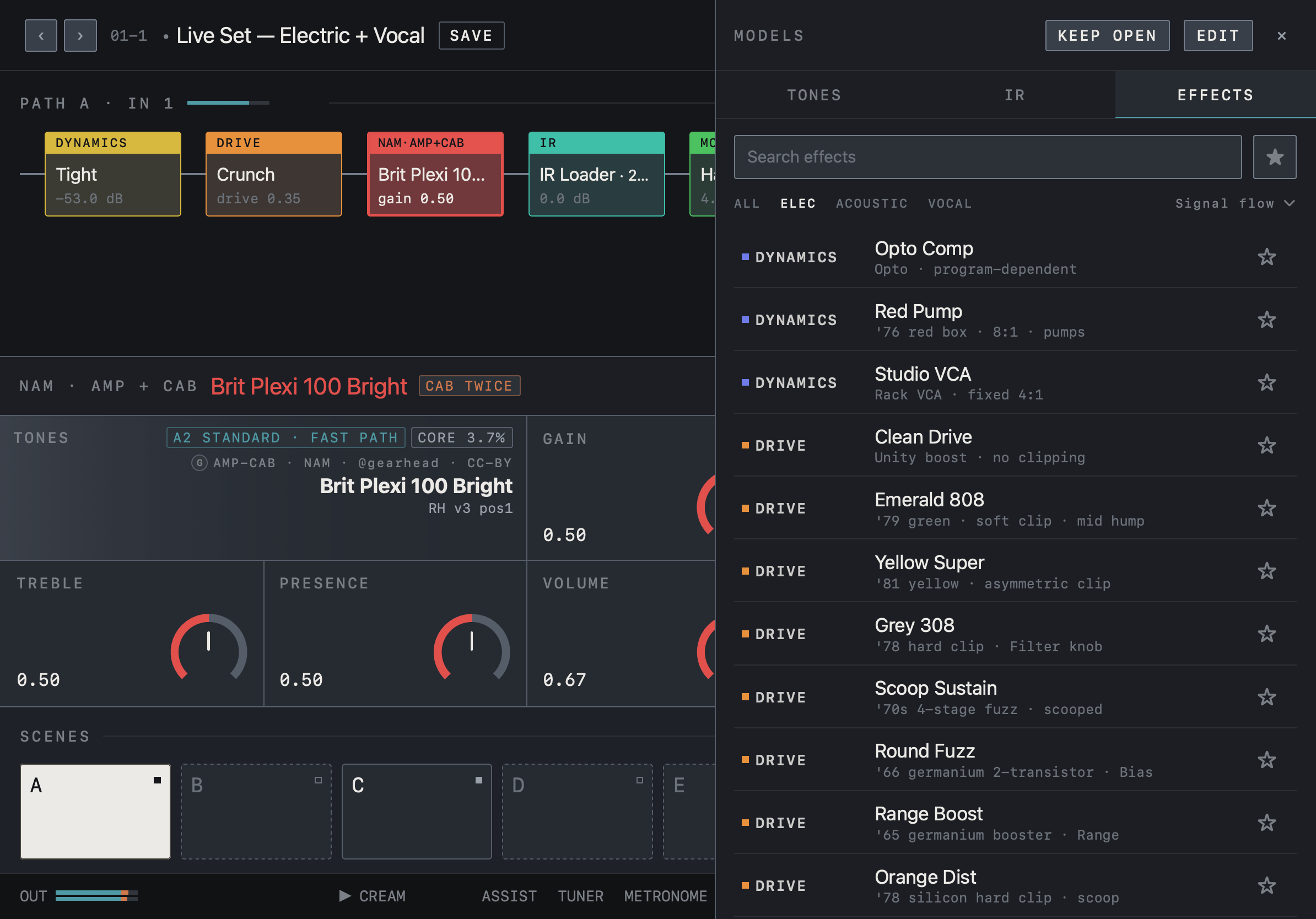
- This is the EFFECTS tab of MODELS. Narrow the list with the search field and ALL · ELEC · ACOUSTIC · VOCAL.
- Each row shows the category (DYNAMICS, DRIVE …), the effect name and a short description. ☆ marks a favorite.
- Drag an effect into the chain on the left. KEEP OPEN leaves the list open.
Find it on screen
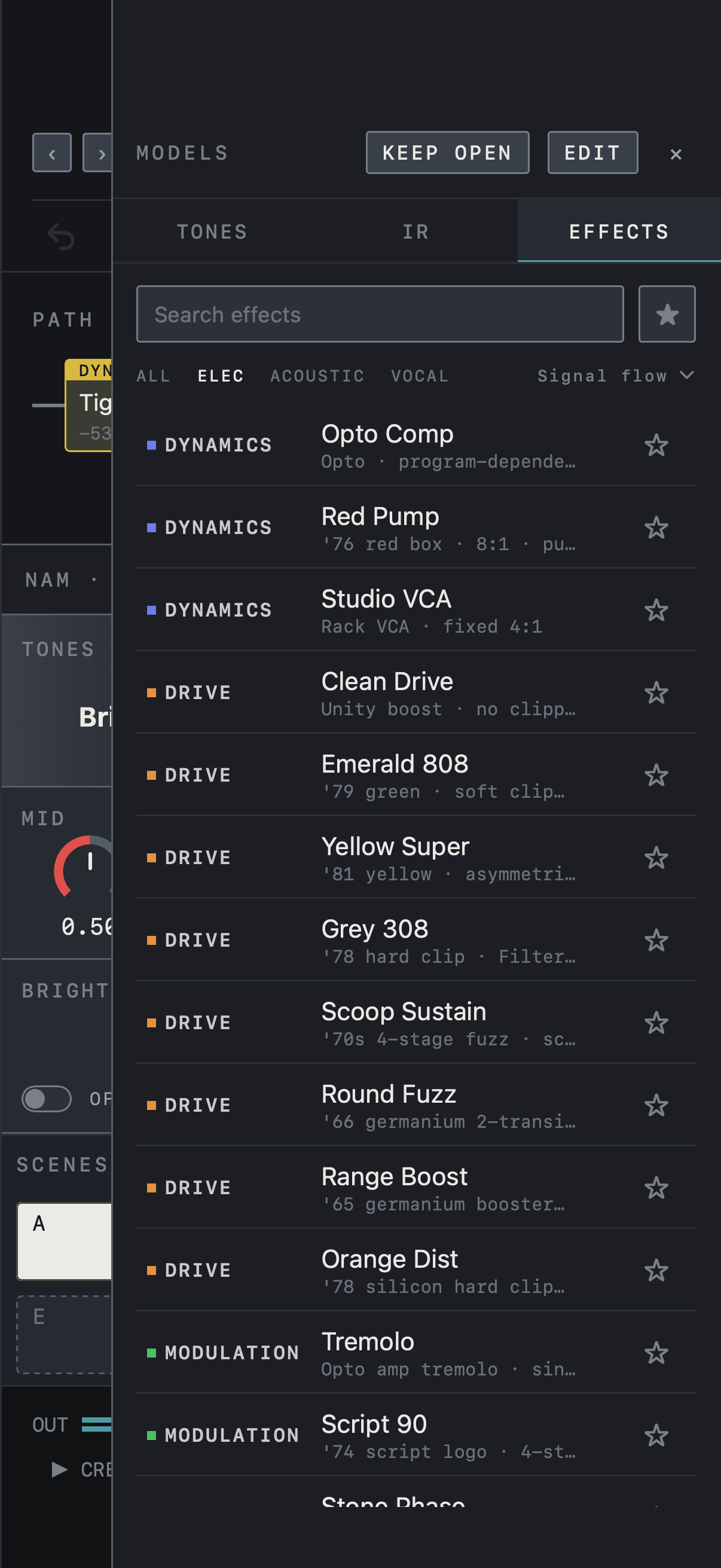
- This is the EFFECTS tab of MODELS. On iPhone the list covers most of the screen.
- Narrow the list with the search field and ALL · ELEC · ACOUSTIC · VOCAL. ☆ marks a favorite.
- With no block selected, tap an effect to add it to the chain. KEEP OPEN leaves the list open.
Find it on screen
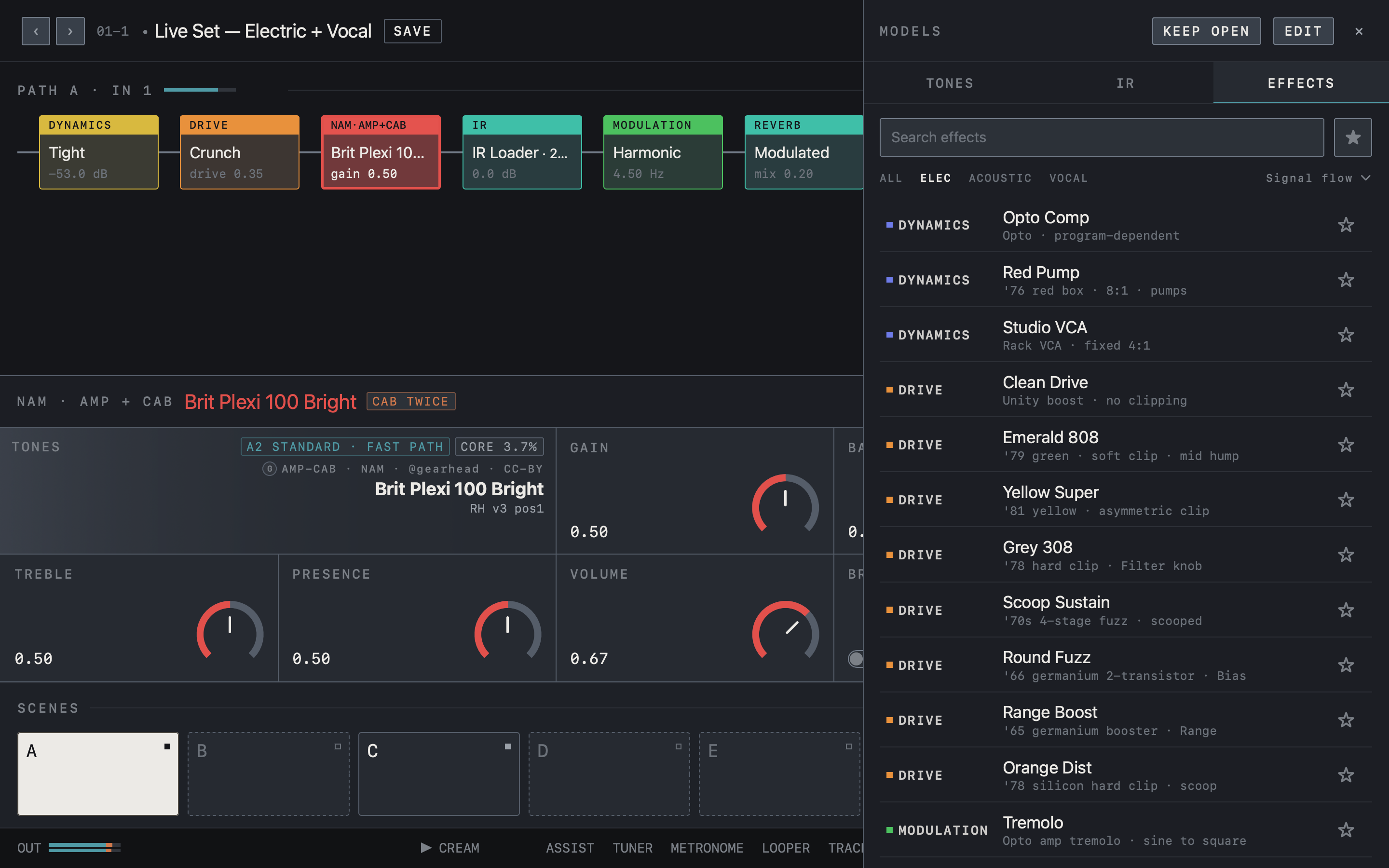
- This is the EFFECTS tab of MODELS. Narrow the list with the search field and ALL · ELEC · ACOUSTIC · VOCAL.
- Each row shows the category (DYNAMICS, DRIVE …), the effect name and a short description. ☆ marks a favorite.
- Drag an effect into the chain on the left. KEEP OPEN leaves the list open.
Parallel branches and merge
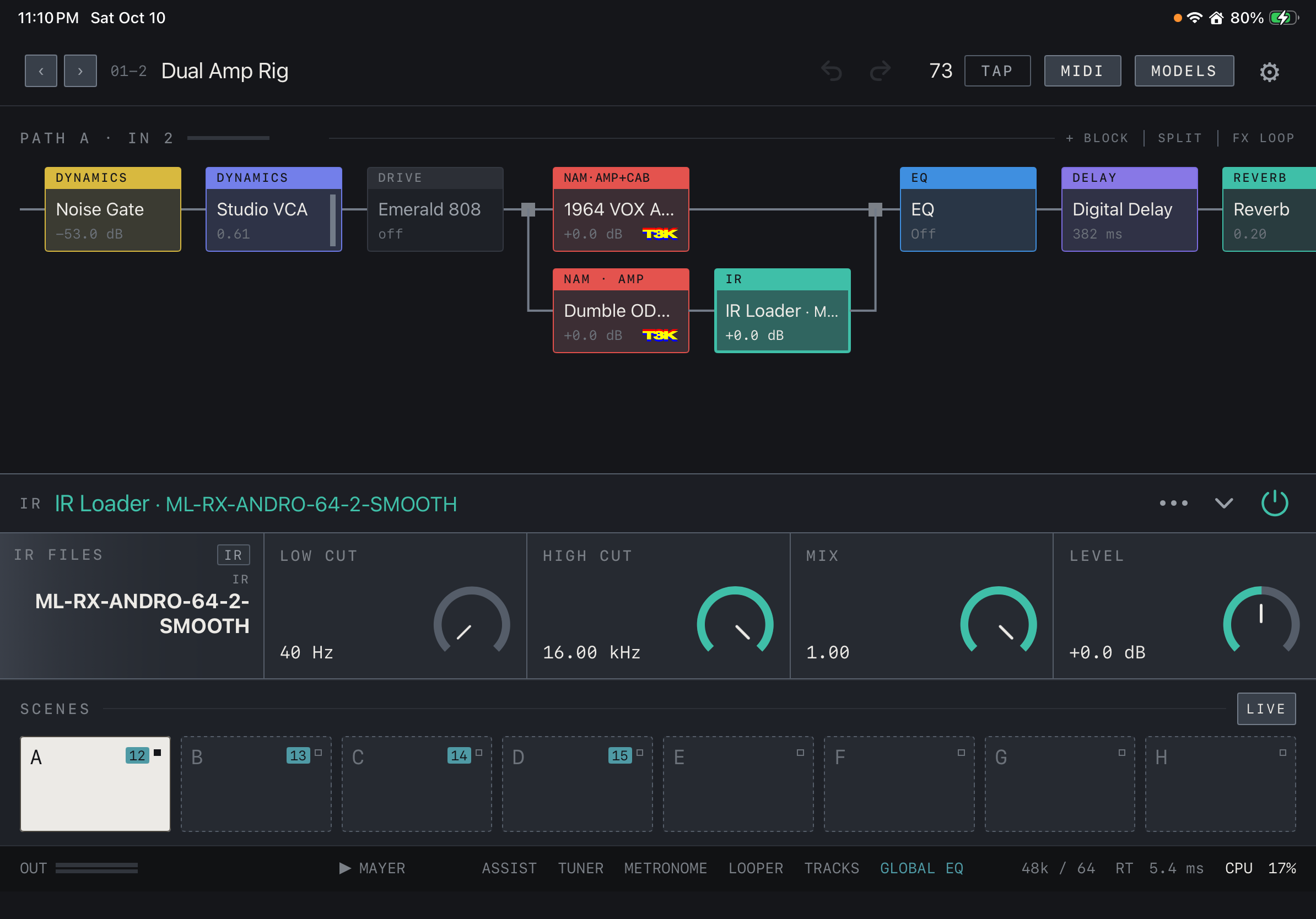
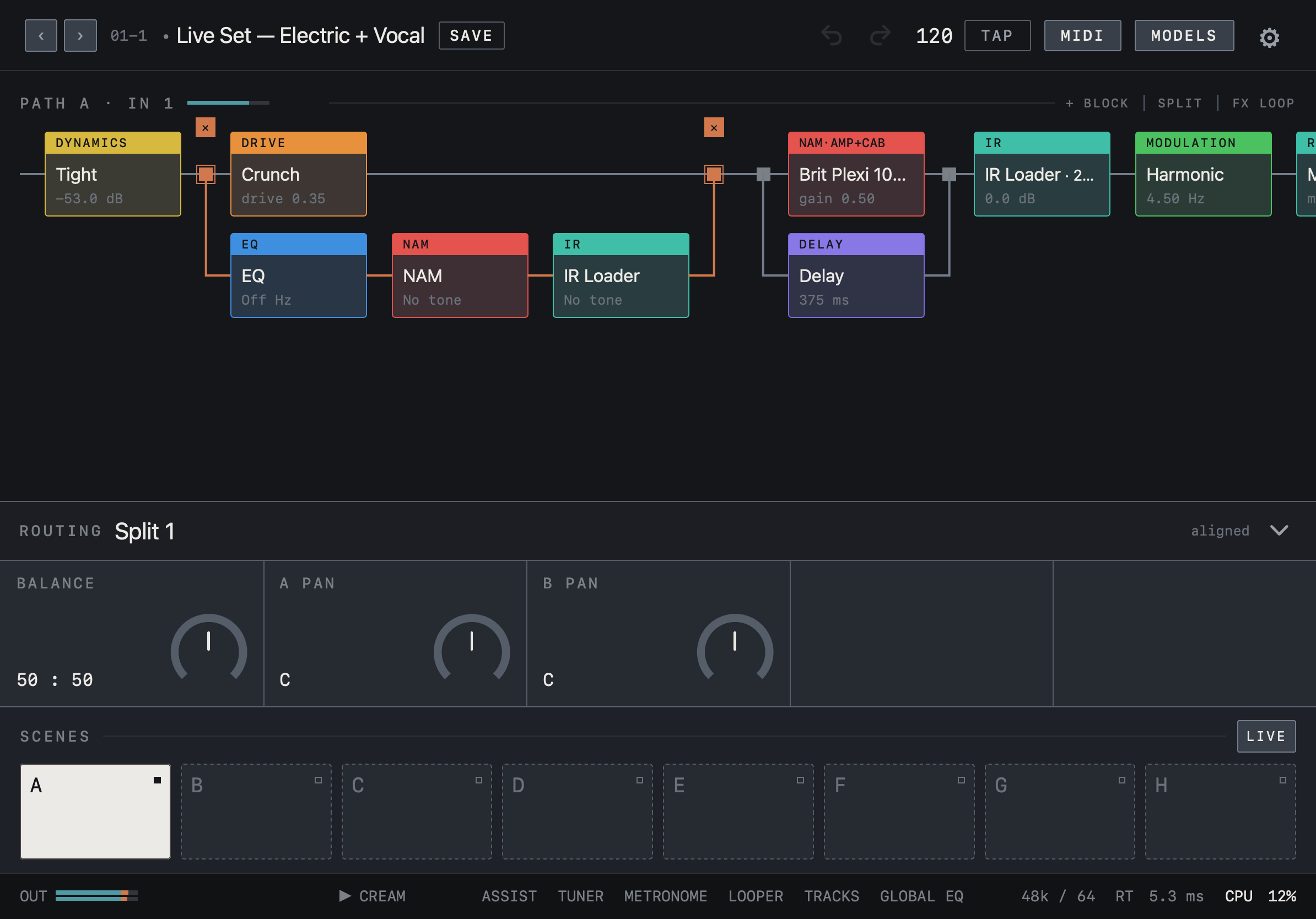
Create a split with SPLIT in the chain header and place different effects on the lower lane. Tap a split point to open the ROUTING panel: BALANCE blends the two lanes, and A PAN and B PAN place them left and right. The word aligned at the right of the panel means the lanes’ delays are matched. The ✕ above a selected split point removes the split.
Caution Phase differences between lanes can change the combined sound, so check the result in mono too.
Find it on screen
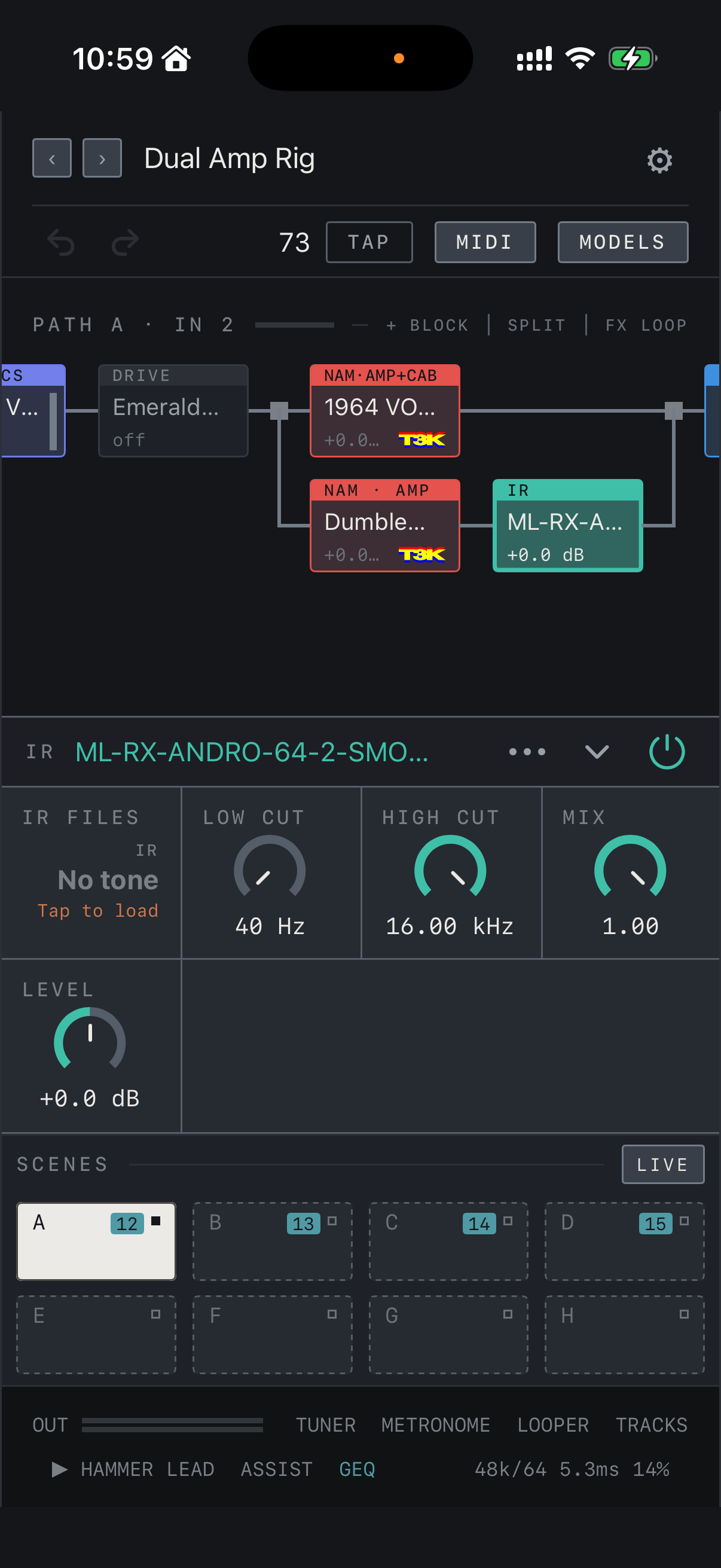
- The square after DRIVE is the split point. The upper lane holds an amp + cab capture; the lower lane holds an amp capture and an IR Loader.
- The lanes merge again at the square on the right and continue to the EQ.
- The panel below shows the controls of the selected IR Loader block.
Find it on screen
- The square after DRIVE is the split point. The upper lane holds an amp + cab capture; the lower lane holds an amp capture and an IR Loader.
- The lanes merge again at the square on the right and continue to the EQ.
- The panel below shows the controls of the selected IR Loader block.
Find it on screen
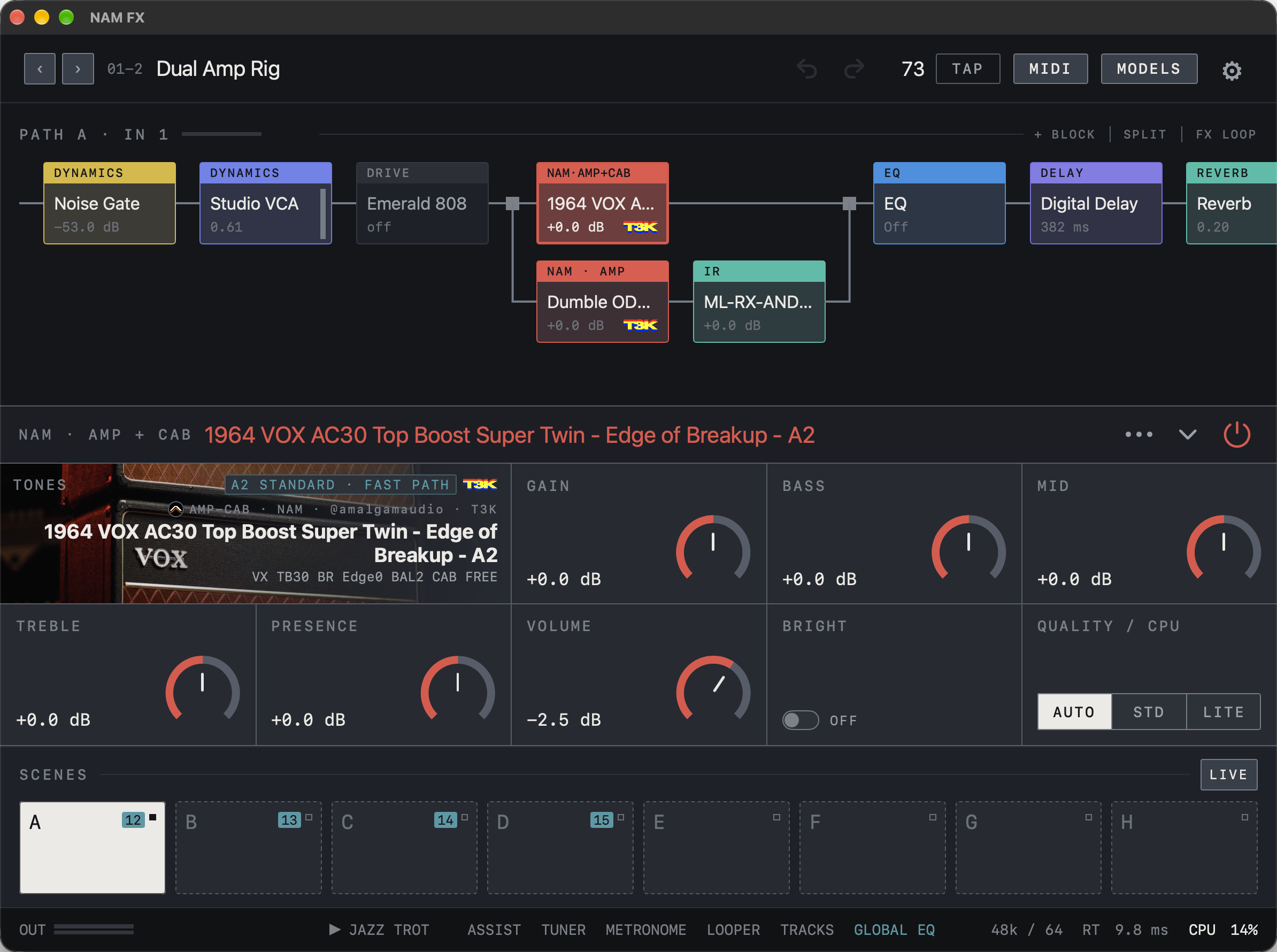
- The square after DRIVE is the split point. The upper lane holds an amp + cab capture; the lower lane holds an amp capture and an IR Loader.
- The lanes merge again at the square on the right and continue to the EQ.
- The panel below shows the controls of the selected NAM block on the upper lane.
Find it on screen
- The orange lines and split points mark the selected parallel split. The ✕ above removes it.
- Use BALANCE, A PAN and B PAN in the ROUTING panel to adjust the blend and stereo placement.
- aligned at the right of the panel means the two lanes’ delays are matched.
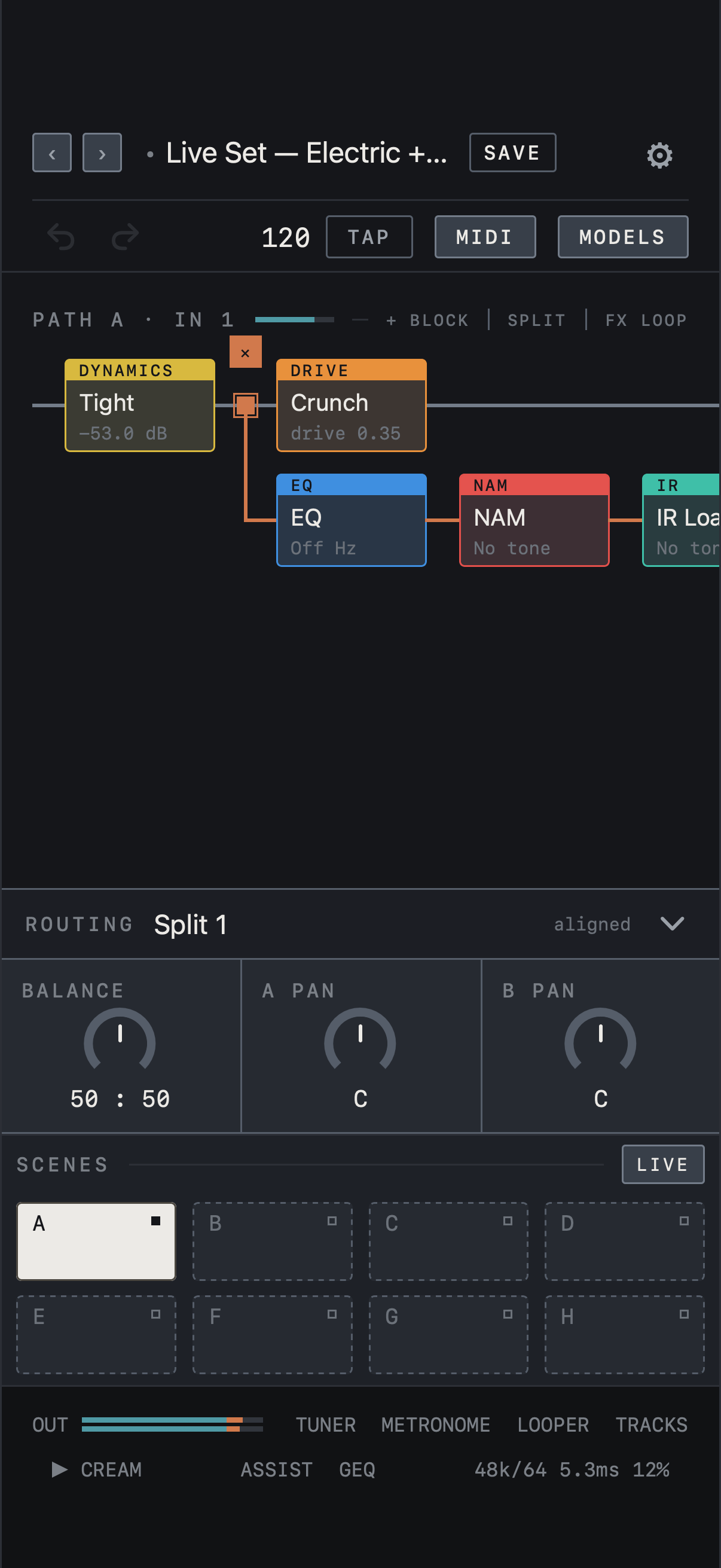
Find it on screen
- The orange lines and split points mark the selected parallel split. The ✕ above removes it.
- Use BALANCE, A PAN and B PAN in the ROUTING panel to adjust the blend and stereo placement.
- aligned at the right of the panel means the two lanes’ delays are matched.
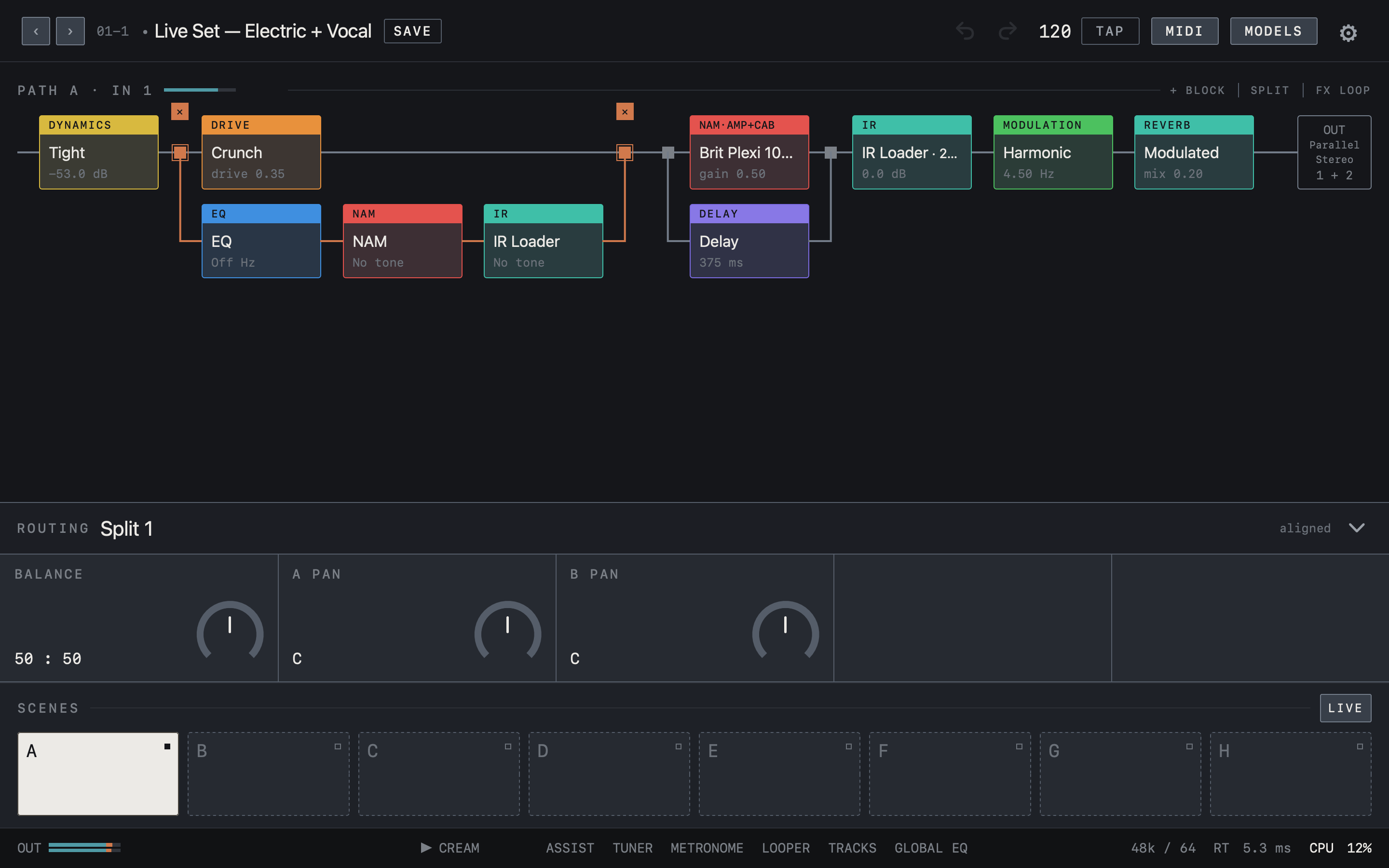
Find it on screen
- The orange lines and split points mark the selected parallel split. The ✕ above removes it.
- Use BALANCE, A PAN and B PAN in the ROUTING panel to adjust the blend and stereo placement.
- aligned at the right of the panel means the two lanes’ delays are matched.
Use PATH B
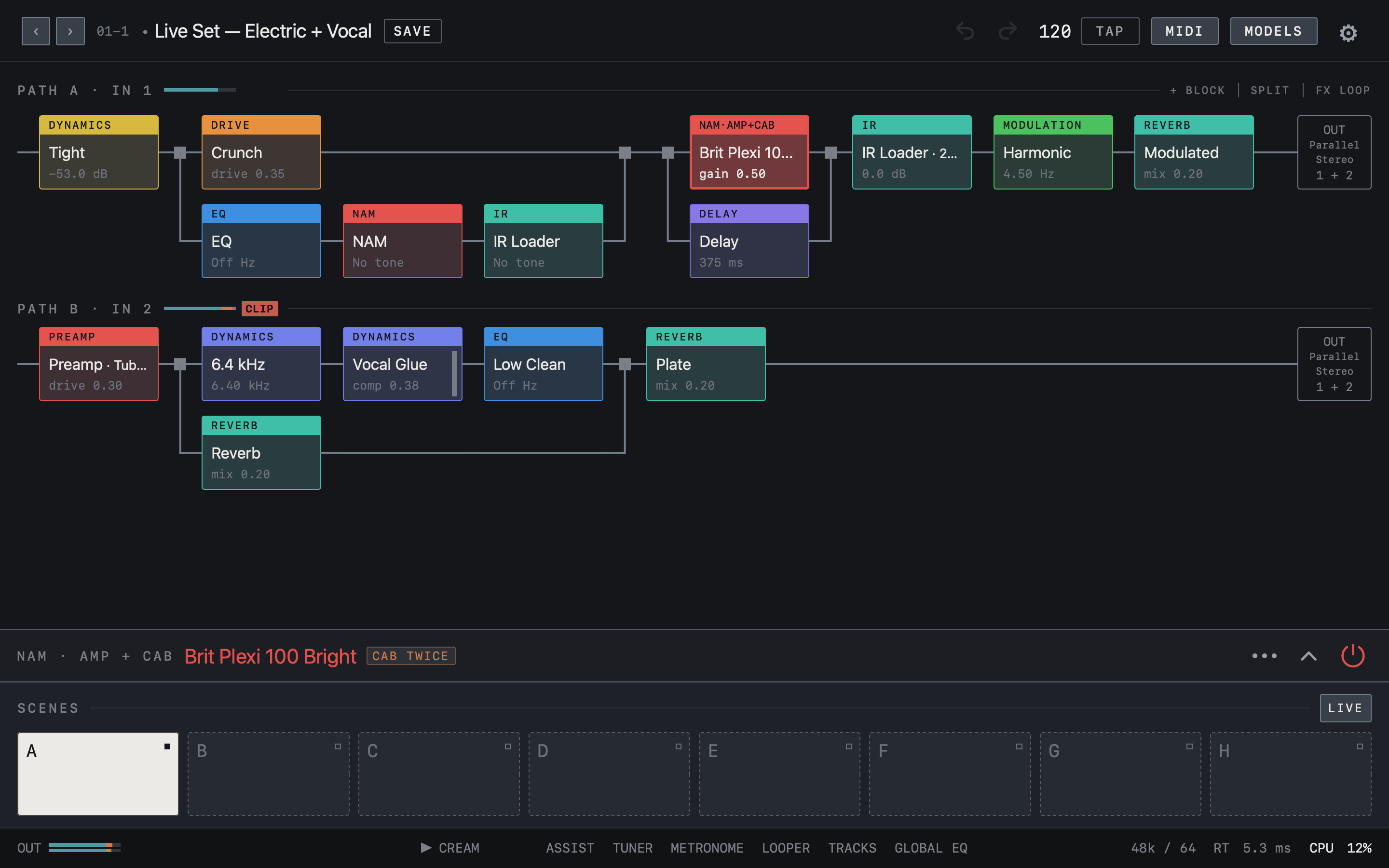
PATH B is a separate chain for a second input, for guitar plus vocal or two instruments at once. Turn PATH B on under Input channels in Settings and choose its IN; the PATH B chain then appears below PATH A in the editor. One preset stores the chains of both Paths.
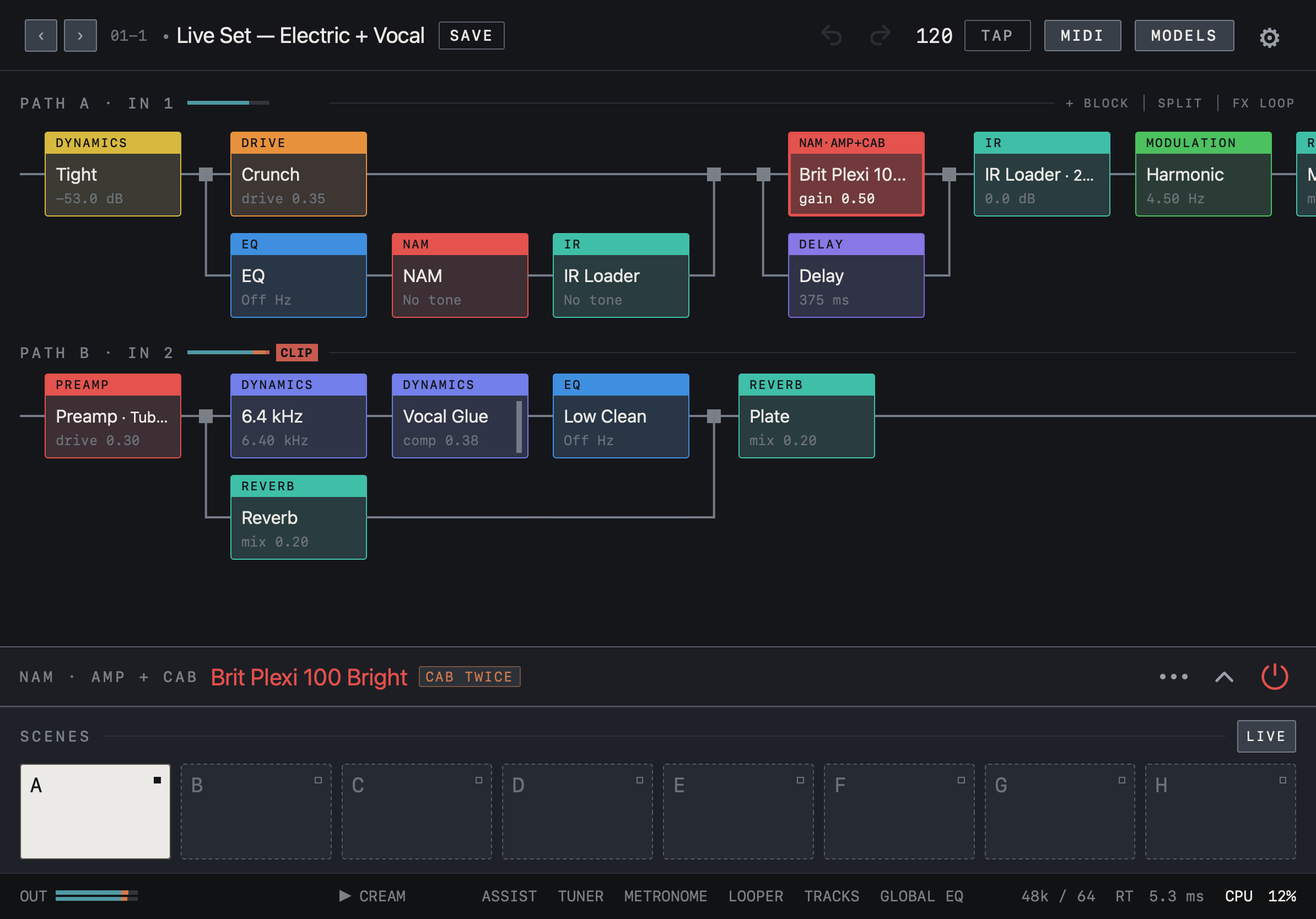
Find it on screen
- Below the PATH A chain sits a separate chain for PATH B · IN 2. Each Path has its own blocks and parallel splits.
- PATH B in this example is a vocal chain running from Preamp to a Plate reverb.
- The parameter panel is folded here. If the open panel hides PATH B, fold it with the ⌄ at the right of the panel.
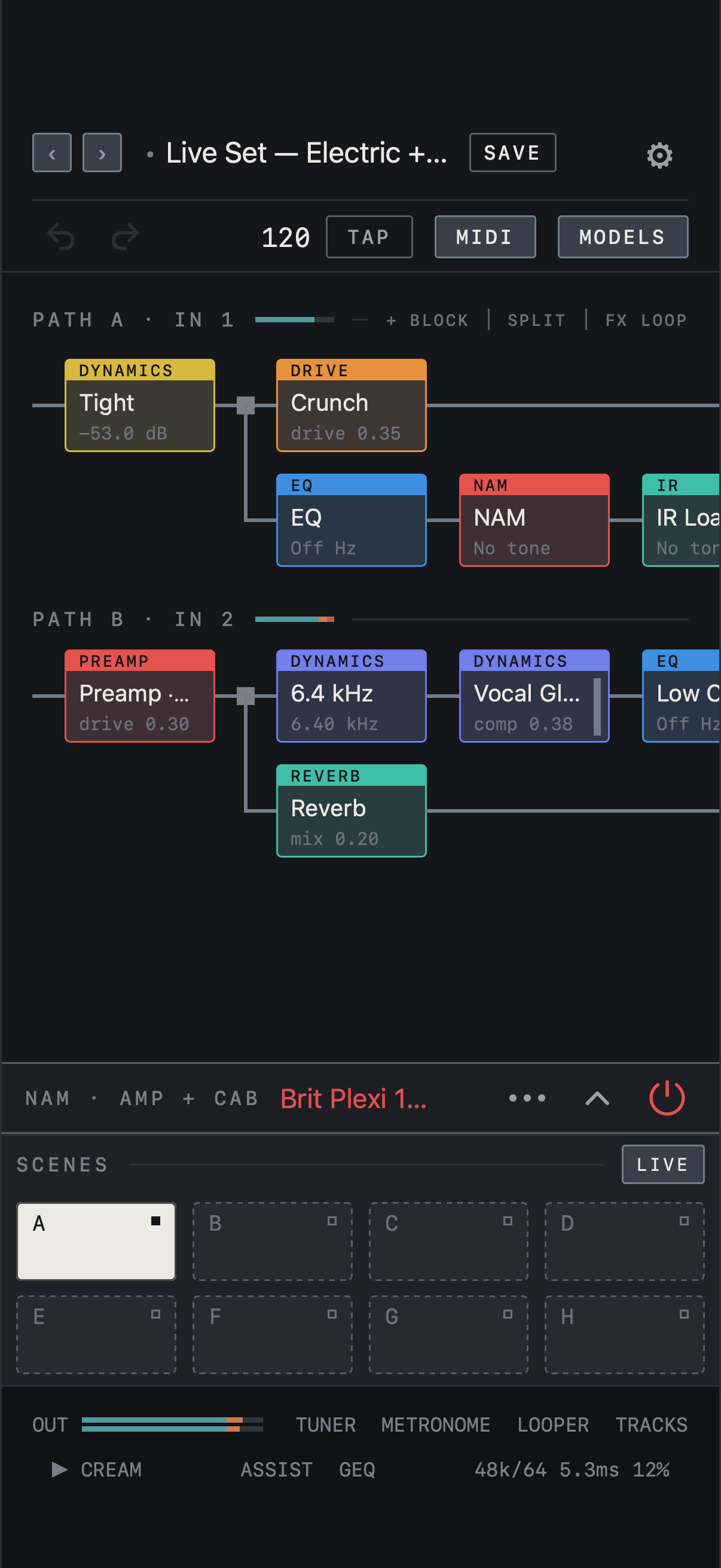
Find it on screen
- Below the PATH A chain sits a separate chain for PATH B · IN 2. Each Path has its own blocks and parallel splits.
- PATH B in this example is a vocal chain running from Preamp to a Plate reverb.
- The parameter panel is folded here. If the open panel hides PATH B, fold it with the ⌄ at the right of the panel.
Find it on screen
- Below the PATH A chain sits a separate chain for PATH B · IN 2. Each Path has its own blocks and parallel splits.
- PATH B in this example is a vocal chain running from Preamp to a Plate reverb.
- The parameter panel is folded here. If the open panel hides PATH B, fold it with the ⌄ at the right of the panel.
Choose the output
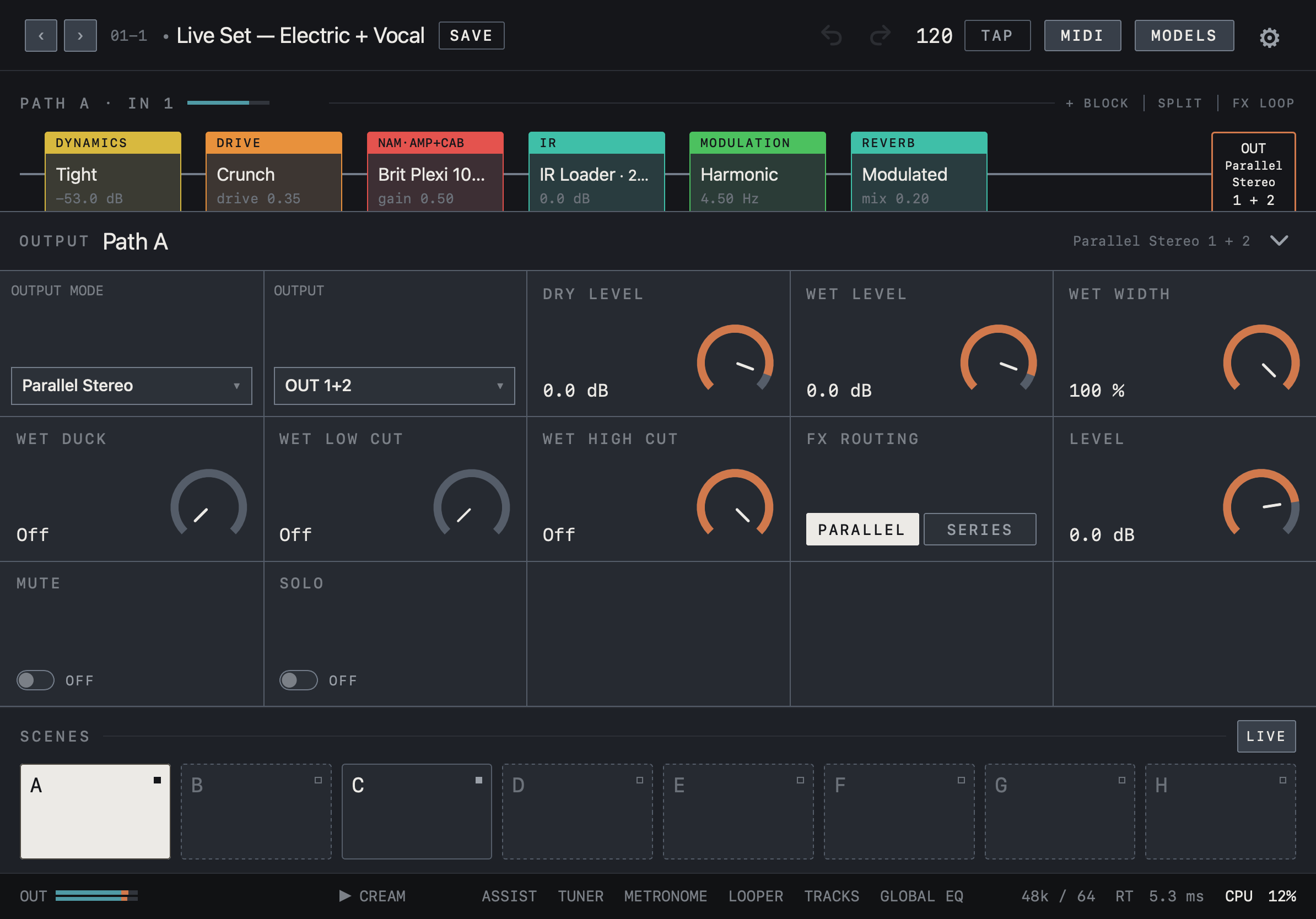
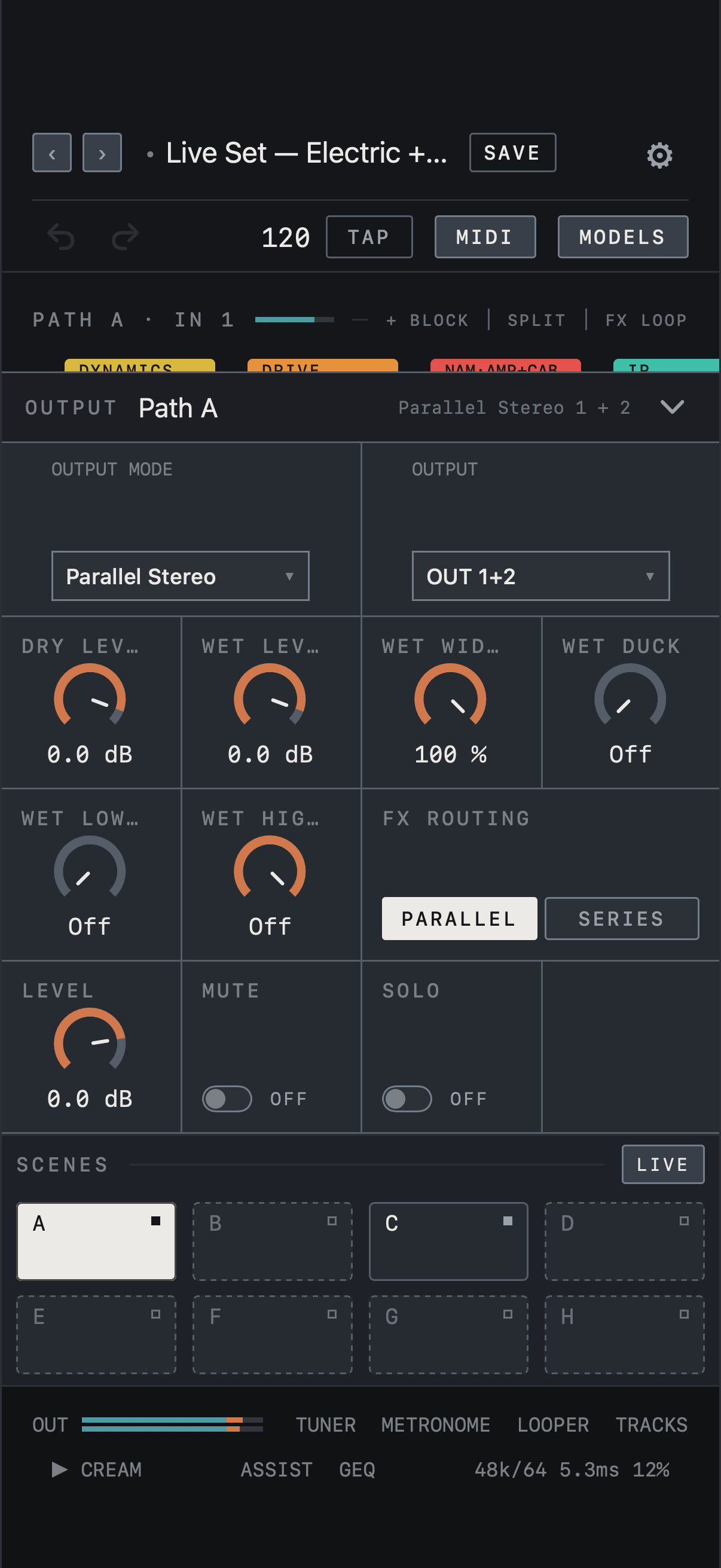
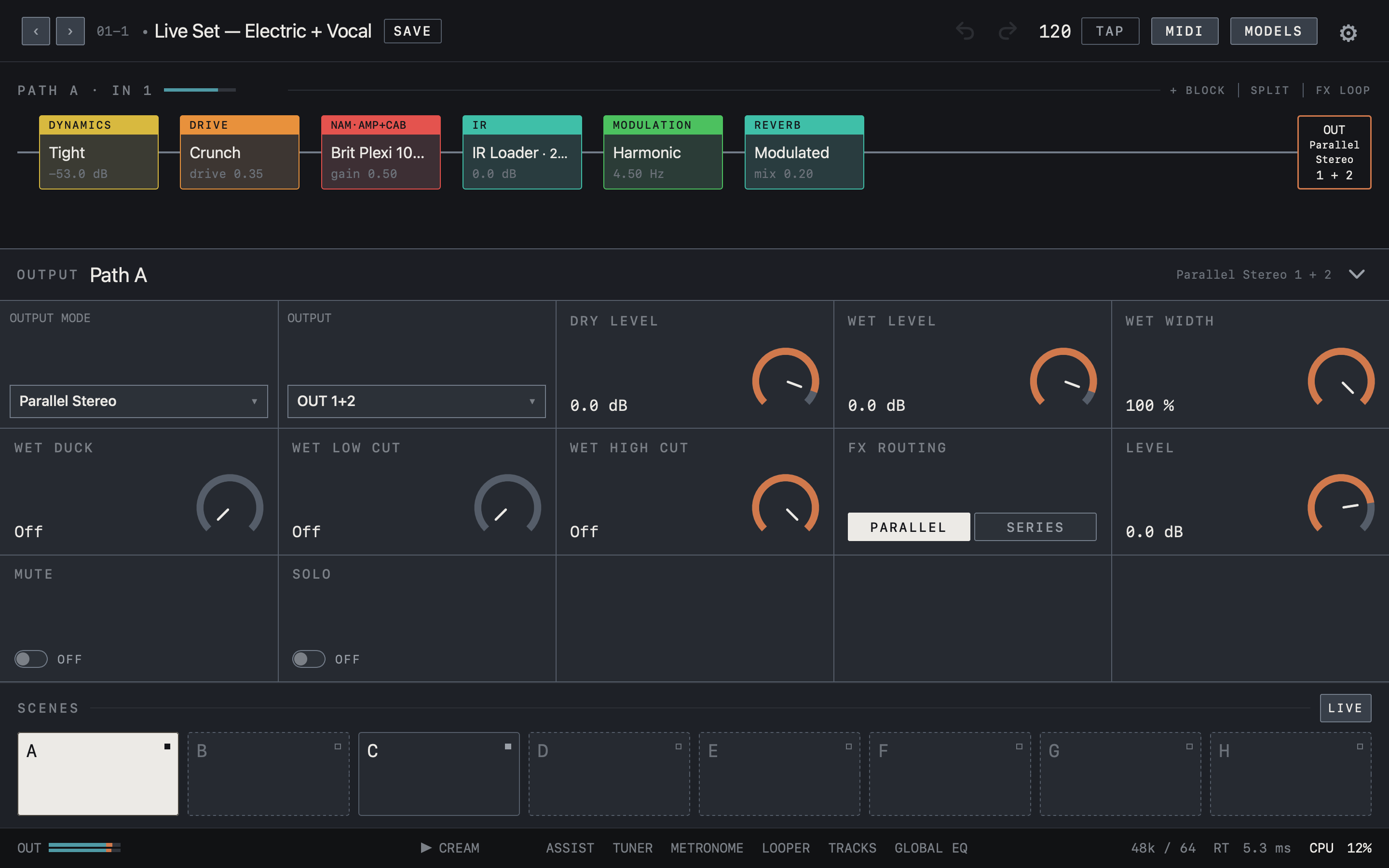
Tap OUT at the end of a chain to open that Path’s OUTPUT panel. Choose Mono, Stereo, Parallel Stereo or Wet / Dry / Wet under OUTPUT MODE, and the physical channels under OUTPUT. Available channels come from the connected device. LEVEL, MUTE and SOLO apply to the whole Path. The output mode and connector choice are settings of this device and stay when you change presets. The looper, drums and click use OUT 1/2.
Note Check the interface’s own settings to see which USB output pair feeds its headphone socket.
Find it on screen
- Tap OUT at the end of the chain to open that Path’s OUTPUT panel.
- Choose the mode under OUTPUT MODE and the physical channels under OUTPUT. This example shows Parallel Stereo on OUT 1+2.
- LEVEL, MUTE and SOLO act on the whole Path; DRY LEVEL, WET LEVEL and WET WIDTH balance the dry signal and the time-based effects.
Find it on screen
- Tap OUT at the end of the chain to open that Path’s OUTPUT panel.
- Choose the mode under OUTPUT MODE and the physical channels under OUTPUT. This example shows Parallel Stereo on OUT 1+2.
- LEVEL, MUTE and SOLO act on the whole Path; DRY LEVEL, WET LEVEL and WET WIDTH balance the dry signal and the time-based effects.
Find it on screen
- Tap OUT at the end of the chain to open that Path’s OUTPUT panel.
- Choose the mode under OUTPUT MODE and the physical channels under OUTPUT. This example shows Parallel Stereo on OUT 1+2.
- LEVEL, MUTE and SOLO act on the whole Path; DRY LEVEL, WET LEVEL and WET WIDTH balance the dry signal and the time-based effects.