The input meter does not move
Check microphone permission, the device selected under Audio input in Settings, the IN number under Input channels, the instrument cable and the interface input gain. Selecting IN 1 will not capture a guitar connected to IN 2. Turn PATH B on before using its input. While the demo DI is playing, the selected Path hears the DI instead of the physical input, so stop it in the bottom bar.
Find it on screen
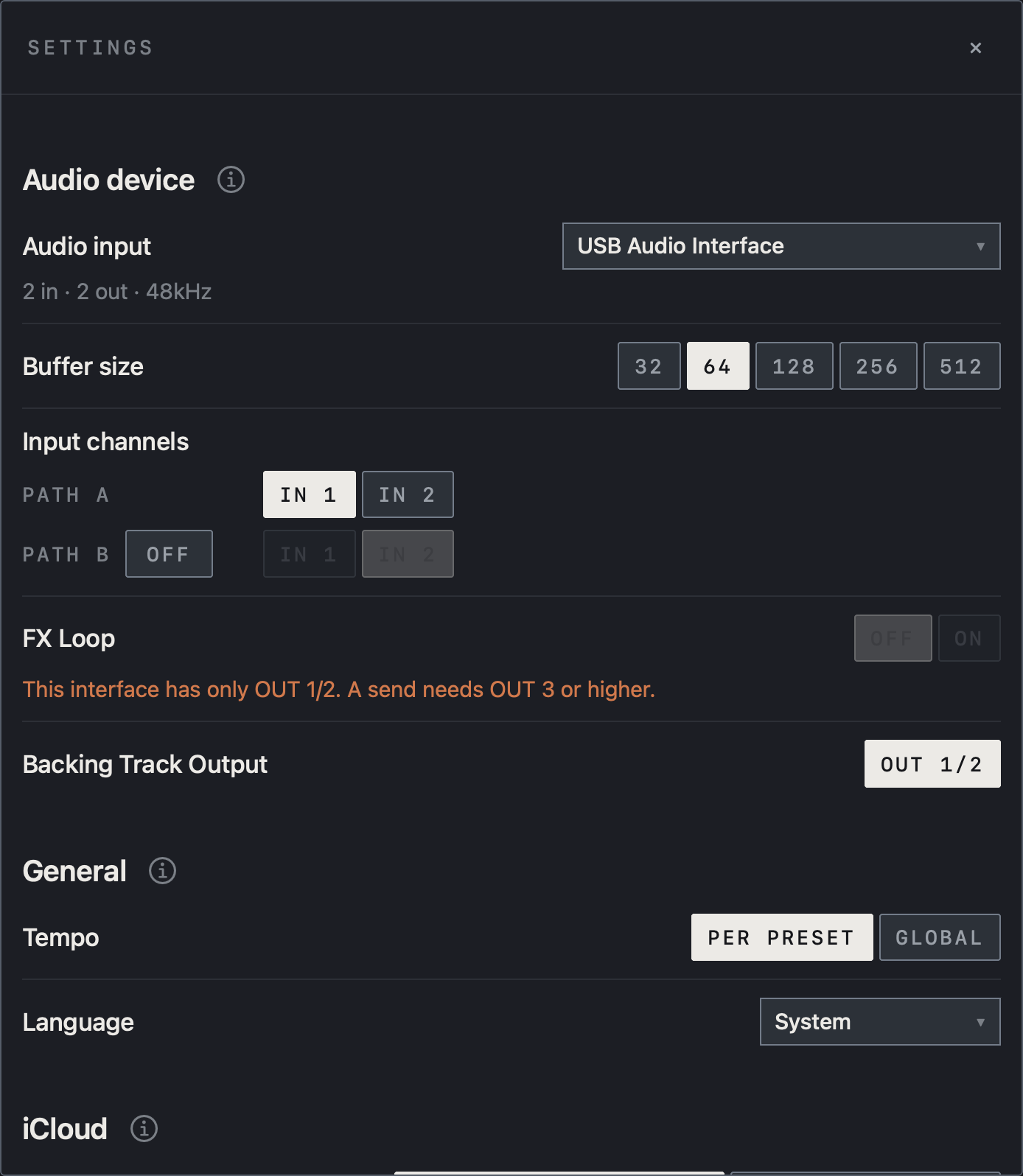
- Check the interface beside Audio input and match PATH A under Input channels to the IN your instrument uses.
- This example selects IN 1. With PATH B OFF, the IN buttons on its row are dimmed.
Find it on screen
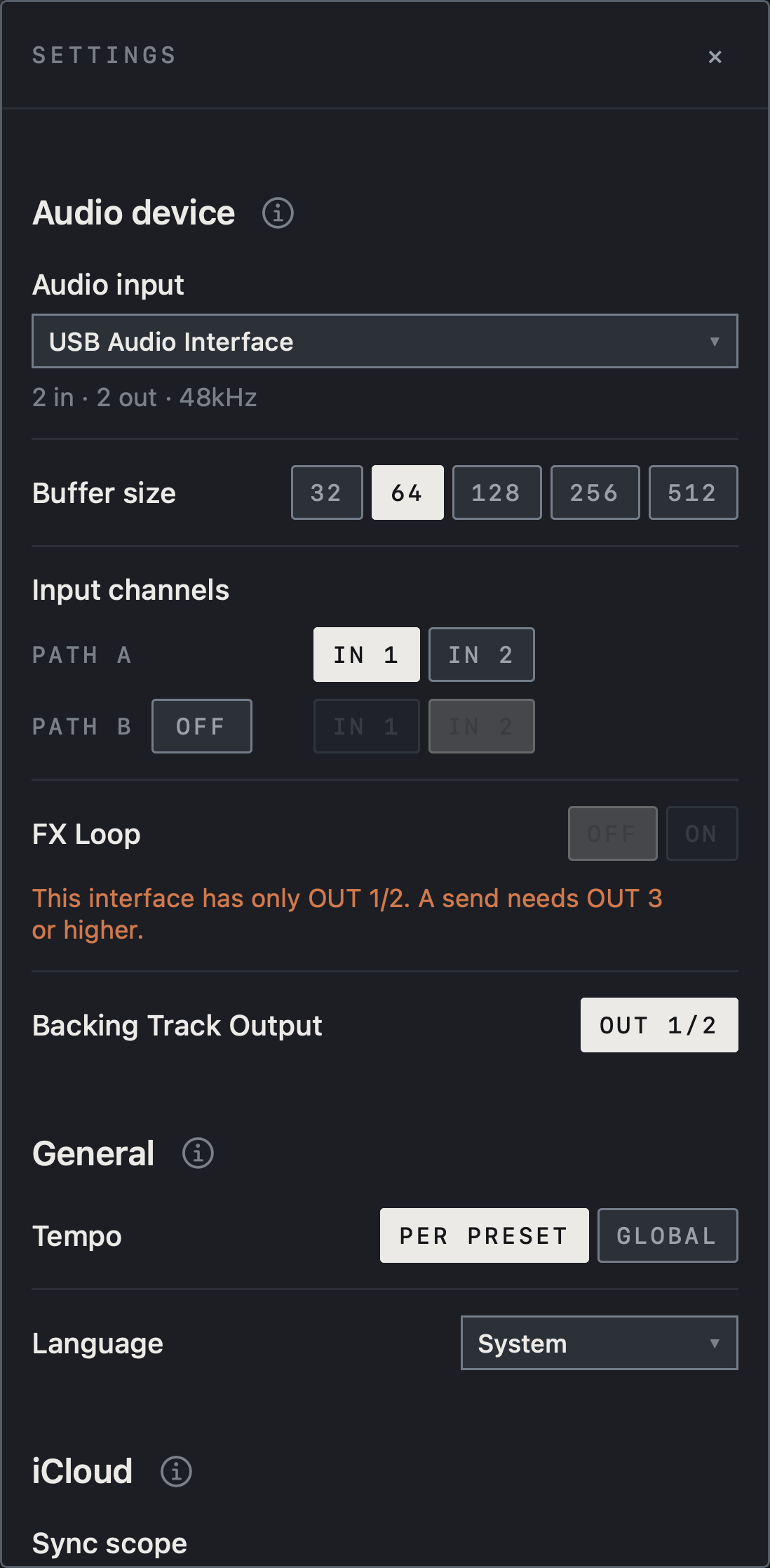
- Check the interface beside Audio input and match PATH A under Input channels to the IN your instrument uses.
- This example selects IN 1. With PATH B OFF, the IN buttons on its row are dimmed.
Find it on screen
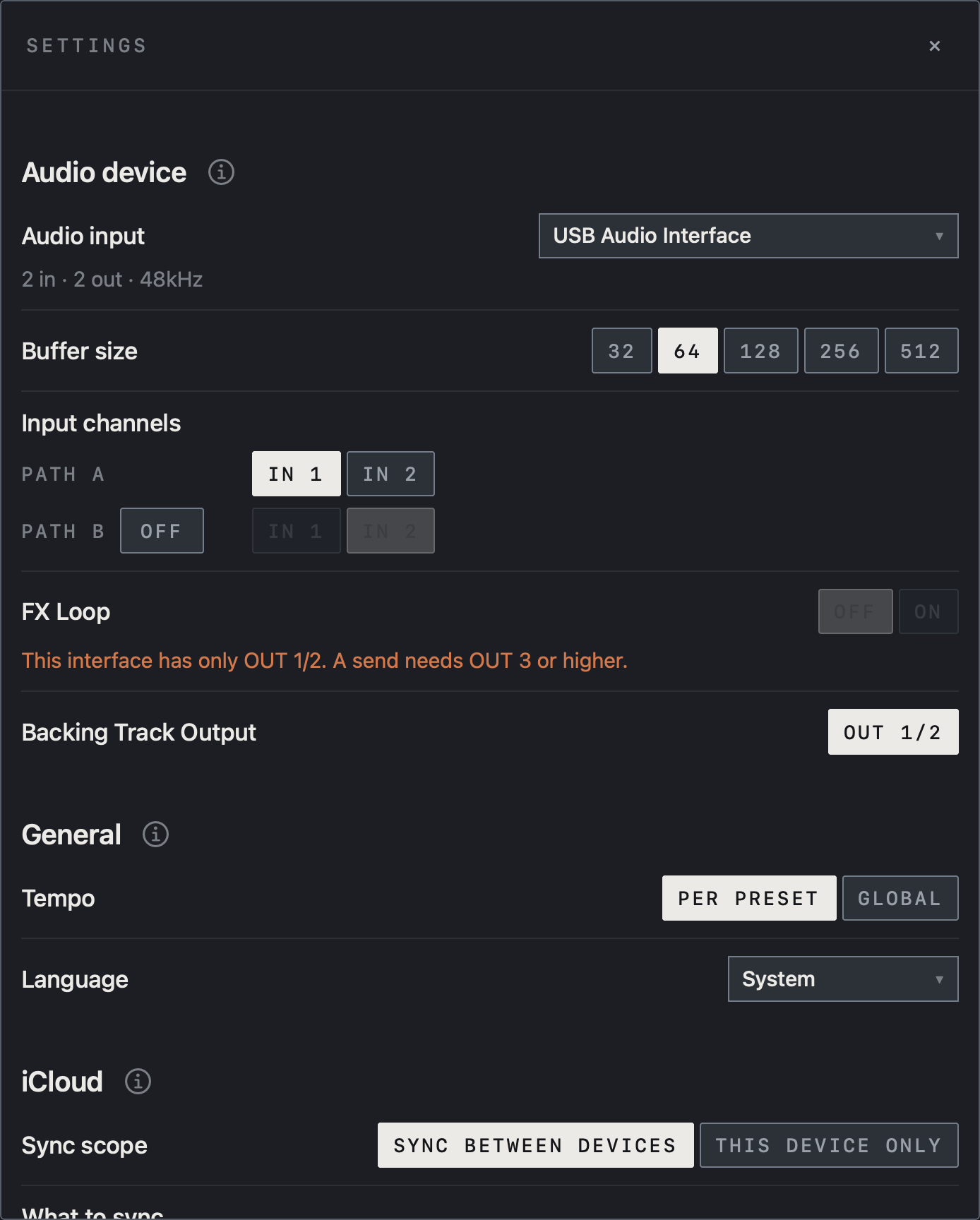
- Check the interface beside Audio input and match PATH A under Input channels to the IN your instrument uses.
- This example selects IN 1. With PATH B OFF, the IN buttons on its row are dimmed.
Meters move, but there is no sound
Check the output connectors at OUT at the end of the chain and the physical headphone/speaker connection. Ensure the interface monitor mix is not set only to direct input. Close other audio apps and reconnect NAM FX to compare. If the looper and metronome are also silent, check monitoring from OUT 1/2 first. If only the instrument is silent, check MUTE, SOLO and LEVEL in the OUTPUT panel, Mute output in the tuner, and whether the connectors chosen for Wet / Dry / Wet are really connected. If only the backing track is silent, check Backing Track Output in Settings.
Doubled sound or crackles
For doubled dry and processed sound, check interface direct monitoring. Reduce input gain and chain/output levels for sustained clipping. For crackles or dropouts, increase the buffer and check power, hubs, cables, CPU load and heat. If a capture sounds muffled, check whether a cabinet is applied twice (CAB TWICE); if it sounds fizzy, check whether the cabinet is missing (no cab). If the FX Loop makes the sound thin, measure again with Re-measure.
A device is missing or recovery stalls
Check the data cable and power, reconnect, and confirm that the device name and channels update in Settings. Tap Resume if requested. On Mac, a device with inputs but no outputs cannot start audio, so choose an interface that has both. If the issue continues, send support your device, OS, app version, interface, buffer and reproduction steps.
Caution Do not send tokens, API keys or tone files you lack permission to share.
Sync does not happen
Check that the device is signed in to iCloud with iCloud Drive on, and that the item is on under iCloud in NAM FX Settings on both devices. Tap SYNC NOW and read the status rows; items shown as still downloading need a moment before you check again. Loops and backing songs are large, take time, and cannot upload when iCloud storage is full. Tones downloaded from TONE3000 move only when both devices are connected to TONE3000.
Pro features are locked
Check that you are signed in with the Apple ID that made the purchase, then tap RESTORE (Restore Purchases) in the Pro window or Settings. If no purchase is found, check whether you bought it with a different Apple ID. If the AUv3 plug-in is locked, open the NAM FX app, unlock there, then load the plug-in again in the host.
Note Even with Pro, the FX Loop can only be turned on with an interface that has OUT 3 or higher.