
Save a preset
A preset stores a rig: chain structure, parameters, scenes and tone references. Tap the preset name at the top to open the preset window, then pick a bank on the left and a preset on the right. NEW creates a preset in the selected bank. When you change something in the editor, a dot appears before the name and SAVE appears; tap SAVE to overwrite or to save under another name. If you try to switch presets with unsaved changes, the app asks whether to save.
iPhone In portrait on iPhone, tap the field at the top to pick a bank; there is no bank list on the left.
Find it on screen
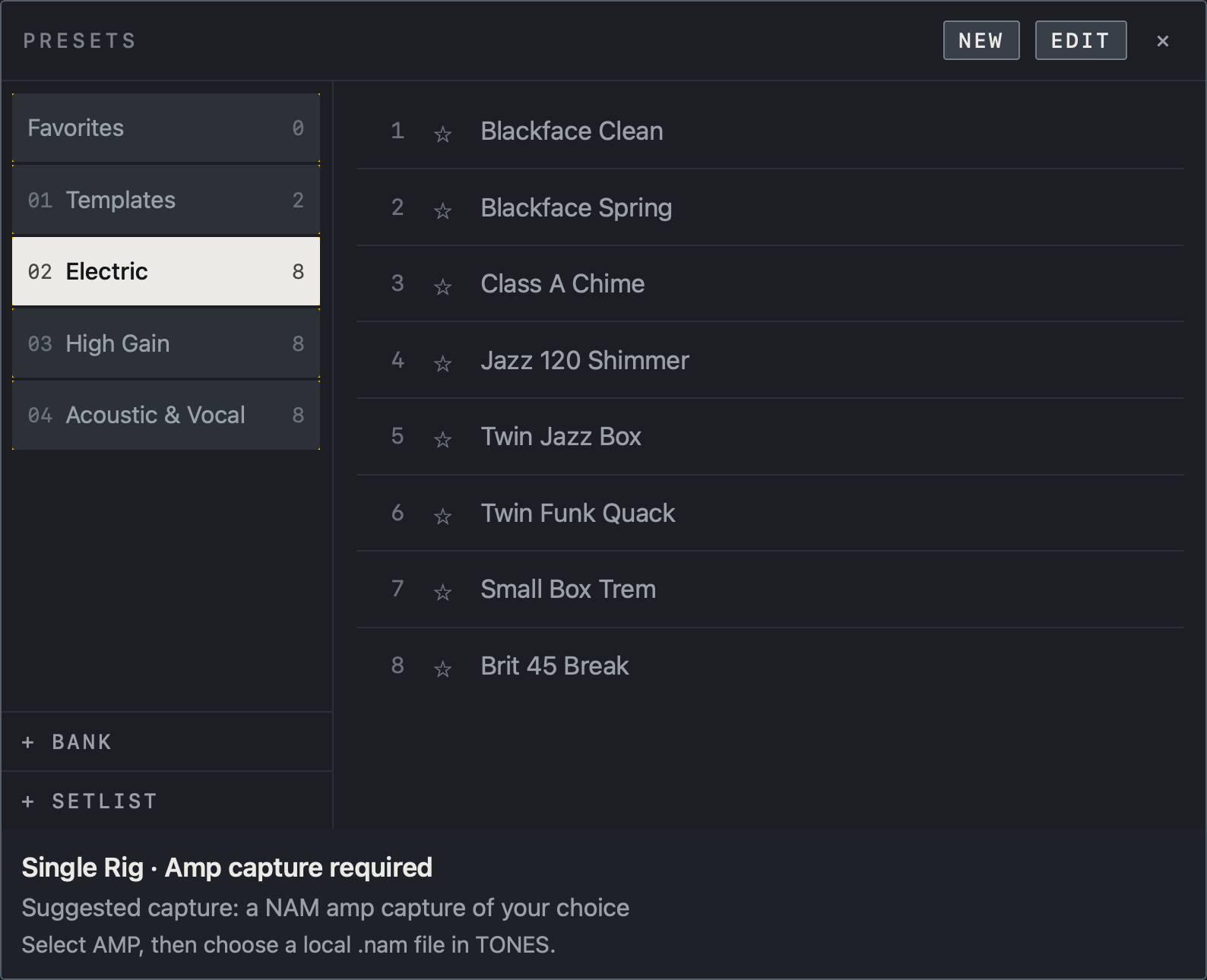
- Select a bank on the left, then a preset on the right. Use ☆ to manage favorites.
- Create a preset with NEW and organize the list with EDIT. + BANK and + SETLIST are at the bottom left.
- The note at the bottom says the selected preset needs an amp capture that you load yourself.
Find it on screen
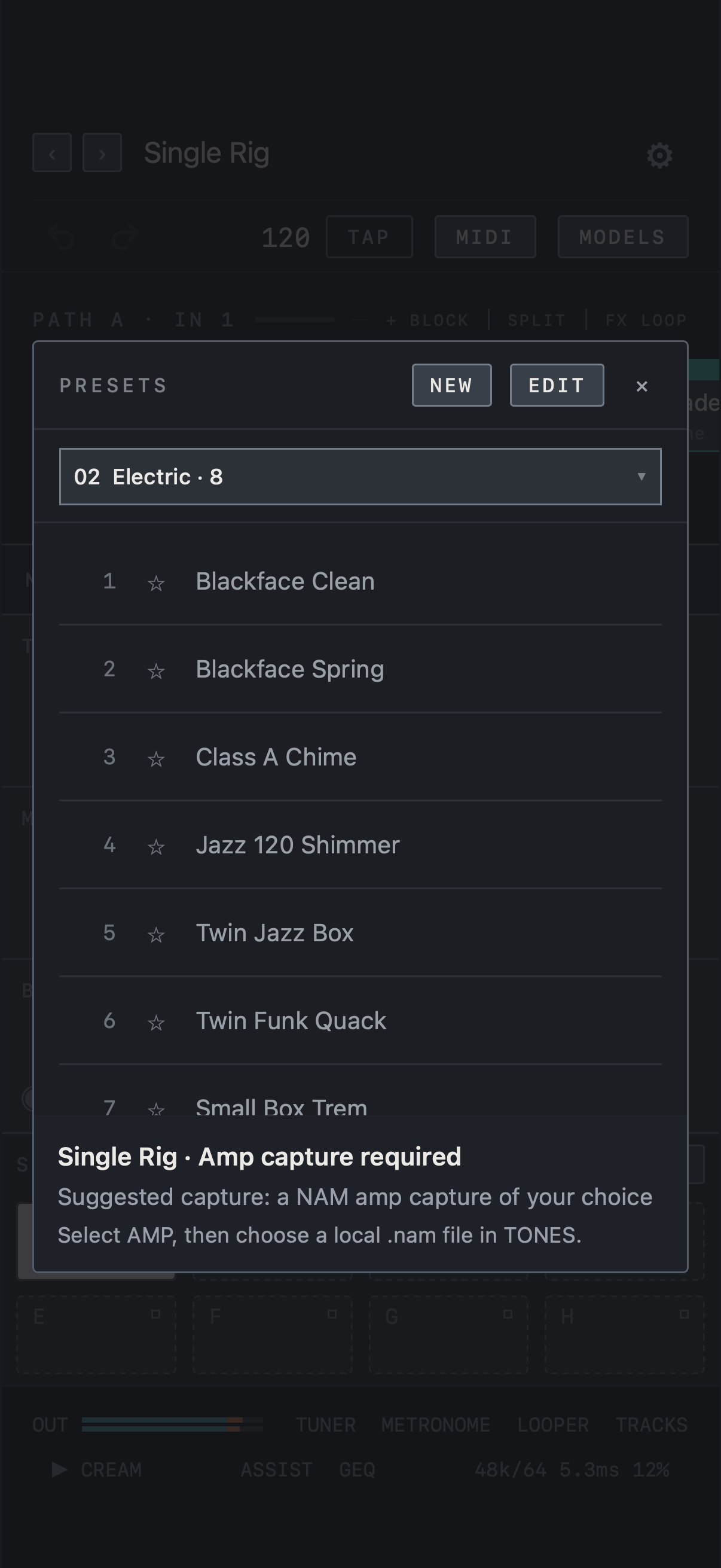
- In portrait on iPhone, a field at the top shows the current bank in place of the bank list. Tap it to unfold Favorites, setlists, banks, + BANK and + SETLIST.
- Pick a preset from the list below and mark favorites with ☆. NEW and EDIT are at the top right.
- The note at the bottom says the selected preset needs an amp capture that you load yourself.
Find it on screen
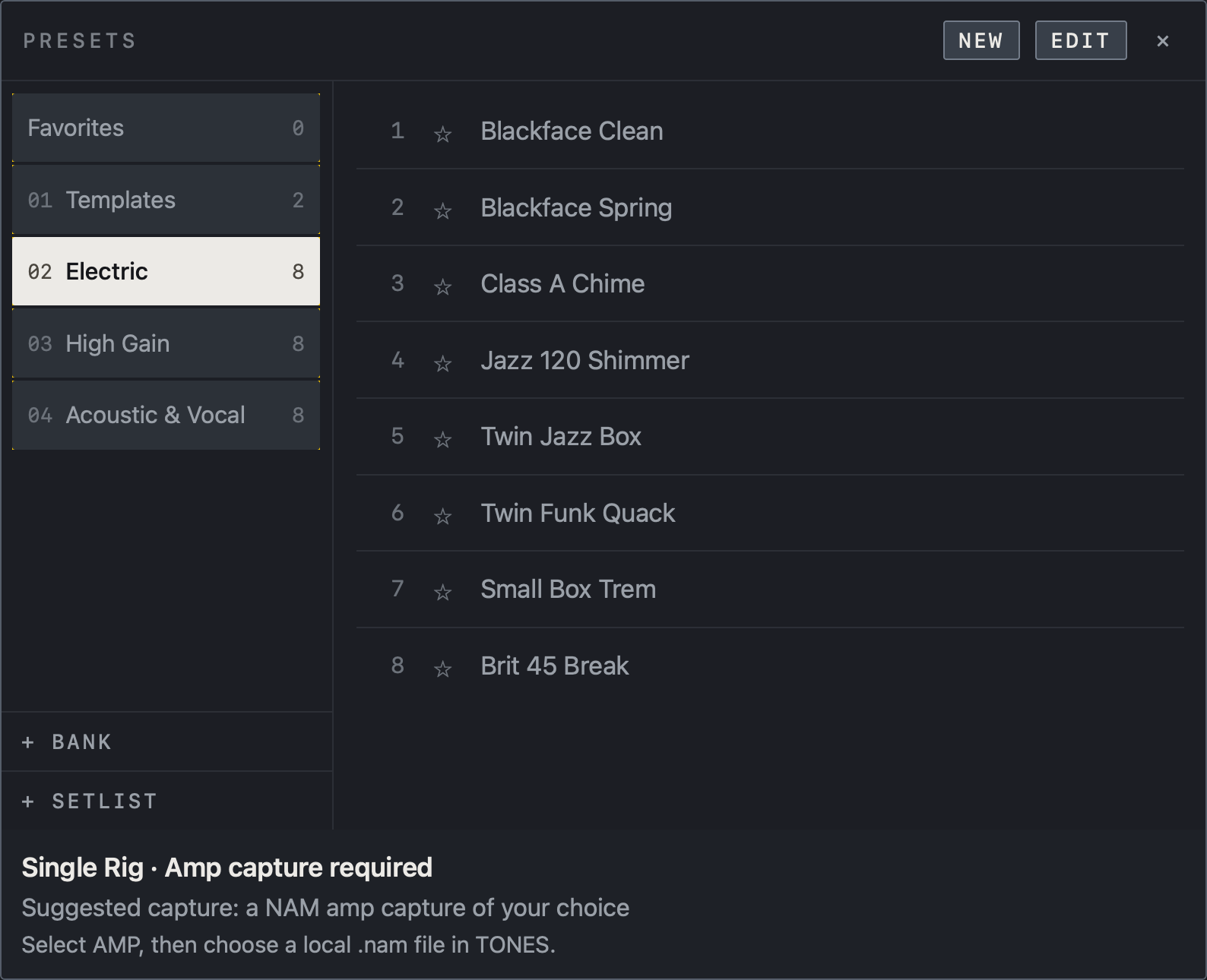
- Select a bank on the left, then a preset on the right. Use ☆ to manage favorites.
- Create a preset with NEW and organize the list with EDIT. + BANK and + SETLIST are at the bottom left.
- The note at the bottom says the selected preset needs an amp capture that you load yourself.
Name and organize
Tap EDIT to rename, reorder or delete banks and presets. + BANK adds a bank. Presets you mark with ☆ collect under Favorites at the top. When you select a preset that needs a capture, a note at the bottom of the window says what kind of capture to load. Add beside Factory presets in Settings appends the 24 factory presets to the end of your list without overwriting anything.
Setlists
- Tap + SETLIST at the bottom left of the preset window to create a setlist.
- Select the setlist, then add the current preset with + CURRENT PRESET or drag a preset row onto the setlist name. The same preset can appear more than once.
- Drag entries into show order. ✕ in EDIT removes an entry from the setlist only; the preset is not deleted.
- Open a preset by tapping a setlist entry, and from then on ‹ › in the top bar and MIDI Preset Prev / Next follow the setlist; the address shows your position, such as SET 3/12.
- Opening a preset from a bank or Favorites ends setlist following and returns to bank order.
iPhone In portrait on iPhone, + SETLIST and the setlist names are in the list that unfolds from the field at the top.
Find it on screen
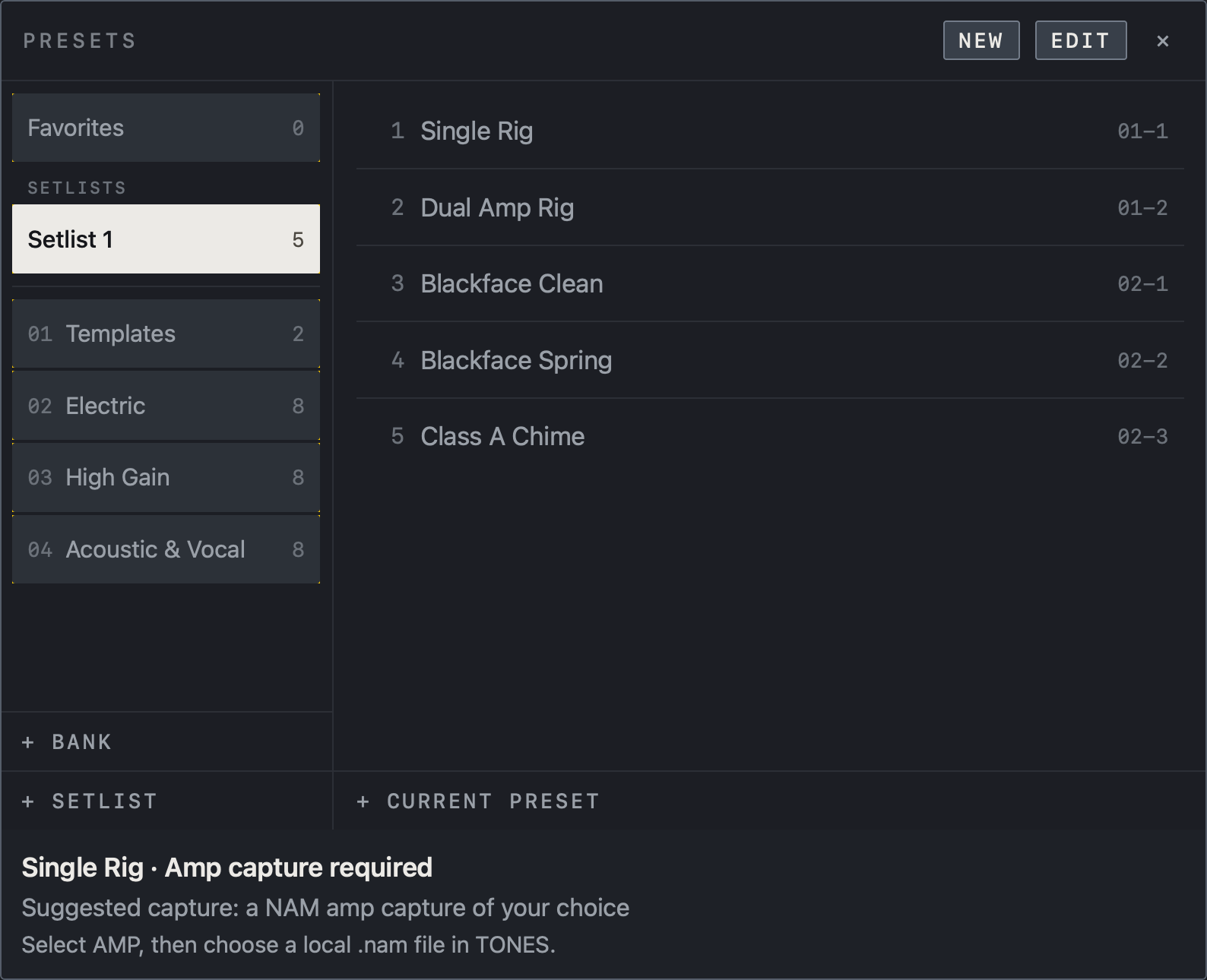
- Select a setlist under SETLISTS on the left to see the order number, preset name and bank address on the right.
- + CURRENT PRESET adds the preset that is open now to the end of this setlist.
- The number beside the setlist name is how many entries it holds.
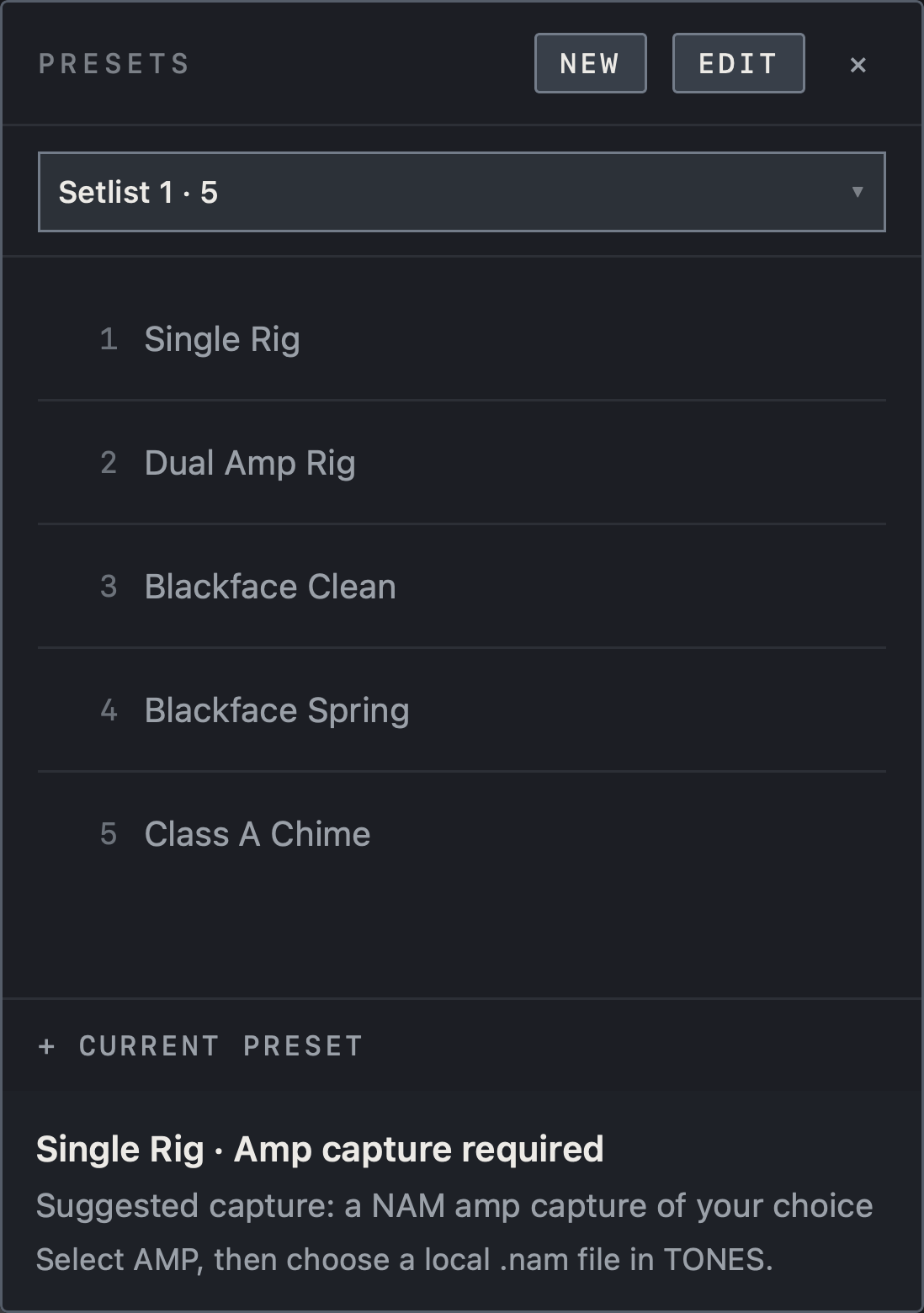
Find it on screen
- Select a setlist in the menu at the top to see the order number and preset name below.
- + CURRENT PRESET adds the preset that is open now to the end of this setlist.
- The number beside the setlist name is how many entries it holds.
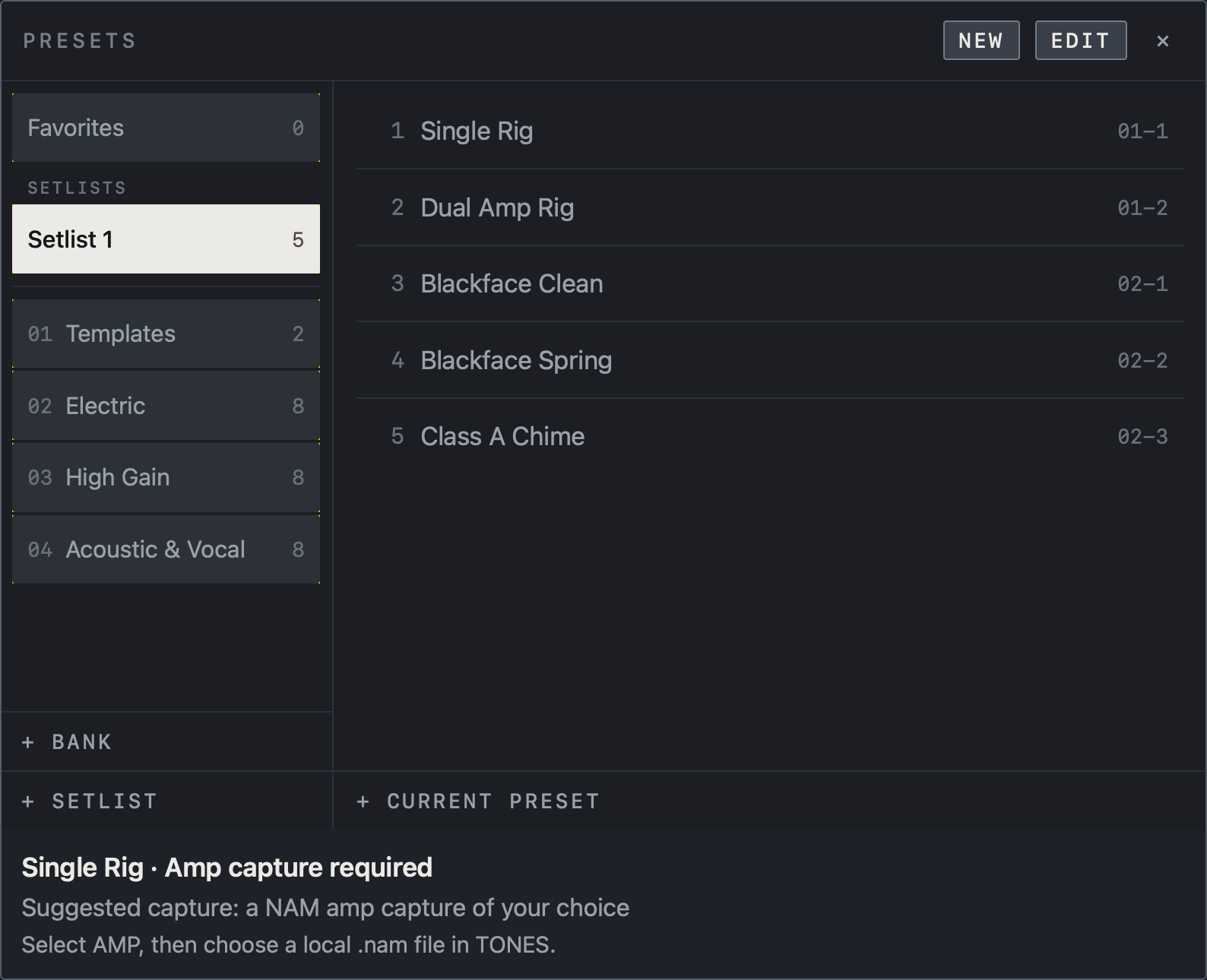
Find it on screen
- Select a setlist under SETLISTS on the left to see the order number, preset name and bank address on the right.
- + CURRENT PRESET adds the preset that is open now to the end of this setlist.
- The number beside the setlist name is how many entries it holds.
Scenes A–H
Each preset has eight scenes, A–H. Scenes change block On/Off states and parameter values within the same chain, which suits variations such as Clean, Crunch and Lead within a song. A new preset opens with scene A filled. Tap an empty scene (dashed outline) to move to it; as soon as you change a value there, the scene is filled and its outline becomes solid.
Note Scenes are not saved separately: SAVE on the preset stores them too.
Hold a scene (right-click on Mac) for a menu with Rename, Learn MIDI and Remove scene.

Find it on screen
- A–H are scenes within one preset. The filled A is the current scene.
- A–D, which carry names, are stored scenes (solid outline); E–H are empty (dashed outline).
- The numbers 12–15 beside the scene letters are the MIDI CC numbers assigned to those scenes.
- LIVE at the top right opens the performance screen.
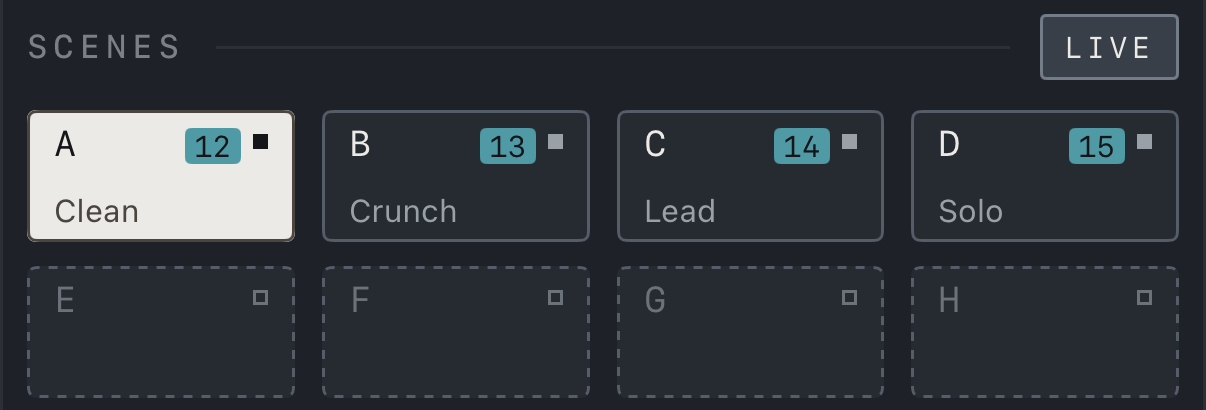
Find it on screen
- A–H are scenes within one preset. The filled A is the current scene.
- A–D, which carry names, are stored scenes (solid outline); E–H are empty (dashed outline).
- The numbers 12–15 beside the scene letters are the MIDI CC numbers assigned to those scenes.
- In portrait on iPhone the scenes sit in two rows of four, and LIVE at the top right opens the performance screen.

Find it on screen
- A–H are scenes within one preset. The filled A is the current scene.
- A–D, which carry names, are stored scenes (solid outline); E–H are empty (dashed outline).
- The numbers 12–15 beside the scene letters are the MIDI CC numbers assigned to those scenes.
- LIVE at the top right opens the performance screen.
Switching behavior
Scene changes apply values without rebuilding the chain.
Caution Preset changes may need tone and chain preparation. Use scenes within one preset for frequent changes while playing, and test transitions between complex rigs on your actual device.
Under Tempo in Settings, Per preset recalls each preset’s own tempo when you open it; Global keeps the tempo you set.